

Device repair failure is defined as a repair outcome where the original problem returns or worsens because the underlying cause was never fixed. Most failed device fixes share one root: technicians and owners treat the visible symptom, not the actual fault. Understanding why device repairs fail explained through both hardware and software lenses gives you a real advantage. Whether you own a single iPhone or manage a fleet of business laptops, the same patterns repeat. Incomplete diagnostics, improper handling, and ignored software locks turn fixable problems into expensive disasters. Repair Genius has seen these patterns across thousands of repairs in Orlando and Winter Park over more than 10 years.
Why do device repairs fail? The root cause problem
Repair failure is most often caused by fixing what you can see rather than what actually broke. A cracked screen gets replaced, but the impact that cracked it also bent the frame. The new screen cracks again within weeks. This is the fix-it-again cycle, and it is the single most common pattern in device repair issues.
Root cause analysis is the practice of tracing a failure back to its origin before touching any parts. Most repair processes skip this step because closing work orders quickly is faster and cheaper in the short term. The result is that new components fail by the same undiagnosed environmental or systemic issue that destroyed the originals.
For business owners, this cycle is especially costly. A laptop that goes in for a keyboard replacement three times in a year is not a keyboard problem. It is a liquid ingress problem, a ventilation problem, or a user behavior problem. Each repair that ignores that fact wastes money and time.
What are the most common hardware mistakes that cause repairs to fail?
Hardware errors are the most visible category of device repair issues, and they range from the obvious to the surprisingly subtle.
- Wrong screws. Mixing up screws by fractions of a millimeter can puncture a motherboard. Modern smartphones use screws measured in tenths of millimeters, and a screw that is 0.3mm too long will pierce a circuit board on the first reassembly.
- Thermal damage. Excessive heat during soldering or component removal causes irreversible damage. Lifted pads on a PCB are a signature of prior heat abuse, and no technician can undo that damage once it occurs.
- Skipped disconnection steps. Failing to disconnect the battery before removing a screen or logic board component sends a voltage spike through live circuits. The device may power on immediately after, but internal damage shows up days later as random shutdowns or dead sensors.
- Static electricity. DIY repairs without grounding expose internal circuits to electrostatic discharge. A single static event can fry a component instantly. The device often works for a few days before failing permanently, making the cause hard to trace.
- Thermal paste neglect. Browning on a PCB near components reveals chronic overheating. Replacing a failed chip without also replacing dried thermal paste guarantees the same chip fails again within months.
Pro Tip: Before touching any internal component, photograph the screw layout with your phone camera. Different screw lengths look identical to the naked eye but cause catastrophic damage in the wrong hole.
Thermal management deserves its own emphasis. Overheating is both a cause and a symptom of failed repairs. A technician who replaces a GPU without checking whether the cooling system is blocked has solved nothing. Identifying chronic thermal stress and replacing thermal paste is not optional maintenance. It is the difference between a repair that lasts and one that fails in 90 days.

How do software and firmware protections cause repair failures?
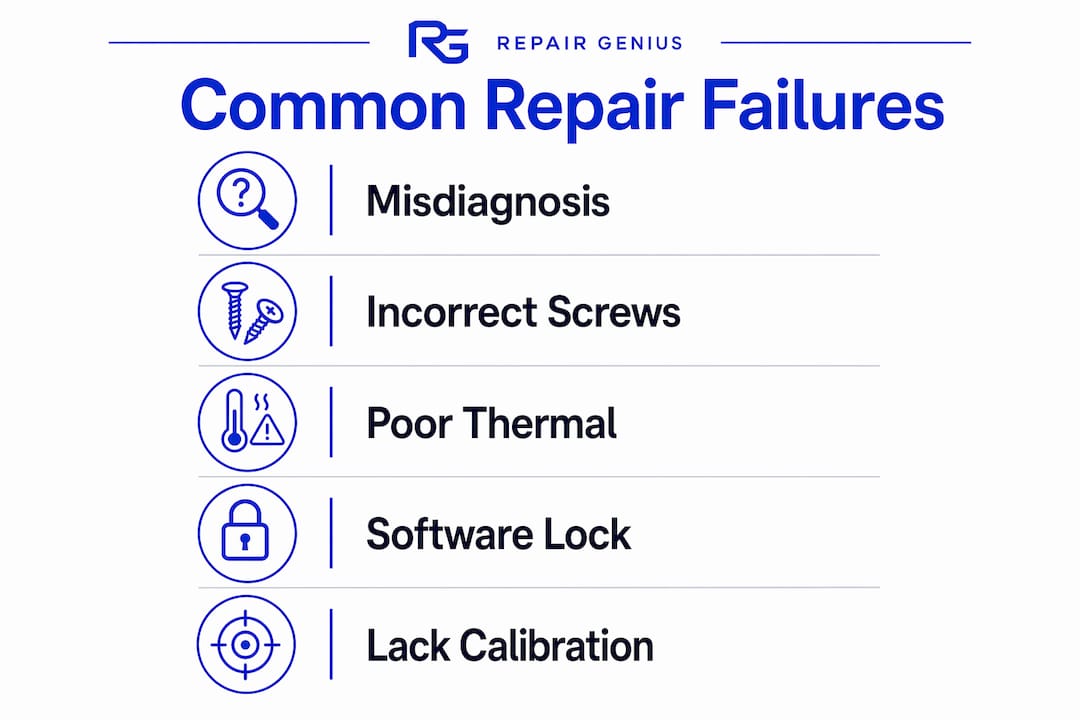
Software barriers are the fastest-growing category of reasons for repair failures, and most device owners never see them coming.
Modern smartphones use a system called parts pairing, where the device’s operating system cryptographically links specific hardware components to the device’s serial number. Apple and Android devices restrict repaired components through this software validation. Install an unapproved screen on a recent iPhone and Face ID stops working. Replace a camera module without OEM calibration and the camera app crashes on launch.
The consequences of ignoring these protections include:
- Bricked devices. Anti-Rollback (ARB) protection is a firmware-level fuse. No recovery is possible from a tripped ARB fuse without correct firmware management. Downgrading firmware on a protected Android device to bypass a software lock permanently bricks the bootloader.
- Disabled features. Touch ID, Face ID, True Tone display calibration, and battery health reporting are all tied to parts pairing on Apple devices. A repair that ignores this loses those features permanently.
- Voided diagnostics. OEM calibration tools write authentication data to new parts during installation. Shops that skip this step deliver a device that appears repaired but fails software validation checks within the operating system.
Pro Tip: Before any repair, ask the technician directly: “Do you use OEM calibration software for parts pairing?” If they hesitate or say it is not necessary, find a different shop.
The role of diagnostic software in modern repairs is not optional. It is the mechanism that makes a repair legitimate in the eyes of the device’s own operating system. Technicians who skip it are not saving time. They are creating a second failure that is harder to diagnose than the first.
Why does skipping root cause analysis lead to repeat failures?
The repair process explained at most shops follows a simple sequence: customer reports a problem, technician replaces the most likely part, device is returned. That sequence has a fatal flaw. It assumes the reported symptom and the actual cause are the same thing. They rarely are.
- Symptom-only repairs create repeat customers for the wrong reasons. A phone with a swollen battery gets a new battery. If the charging port is faulty and overcharging the battery, the new battery swells within months. The shop closes the work order. The problem persists.
- Environmental factors go unexamined. Moisture-related damage continues developing after an initial repair if the moisture source is not fully remediated. A phone dropped in water gets a screen replacement. The corrosion on the logic board keeps spreading. Six weeks later, the phone dies completely.
- Maintenance schedule mismatches accelerate failure. Business devices used in high-dust or high-heat environments need more frequent cleaning and thermal maintenance than office devices. A repair that does not account for the operating environment sends a device back into the same conditions that caused the failure.
- Work order pressure overrides diagnostic thoroughness. Maintenance processes do not incentivize deep root cause investigations. Speed metrics reward fast closures. Quality metrics that track repeat failures within 90 days are rare in the industry.
Pro Tip: Ask any repair shop: “What is your repeat repair rate within 60 days?” A shop confident in its diagnostics will answer without hesitation. A shop that deflects is telling you something important.
Ignoring early warning signs and opting for temporary fixes leads to multi-point, expensive repairs later. A single cracked screen that also has a hairline frame fracture becomes a logic board replacement if the frame stress is ignored. The cost compounds with every skipped diagnostic step.
What steps can you take to avoid common repair pitfalls?
Avoiding failed device fixes starts before you hand your device to anyone. These steps apply whether you are an individual with a cracked phone or a business owner managing 50 laptops.
- Back up everything before the repair. Data loss during repair is not rare. A technician working on a motherboard can accidentally wipe storage. Back up to a cloud service and a local drive before any repair begins.
- Choose shops that explain their diagnostic process. A reputable technician describes what they will check, not just what they will replace. If the shop’s intake process is “what’s broken?” and nothing more, that is a red flag. Review smartphone repair red flags before choosing a shop.
- Verify parts sourcing. OEM parts or certified aftermarket parts with proper authentication support are not the same as generic replacements. Ask specifically what brand and grade of parts the shop uses.
- Request post-repair testing documentation. A quality repair includes a written or digital checklist confirming that all device functions were tested after reassembly. Touch, camera, sensors, battery health, and connectivity should all be verified.
- Avoid DIY repairs on modern flagship devices. Attempting budget or less specialized repairs first risks irreparable damage and lost data recovery possibilities. The savings from a DIY screen replacement disappear the moment a static discharge kills the logic board.
Pro Tip: For business devices, schedule a preventive maintenance check every six months. Cleaning cooling systems, checking battery health, and updating firmware costs far less than an emergency repair after a complete failure.
Preventive maintenance is the most underused tool in avoiding repair problems. Devices that are cleaned, updated, and thermally managed regularly fail far less often than devices that only see a technician when something breaks. Read Repair Genius’s guide on how to minimize repair disruption for a practical maintenance framework.
Key Takeaways
Most device repairs fail because technicians fix visible symptoms without diagnosing the root cause, and software protections, thermal damage, and improper handling each compound that core problem.
| Point | Details |
|---|---|
| Root cause analysis is non-negotiable | Symptom-only repairs create repeat failures; always ask what caused the failure, not just what broke. |
| Hardware handling errors are permanent | Wrong screws, excessive heat, and static discharge cause irreversible damage that no follow-up repair can undo. |
| Software locks disable features after repair | Parts pairing on Apple and Android devices requires OEM calibration tools; skipping this step loses features permanently. |
| Thermal management prevents repeat failures | Replacing failed components without addressing overheating guarantees the same failure within months. |
| Prevention costs less than emergency repair | Regular maintenance, backups, and qualified technician selection reduce total repair costs significantly over time. |
What I’ve learned after watching the same repairs fail twice
The pattern I see most often is not incompetence. It is speed. Shops that turn devices around in 30 minutes are not running diagnostics. They are swapping the most likely part and hoping the symptom disappears. That works often enough to stay in business, but it fails the customers who needed a real answer.
The misconception I hear constantly is that a faster repair is a better repair. Speed matters for convenience, not for quality. A thorough diagnostic on a water-damaged phone takes time because corrosion spreads to multiple points and each one needs to be mapped before any part is touched. Rushing that process produces a device that works for three weeks and then dies in a way that is now much harder to fix.
My honest advice for business owners is this: track your repair history by device. If any device goes in for the same category of problem twice within a year, the first shop did not fix the root cause. That is not bad luck. That is a diagnostic failure, and you are paying for it twice.
The clients who get the best long-term outcomes are the ones who ask hard questions before the repair starts. They want to know what the technician will check, what parts will be used, and what the post-repair test covers. Those questions filter out the shops that are guessing and find the ones that are actually solving the problem.
— Michael
Repair Genius brings diagnostic-first repairs to your door
Device repairs that actually last start with finding the real problem, not just the obvious one. Repair Genius technicians in Orlando and Winter Park use OEM-approved tools and calibration software on every repair, covering iPhones, Android phones, laptops, and tablets. Every job includes post-repair testing across all device functions before the technician leaves your location.

Same-day, on-site service means your device gets fixed where you are, with no drop-off wait and no data leaving your hands. Transparent pricing with no hidden fees means you know the cost before any work begins. Schedule your repair at Repair Genius and get a technician who diagnoses the cause, not just the symptom.
FAQ
What is the most common reason device repairs fail?
The most common reason is that technicians fix the visible symptom without identifying the underlying cause, so the same failure returns quickly after the repair.
Can a bad repair make my device worse than before?
Yes. Excessive heat during soldering, wrong screws, and static discharge can cause permanent damage that makes a previously fixable device unrecoverable.
Why does my phone lose features after a screen replacement?
Apple and Android devices use parts pairing, a system that cryptographically links components to the device. Replacing a screen without OEM calibration software disables features like Face ID or True Tone permanently.
How do I know if a repair shop will actually fix the root cause?
Ask the shop to describe their diagnostic process before they touch the device. A qualified technician explains what they will test, not just what they will replace.
Is DIY repair ever a safe option for modern smartphones?
DIY repair on modern flagship devices carries serious risk. Static discharge, incorrect reassembly, and firmware errors can turn a minor issue into an irreparable failure, often costing more than a professional repair would have.
Recommended
- Minimize Device Repair Disruption: A Pro’s Guide
- Common Smartphone Repair Red Flags to Avoid in 2026
- Laptop Repair Before Replacement Checklist 2026
- Why Employee Devices Need Quick Repair: 2026 Guide





