
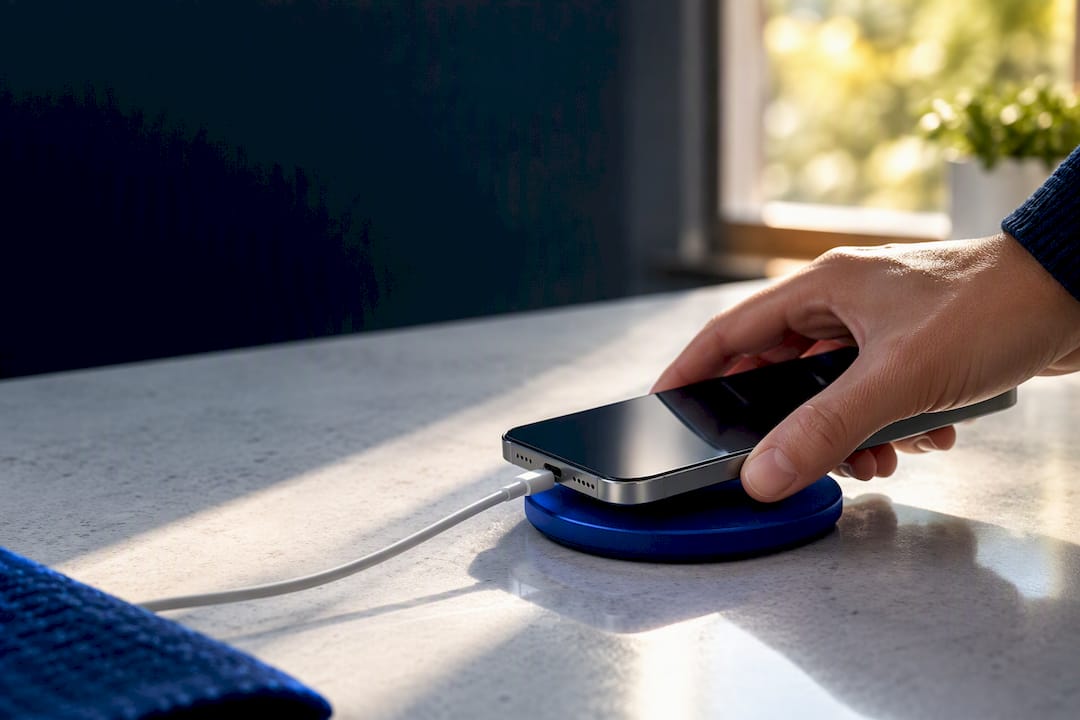
Simple charging habits can slow that decline, and once daily performance suffers, checking battery health and considering a replacement is usually the smarter move.
TL;DR:
- Battery life loss becomes significant around 80% capacity, typically after 500 to 1,000 charge cycles depending on the phone model.
- High temperatures, fast charging, deep discharges, and heavy workloads accelerate chemical aging of lithium-ion batteries.
- Regularly checking maximum capacity and signs like unexpected shutdowns or slow charging helps determine if a battery needs replacement.
- Using adaptive charging features and avoiding heat exposure can extend battery lifespan by months or years.
- Replacing a battery is cost-effective if the repair costs less than half the price of a new phone and the device still receives updates.
Table of Contents
- Typical lifespan: years, charge cycles, and what 80% capacity means
- What actually causes battery degradation
- How to check your phone’s battery health and signs it needs replacement
- Practical charging and care habits that measurably extend battery lifespan
- Replacing the battery: costs, when it’s worth it, and simple decision rules
- Repair Genius perspective: on-site battery replacement and deciding when to book repair
- How to book a Repair Genius battery replacement and what to expect
- Sources
- FAQ
Typical lifespan: years, charge cycles, and what 80% capacity means
Manufacturers use this unit because it tracks chemical wear more reliably than calendar time, since a phone sitting in a drawer barely ages while one charged constantly under heavy use degrades much faster.
Apple’s own guidance sets the benchmark most of the industry references. According to Apple’s battery health documentation, iPhone 15 and later models are designed to retain about 80% of their original capacity at approximately 1,000 complete charge cycles, while iPhone 14 and earlier models are rated for around 500 cycles before hitting that same threshold. Apple also frames batteries as consumable parts: a battery does not need replacing just because it has aged, only when its performance actually gets in the way of daily use, such as unexpected shutdowns or a charge that will not last through the day.
Translating cycles into real-world years depends heavily on habits. A few rough patterns:
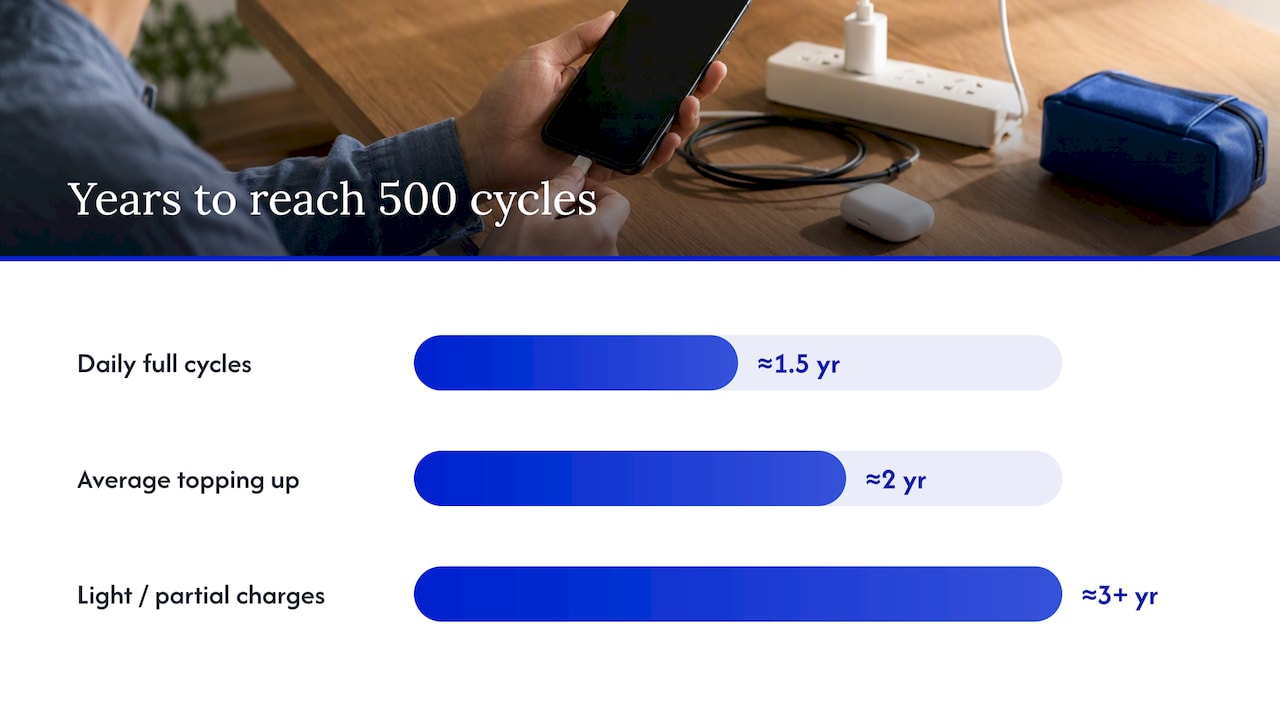
- Someone who runs a full charge cycle every day reaches 500 cycles in about a year and a half and 1,000 cycles in roughly three years.
- An average user who tops up throughout the day and rarely runs a full 0 to 100% cycle might take closer to 2 years to hit 500 cycles.
- Light users, or anyone who charges in small partial bursts, can stretch that same 500-cycle mark toward 3 years or more.
Google’s Pixel line follows a similar logic to Apple, rating battery health by both age and cycle count, though Google publishes less granular cycle-specific detail than Apple does. The takeaway across brands is consistent: cycle count, not the calendar, is the better predictor of where your battery actually stands.
What actually causes battery degradation
Lithium-ion batteries age chemically every time they charge and discharge, but some conditions accelerate that aging far more than others. Four factors do most of the damage.
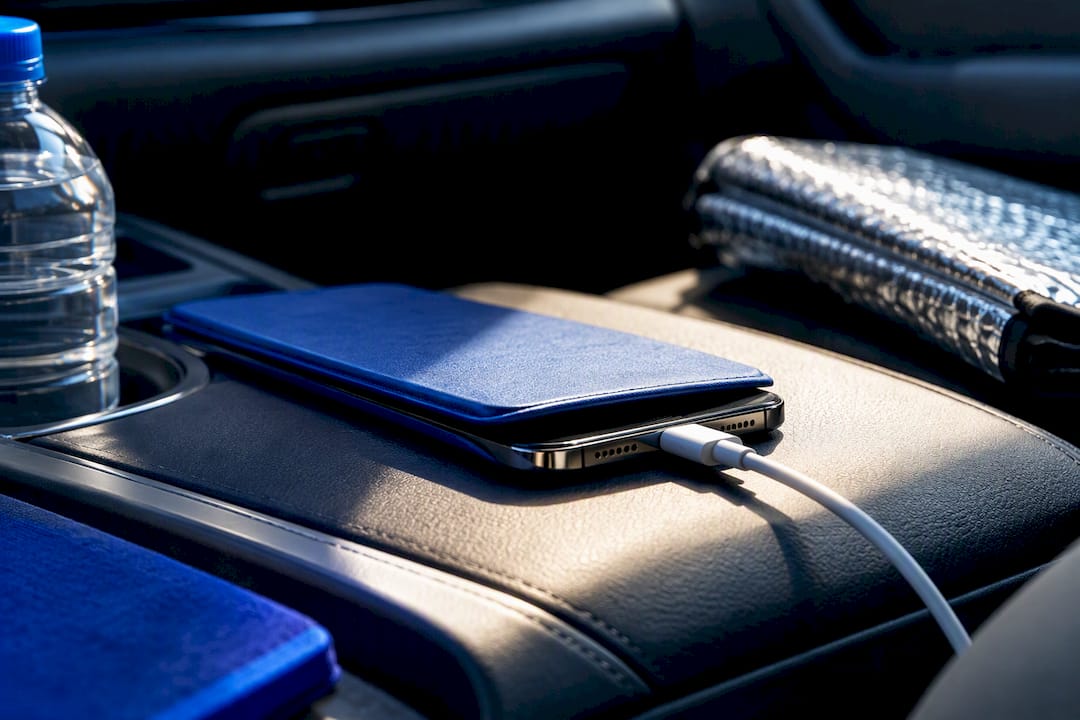
Heat tops the list. Batteries stored or charged above about 95°F (35°C) suffer permanent capacity loss, and sustained high temperatures can also create safety risks over time. This is why a phone charging in direct sun, in a hot car, or under a thick case while gaming heats up fastest and wears out faster.
Depth of discharge matters almost as much.
Peer-reviewed testing on batteries pulled from real consumer devices found that narrower state-of-charge windows and cooler operating temperatures suppress key aging mechanisms, while elevated temperatures accelerate both capacity fade and voltage distortion, according to degradation research published in a materials engineering journal. That finding lines up with what repair technicians see in practice: batteries from phones used in hot climates or left in cars tend to fail sooner than those from otherwise identical devices used in milder conditions.
Fast charging adds a third layer of stress. Higher charging currents, sometimes called high C-rates, generate more internal heat and more mechanical strain on the battery’s internal structure than a slower, steady charge. Separate modeling research on lithium-ion battery packs confirms that both high C-rates and elevated ambient temperature increase thermal aging, and that keeping peak temperature and current lower extends usable life.
Finally, workload matters. Gaming, video recording, or navigation while the phone is plugged in keeps the battery under simultaneous charging and discharging stress, which runs hotter than either activity alone. A few habits that reduce exposure to these stressors:
- Avoid leaving your phone in a hot car, on a sunny windowsill, or under a pillow while charging.
- Take off thick cases before extended charging sessions if the phone runs warm.
- Skip fast charging when you are not in a hurry; a slower, steady charge produces less heat.
- Avoid gaming or video calls while the phone charges from low battery, especially on hot days.
How to check your phone’s battery health and signs it needs replacement
Checking battery health takes less than a minute and tells you far more than guessing based on age.
- On an iPhone, open Settings, tap Battery, then Battery Health & Charging to see the maximum capacity percentage compared with when the phone was new.
- On most Android phones, check Settings, then Battery, though the exact path and the level of detail (including cycle count) varies by manufacturer, since Android does not standardize this the way iOS does.
- Look for the maximum capacity percentage first: anything at or below 80% is the point where most manufacturers consider a battery meaningfully worn.
- Note whether the phone has recently shut down unexpectedly at moderate battery levels, a common sign of a battery that can no longer supply peak current reliably.
- Watch for a battery that will not make it through a normal day despite the same usage habits that once got you through fine.
- Check for physical swelling, a warped back panel, or a screen lifting slightly at the edges, all signs of a battery that needs immediate attention.
- Pay attention to charging speed: a battery that suddenly charges much slower than before, or that a charger troubleshooting check rules out as a cable or adapter issue, often points to battery wear rather than a charging problem.
Any one of these signs alone might not mean much. Several together, especially a low maximum capacity reading combined with shutdowns or a battery that drains fast, are reliable signals that replacement is worth considering.
Practical charging and care habits that measurably extend battery lifespan
Small changes to how you charge make a real difference over a phone’s life, and none of them require special equipment.
You do not need to be strict about this daily, but avoiding letting the phone sit at 100% for hours, or repeatedly running it down to near empty, adds up over months.
Both major platforms now offer a built-in shortcut for this. Apple recommends turning on Optimized Battery Charging, a feature that learns your daily routine and delays the final charge to 100% until closer to when you actually need it, cutting down the time the battery spends fully charged. Android phones offer similar adaptive charging features under manufacturer-specific names. Turning this on is a one-time setting that keeps working in the background without any extra effort.
Heat management deserves the same attention as charge level:
- Charge your phone in a cool, shaded spot rather than direct sunlight or a hot car dashboard.
- Remove thick or insulated cases during long charging sessions if the phone feels warm to the touch.
- Avoid wireless charging pads for extended periods if you notice the phone running hotter than with a cable, since wireless charging typically generates more heat.
- Skip fast charging for routine top-ups; save it for when you genuinely need a quick boost.
Deep discharges are worth avoiding, but frequent partial top-ups are perfectly fine and do not cause a “memory effect” the way older nickel-based batteries once did.
A battery stored at high charge for long periods degrades faster, and one left fully drained can, in rare cases, become unable to hold a charge at all. Powering the device on briefly every few weeks during long-term storage also helps.
Pro Tip: If you only change one habit, turn on Optimized Battery Charging or your phone’s equivalent adaptive charging feature. It requires no daily effort and directly targets the biggest controllable source of chemical stress.
Replacing the battery: costs, when it’s worth it, and simple decision rules
Replacement cost varies by model, whether you use an original manufacturer part or a quality third-party equivalent, and whether the work is covered under any existing warranty. Newer flagship phones with more complex internal designs generally cost more to service than older or mid-range models.
A useful rule of thumb, sometimes called the 50% rule, helps frame the decision: if the cost of a battery repair comes in under about half the price of a comparable replacement phone, and the current phone still receives software updates, repair is typically the better financial choice. Once repair costs start approaching that halfway mark, or the phone’s operating system is nearing the end of its update window, replacing the device itself starts to make more sense.
The payoff for choosing repair is usually substantial relative to the cost. A battery replacement typically restores 2 to 3 years of practical daily use for most phones, which is often longer than the gap between now and when you would have upgraded anyway. Some users report keeping a phone for 4 to 6 years total with a single battery swap and minor repairs along the way, as long as the software support timeline holds up.
A few quick checks before deciding:
- Confirm the phone’s manufacturer still issues security updates for its operating system.
- Compare the quoted repair price against the cost of a comparable used or refurbished replacement phone.
- Factor in whether other components (screen, charging port) are also showing wear, since bundling repairs is often more efficient than fixing one part at a time.
Repair Genius perspective: on-site battery replacement and deciding when to book repair
Deciding whether a battery needs replacing should not require guesswork or a trip across town. Some repair services diagnose batteries on-site by checking maximum capacity, cycle behavior where the device exposes it, and real-world symptoms like shutdowns or swelling, then walk the customer through the results before any work begins.
Data safety is treated as a core part of that process rather than an afterthought: some repair services perform repairs in front of the customer, ensuring personal information stays on the device throughout. Pricing is often quoted upfront without hidden fees, so a customer can know the full cost before committing, which matters most when weighing a battery swap against the price of a new phone.
Most battery replacements are completed same-day at the customer’s location in Orlando or Winter Park. Before a technician arrives, backing up important photos and files is worth doing regardless of which repair provider you choose, simply as good practice whenever a device is being opened up.
— Michael
How to book a Repair Genius battery replacement and what to expect
If your battery health check points to replacement, you can get a fresh battery without giving up the phone you already know, often at a fraction of what a new device would cost. Some repair services handle the swap at your home or office the same day you book, with transparent pricing quoted before any work starts.

A few things to have ready before the appointment:
- Back up photos, contacts, and important files in case anything needs to be transferred during the visit.
- Know your passcode or be ready to provide it if the technician needs device access to complete testing.
- Clear a well-lit spot at your location where the technician can work comfortably.
Every repair comes with a warranty on parts and labor, and the same on-site model applies to charging port issues, cracked screens, or other hardware problems if those come up during diagnosis. Book a same-day battery replacement or check out the full cellphone repair services page to see everything covered.
Sources
The guidance above draws on manufacturer specifications, peer-reviewed research, and industry analysis rather than general assumptions about battery aging.
- About lithium-ion batteries and battery health
- Degradation assessment of commercial lithium‑ion batteries recovered from consumer electronic devices
- How Long Do Smartphones Last? EU Lifespan Guide 2026 | RepairScore
FAQ
Is it worth replacing the battery in a phone?
Replacing a battery is usually worth it when the repair cost stays under about half the price of a comparable replacement phone and the device still receives software updates. A battery swap typically restores 2 to 3 years of practical use, which often outlasts the cost gap with a new phone.
Can a phone last for 20 years?
A phone’s hardware could physically survive that long, but battery chemistry and software support make it impractical without intervention. In practice, a phone kept in service that long would need at least one battery replacement, and eventually the manufacturer stops issuing security updates, which becomes the more likely limiting factor.
How do I know if my phone needs a new battery?
Check the maximum capacity figure in your phone’s battery settings: iPhone users find this under Battery Health & Charging, while Android users check their device’s battery menu.
How much does it cost to replace the battery in a phone?
Battery replacement cost depends on the phone model, whether the part is an original manufacturer component or a quality third-party equivalent, and any applicable warranty coverage. As a decision rule, replacement is generally worthwhile whenever the cost stays below roughly half the price of a comparable replacement device.
Recommended
- iPhone Battery Replacement vs Buying New
- Fix Slow Phone Charging Fast: 30W+ Charger, 15 Minute Test, When to Repair
- How to Fix an Overheating Phone | Causes & Solutions
- Phone Repair vs Replacement Cost: 2026 Decision Guide





