
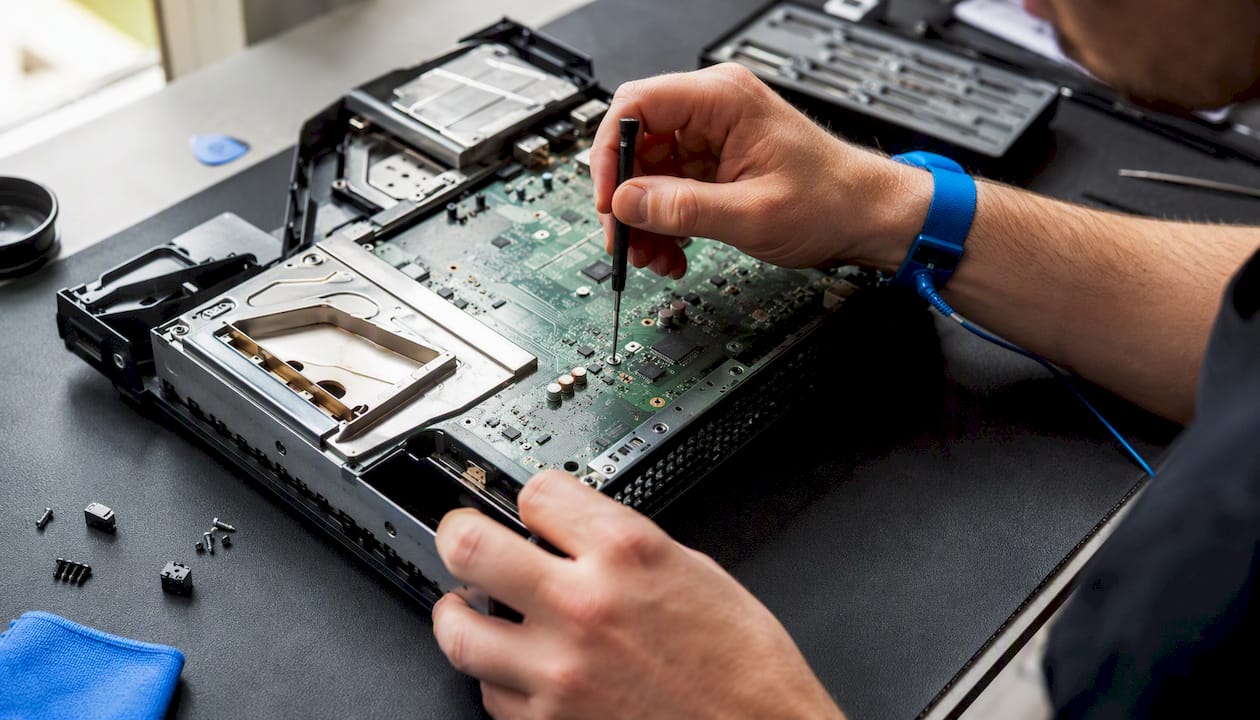
If your console is under warranty, call the manufacturer first. If it’s out of warranty and the fault is hardware (bad HDMI port, disc drive, overheating, controller drift), your fastest and most cost-effective route is a certified local repair specialist, either at a shop or on-site at your home. DIY should stay limited to low-risk fixes like cleaning, cable checks, and firmware resets. Anything involving board-level soldering or a cracked HDMI port belongs with a professional.
Here’s the shortlist worth knowing before you book anything: manufacturer mail-in (Nintendo, PlayStation, Xbox), on-site/mobile specialists like Repair Genius, national repair chains such as uBreakiFix and CPR Cell Phone Repair, and DIY guides through iFixit for the mechanically confident. Each fits a different situation, and the table below breaks down exactly where each one wins.
| Route | Best For | Turnaround | Price Transparency | Parts Source | Warranty |
|---|---|---|---|---|---|
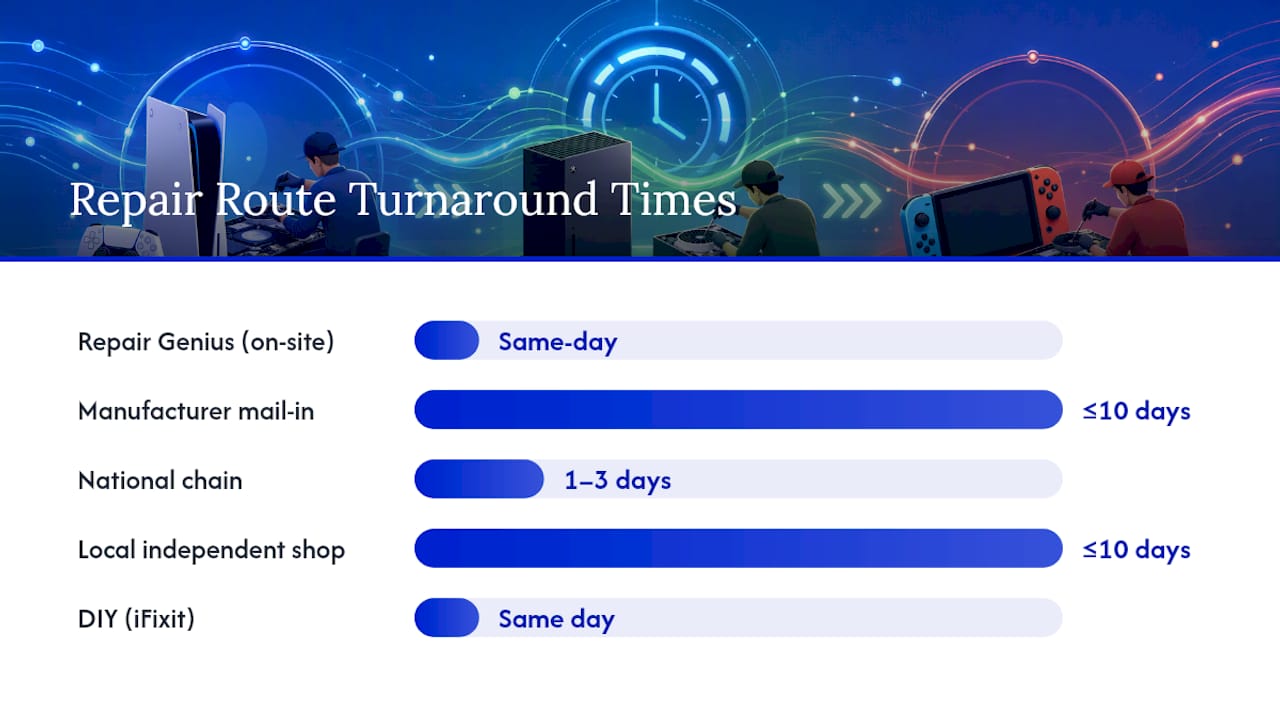
| Repair Genius (on-site) | Fast convenience for common hardware faults at home or office | Same-day where available | Written estimate, diagnostic applied to quote | OEM where possible | Parts and labor warranty |
| Manufacturer mail-in (Nintendo, PlayStation, Xbox) | In-warranty repairs, OEM-critical work | Up to 10 business days, sometimes longer | Fixed by manufacturer | OEM only | Manufacturer warranty, sometimes extended |
| National chain (uBreakiFix, CPR) | Walk-in convenience with brand backing | Same-day to a few business days | Store estimate before repair | Mixed OEM/aftermarket | Store-specific written warranty |
| Local independent shop | Board-level and microsoldering work | up to 10 working days | Varies by shop | Mixed | Varies, ask directly |
| DIY (iFixit) | Cleaning, connector swaps, joystick replacement | Same day | Free guides, you pay for parts | Aftermarket typically | None, self-performed |
Key Takeaways
The fastest path to a fixed console is matching the fault to the right repair route: warranty issues go to the manufacturer, hardware faults go to a certified local or on-site specialist, and only low-risk fixes belong in your own hands.
| Point | Details |
|---|---|
| Check warranty first | In-warranty faults should go through manufacturer mail-in to preserve coverage and any extended warranty. |
| Match fault to route | HDMI and board-level issues need microsoldering specialists; drift and cleaning are DIY-friendly. |
| Ask before booking | Confirm diagnostic fee, parts source, written warranty, and data handling before agreeing to any repair. |
| Know DIY’s limits | Cable checks, restarts, and cleaning are safe; microsoldering and liquid damage are not. |
| On-site convenience has range | Repair Genius handles common hardware faults same-day on-site with written estimates and a parts-and-labor warranty, though board-level microsoldering may need a bench follow-up. |
Table of Contents
- What Are Your Options for Game Console Repair?
- How Do You Choose the Right Console Repair Service?
- What Are the Most Common Console Repairs and What Do They Cost?
- Manufacturer Repair or Third-Party Shop: Which Should You Choose?
- What DIY Fixes Are Safe, and When Should You Call a Pro?
- Is On-Site Console Repair Actually a Good Option?
- A Repair Professional’s Quick-Start Plan
- Book On-Site Console Repair With Repair Genius
- Sources
What Are Your Options for Game Console Repair?
Every console owner eventually lands in one of five buckets: send it to the manufacturer, walk it into a national chain, find a local independent tech, book someone to come to you, or open it up yourself. None of these is universally “best.” The right choice depends on your warranty status, how comfortable you are without your console for a week, and whether the fault is something a screwdriver can fix or something that needs a soldering iron and a microscope.
Manufacturer mail-in is the safest bet for warranty-covered damage. Nintendo’s official repair program issues pre-paid return labels and handles tracking end to end, though the company notes that some repairs can take up to 10 working days depending on the service type. PlayStation runs a similar model, offering online self-service troubleshooting and device manuals before you ever ship anything, though the company is upfront that support timelines can slip during high-demand periods. Xbox hardware support follows the same general pattern: diagnose online first, then mail in if the issue persists.
National chains like uBreakiFix (backed by Asurion) and CPR Cell Phone Repair have expanded into console repair at many locations, giving you a walk-in option with corporate-level consistency. You’re trading some pricing flexibility for a recognizable brand and, often, same-day service on straightforward jobs.
Local independent shops and on-site specialists fill the gap chains often can’t: board-level microsoldering, HDMI port replacement, and the kind of diagnostic patience a corporate flat-rate model doesn’t always allow. This is where Repair Genius operates, sending certified technicians directly to your home or office in Orlando and Winter Park rather than making you carry a fragile console into a strip mall.
- Board-level soldering and HDMI microsoldering: local independent or on-site specialist.
- Fan replacement and thermal paste service: chains, independents, or on-site techs.
- Joy-Con drift and controller repairs: any route, including DIY.
- Disc drive replacement: independents or manufacturer, depending on part availability.
- In-warranty faults of any kind: manufacturer mail-in, no exceptions if you want the warranty preserved.
Diagnostic fees vary widely. Some shops apply the fee to your final bill if you proceed; others charge it regardless. Turnaround also splits sharply: on-site and walk-in options often finish common repairs same-day to within a few business days, while mail-in service, even when handled well, typically runs one to three weeks once you factor in shipping both directions.
How Do You Choose the Right Console Repair Service?
Start with three questions: Is it under warranty? What’s actually broken? How fast do you need it back? A console still under manufacturer warranty and showing a power supply fault should go straight to the manufacturer. Physically damage that warranty by opening the case yourself, and you likely forfeit that coverage entirely.
Once you’ve ruled out warranty service, the fault type does most of the deciding for you. Power issues and overheating are usually straightforward for most shops. HDMI port damage and board-level faults require microsoldering skill, not every shop advertises this, so ask directly. Controller drift is minor enough that many people fix it themselves with a $10 replacement stick or a can of contact cleaner.
Before you hand over your console, ask the shop these questions directly:
- What’s your diagnostic fee, and is it applied to the repair cost if I proceed?
- Do you use OEM or aftermarket parts, and can I choose?
- What’s the warranty on parts and labor, and is it written down?
- What’s your realistic turnaround, not your best-case estimate?
- How do you handle data on my internal storage, and do you wipe or preserve saved games and account logins?
- Can I get a written estimate before you start?
Pro Tip: Take a screen recording of the fault before you hand off your console. A five-second clip of a controller disconnecting or a screen flickering saves the technician diagnostic time and saves you money on the estimate.
Watch for red flags: no written warranty, vague turnaround estimates like “a week or two, maybe,” pressure to replace an entire motherboard without a real diagnostic first, or a shop that won’t give you a physical address. Trust signals run the opposite direction: certified technicians, a diagnostic fee that’s either free or clearly credited toward the repair, and a written estimate you can hold them to. A shop’s own transparency about why repairs commonly fail and where diagnostics go wrong is often a better trust signal than five-star reviews alone.
What Are the Most Common Console Repairs and What Do They Cost?
Most console problems fall into a short list of repeat offenders, and each one has a fairly predictable fix path.
Won’t power on: often a power supply or capacitor issue. Technicians check the power brick, internal fuse, and board connections first. Rarely requires OEM-only parts, and data loss risk is low since the drive typically isn’t touched.
No video or HDMI issues: usually a damaged HDMI port from a yanked cable, sometimes a graphics chip problem on older units. Port replacement often needs microsoldering. Data risk is minimal unless the board itself needs deeper repair.
Disc drive not reading: laser lens wear or a drive belt issue on older systems. Straightforward mechanical fix in most cases, low risk to stored data.
Overheating and shutdowns: dust-clogged vents and dried thermal paste are the usual culprits. This is one of the easiest, cheapest repairs available and one of the best candidates for on-site service.
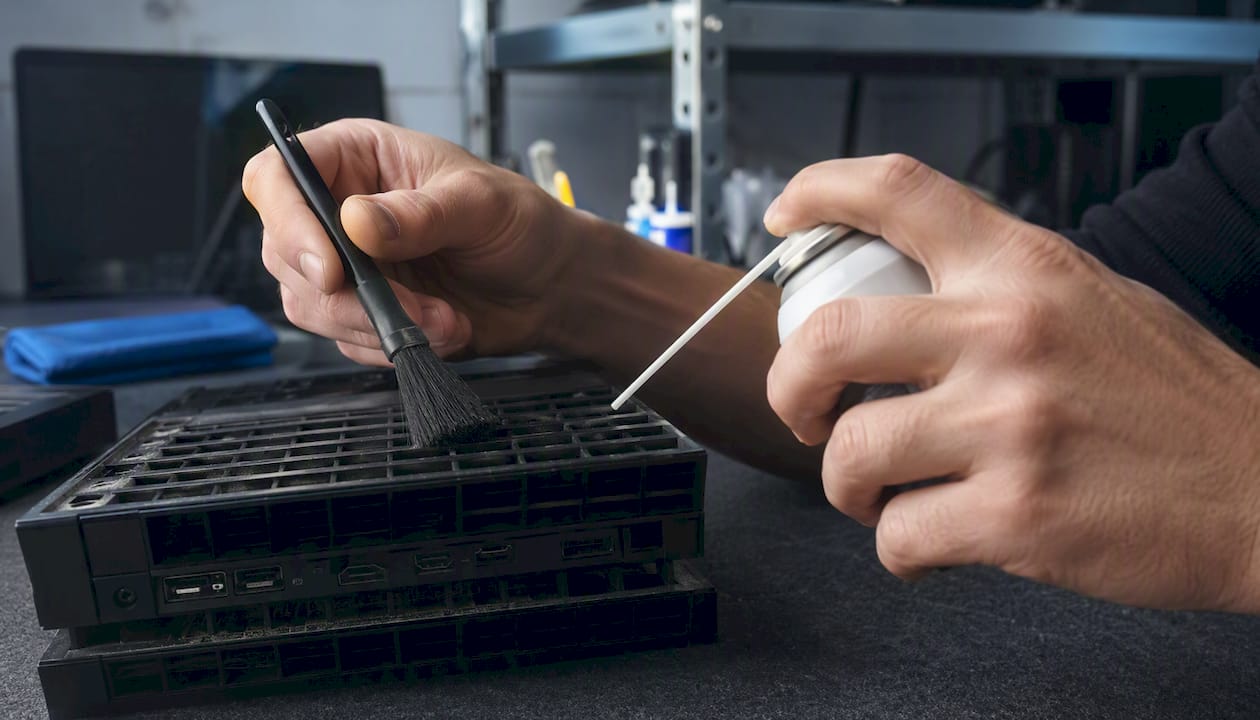
Controller drift: worn potentiometers inside the joystick module. Simple part swap, no soldering required in most controller models, and zero data risk.
Charging port faults: mostly affects controllers and the Switch itself. Port replacement is delicate but generally doesn’t require full board replacement.
Liquid damage: the wildcard. Severity ranges from a quick alcohol-bath cleaning to a full board replacement if corrosion has spread. Data loss risk climbs sharply here, and this is squarely a job for an experienced technician.
Manufacturer Repair or Third-Party Shop: Which Should You Choose?
Manufacturer repair wins on parts authenticity and warranty continuity. Nintendo, for instance, extends the standard warranty by 12 months from the date your repaired console is returned, which is a real incentive to go official when your PlayStation, Xbox, or Switch qualifies. You also get guaranteed OEM parts and a tracked process from pickup to return.
Third-party repair, whether a national chain, local independent, or on-site specialist, wins on speed and cost for anything outside warranty. You’re not paying shipping both ways, you’re not waiting on a queue, and many faults that would take a manufacturer over a week to resolve can be fixed same-day locally.
- Manufacturer mail-in: best for in-warranty faults, OEM-critical repairs, and situations where the extended warranty afterward genuinely matters to you.
- Third-party (chain, local, or on-site): best for out-of-warranty hardware faults, urgent turnaround needs, and anything where local accountability and face-to-face communication matter.
- Opening your own console for a third-party repair typically voids remaining manufacturer warranty, so factor that into the decision if your unit is still covered.
- Third-party shops vary enormously in quality, which is exactly why the questions in the section above matter more than which logo is on the door.
The honest answer: if your console still has warranty life left and the fault is something the manufacturer covers, use it. If it doesn’t, or the wait doesn’t work for you, a certified local or on-site option is usually the faster, cheaper path with comparable quality control.
What DIY Fixes Are Safe, and When Should You Call a Pro?
Plenty of console problems don’t need a technician at all. Start with the boring stuff: check the power cable at both ends, try a different outlet, and confirm the outlet itself works with another device. A hard restart, holding the power button for ten seconds on most consoles, resolves more freezes than people expect. Compressed air through the vents clears dust that causes overheating shutdowns, and a soft cloth cleaning of the disc tray fixes plenty of “won’t read discs” complaints. Updating firmware and running a factory network reset solves a surprising share of “hardware” complaints that are actually software.
Board-level microsoldering, HDMI port replacement, and liquid-damaged boards that need ultrasonic cleaning are not weekend projects. A cracked solder joint or a static discharge from your own hands can turn a $150 repair into a dead console.
iFixit hosts detailed, step-by-step disassembly guides for most major consoles and maintains lists of commonly replaced parts like joysticks, HDMI ports, handheld batteries, and optical drives, genuinely useful if you’re comfortable with a screwdriver and a multimeter. But their own guides are honest about where the line sits: microsoldering and deep board repair remain outside safe DIY territory for most people, not because the instructions don’t exist, but because the margin for error is thin and expensive.
- Safe to DIY: power cable checks, hard restarts, vent cleaning, disc and controller cleaning, firmware updates.
- Not safe to DIY: HDMI microsoldering, board-level soldering, liquid damage requiring ultrasonic cleaning, optical drive mechanical replacement without prior experience.
- Always ground yourself before touching internal components. Electrostatic discharge kills boards that had nothing wrong with them beforehand.
- Opening the case almost always voids remaining manufacturer warranty, so weigh that before you reach for the screwdriver.
Is On-Site Console Repair Actually a Good Option?
For a real slice of common faults, yes. Controller swaps, fan replacement, thermal paste service, cleaning, and firmware troubleshooting are all jobs a certified technician can handle competently with practical posture improvements for long gaming sessions at your kitchen table. What on-site service generally can’t match is a full bench setup: an ESD-safe station, microsoldering equipment, and the ability to run extended stress tests that a proper shop environment allows. HDMI port replacement and board-level soldering are the clearest examples of work that usually needs a bench, not a house call.
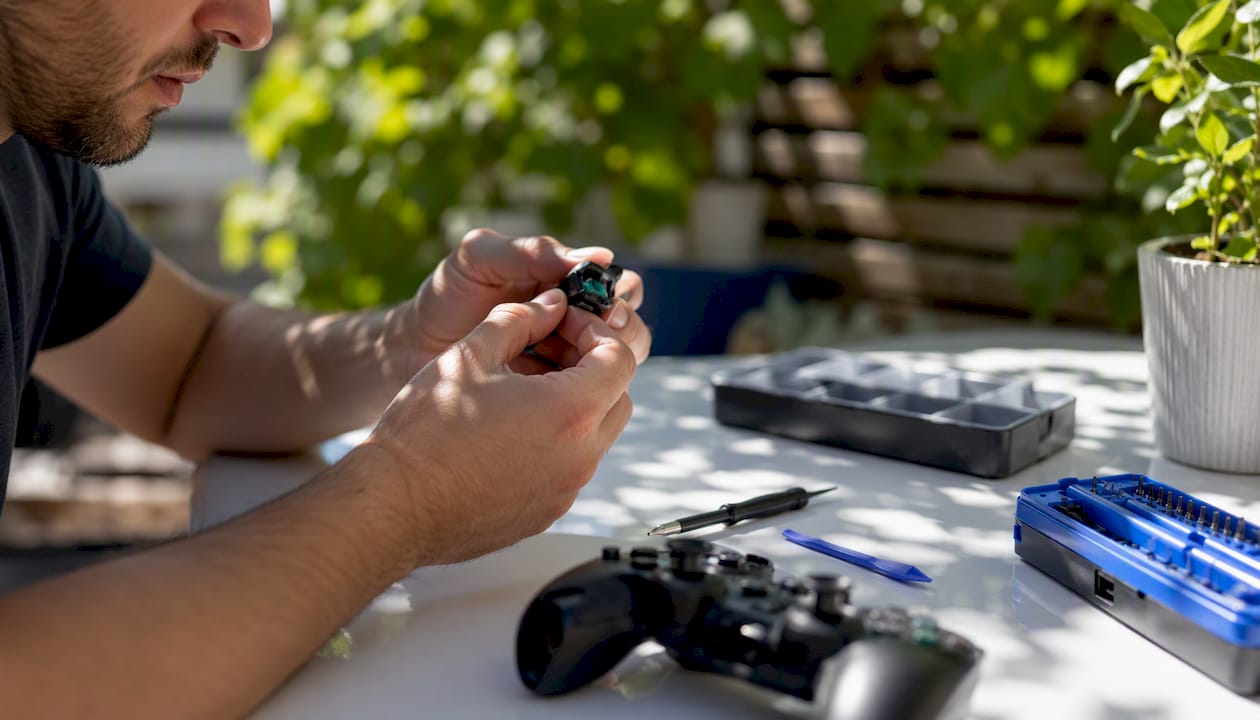
Practical limits matter here too. An on-site technician carries a limited stock of parts, so if your PS5 needs an unusual component, you may need a short follow-up visit or a drop-off arrangement instead. Diagnostic accuracy on-site is generally strong for common faults but a full bench test sometimes catches secondary issues a quick home visit won’t.
Pro Tip: Before an on-site visit, back up your saved games to the cloud where possible and have your account credentials handy in case the technician needs to verify a fix post-repair. It shaves real time off the visit.
Data safety deserves a direct question, not an assumption. Ask exactly how the technician handles your internal storage: do they touch saved data at all, do they log you out of your accounts, and do they document what was accessed during the repair. A genuinely convenient on-site model still needs to answer these questions clearly before you let anyone into your home with your console.
A Repair Professional’s Quick-Start Plan
If your console just failed and you’re staring at it wondering what to do first, here’s the realistic order of operations. Check the warranty status and serial number before anything else. Try the free, low-risk fixes: power cable, different outlet, hard restart, vent cleaning. If none of that resolves it, gather your purchase date, serial number, and a short video or screenshot of the exact symptom. That single step alone speeds up every diagnostic conversation you’ll have next, whether it’s a phone call to Nintendo or a technician standing in your living room.
If it were my console, I’d want a diagnostic within 24 hours, a written estimate before any part gets ordered, and a clear answer on turnaround before I agreed to anything. Vague answers on any of those three points would send me looking elsewhere, warranty or not. The repair industry rewards patience with diagnostics and punishes shortcuts, and that’s true whether you’re mailing a Switch to Nintendo or having someone come to your door in New Jersey.
Book On-Site Console Repair With Repair Genius
Repair Genius brings the diagnostic and the fix to you, same-day where scheduling allows, instead of asking you to box up a console and drive it across town. Certified technicians handle common faults like controller issues, overheating, fan replacement, and cleaning, with a written estimate before any work starts and no surprise charges added afterward.
During a visit, the technician runs a diagnostic, applies that fee to your final quote if you move forward, and is upfront if your console’s fault turns out to need board-level work that requires a proper bench, in which case you’ll get a clear next step rather than a rushed attempt. Every repair carries a written parts and labor warranty, and data safety stays a priority throughout. Your saved games and account information are never the technician’s business to touch beyond what the repair requires.
If your PlayStation, Xbox, or Switch needs attention and you’d rather not spend a week without it, book a diagnostic visit through Repair Genius and get a real answer on cost and timeline before committing to anything.
Sources
- Nintendo Repairs | Support | Nintendo
- Hardware & Repairs Support | PlayStation
- Game Console Repair Help: Learn How to Fix It Yourself. – iFixit
Recommended
- Laptop Repair Before Replacement Checklist 2026
- Top 4 iPhone Charging Port Repair Providers 2026
- Bee Ridge Phone Repair: Same-Day On-Site Service
- Expert Device Repair: Find Certified Pros Fast in the US





