
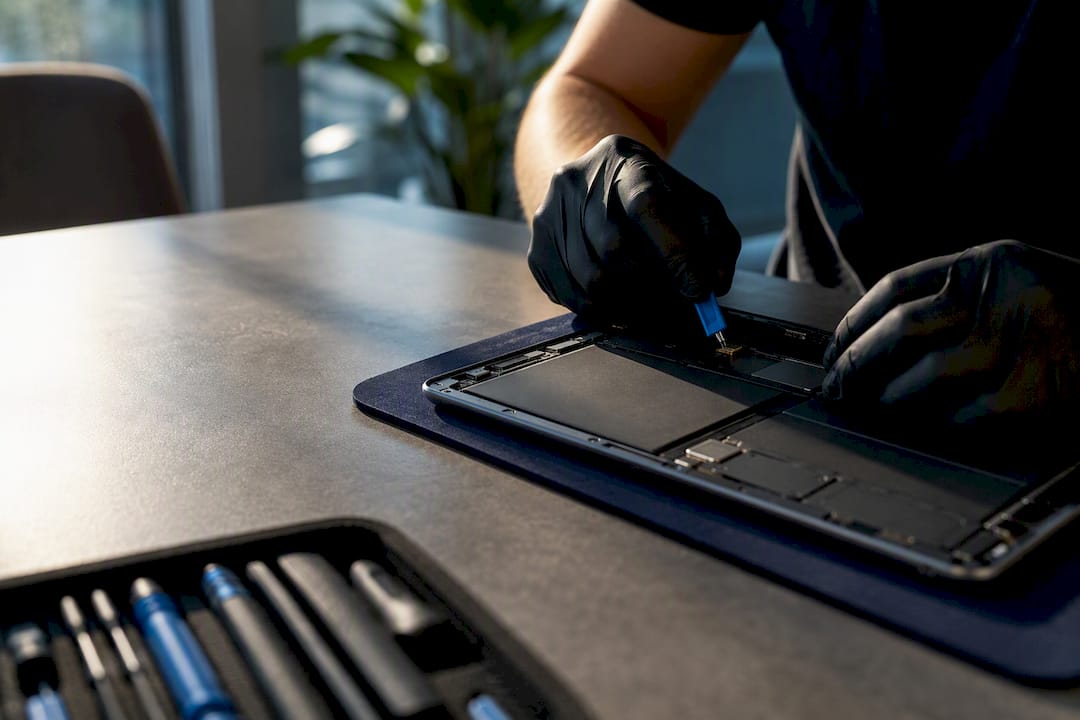
If your tablet has a cracked screen, a dead battery, or won’t charge, the fastest and safest route is an on-site repair service that sends a technician the same day, backs the work with a warranty, and keeps your data on your device during repair. Call or book online, tell them the model and symptom, and most jobs get quoted before the tech even leaves for your address.
TL;DR:
- Most repairs focus on screens, batteries, charging ports, and water damage, with common jobs completing within one to two days after parts arrive.
- On-site repair services are best for quick fixes like screen, battery, or port replacements and for owners needing same-day service.
- Shops that clearly explain their diagnostic and repair processes, offer transparent estimates, and provide warranties are more reliable.
- Repairs involving water damage or board-level issues typically require specialized equipment and may need longer turnaround times or replacement options.
- Prioritize providers that specify what affects turnaround time and are honest about diagnostic limits, rather than choosing based solely on lowest upfront price.
Table of Contents
- What to Check When You Search for “Tablet Repair Near Me”
- Common Tablet Repairs and Ballpark Costs
- What to Expect During Your Repair: Diagnostics, Timeline, and Warranty
- On-Site Service vs. Shop Bench Repair: Which Fits Your Tablet?
- What Michael’s 10 Years in Electronics Repair Means for Your Tablet
- The Advice Most Tablet Owners Never Get
- Book Repair Genius for On-Site Tablet Repair
- Sources
- FAQ
What to Check When You Search for “Tablet Repair Near Me”
Not every result on a “tablet repair near me” search deserves your business. Some shops advertise cheap fixes and then pad the bill once your device is in their back room. A few minutes of checking before you book saves you from that.
Look for these signals when you’re comparing options:
- Warranty length and coverage. A common minimum warranty length for parts and labor is offered by many shops, with some providing longer limited lifetime warranties on specific repairs.
- Turnaround time. Ask directly whether same-day or next-day service is realistic for your specific issue, rather than relying on general claims.
- Diagnostic policy. Many providers apply the diagnostic fee toward the repair cost if you move forward, which keeps the upfront cost fair.
- Technician training and certifications. Ask what board-level repair experience the technician actually has, not just screen swaps.
- Data handling. Confirm the technician won’t need your passcode or cloud login for a hardware fix, and ask whether backups are offered before any repair that touches storage.
- Transparent estimates. A real quote should break out parts and labor separately, with the parts source named.
Pro Tip: Call and ask one specific question: “If you open my tablet and find a second problem, what happens to my quote?” A shop with a straight answer to that is a shop worth trusting.
Common Tablet Repairs and Ballpark Costs
Most tablet repairs fall into a handful of categories, and knowing which one you’re dealing with helps you sanity-check any quote you get.
- Screen and LCD replacement. This is the most frequent repair request by far, and it’s often doable same-day when the part is in stock. Cost depends heavily on whether the glass and LCD are fused into one assembly (typical on newer iPads) or replaceable separately.
- Battery replacement. Signs include a tablet that won’t hold a charge, shuts off randomly, or feels warm and slightly swollen along one edge. This job usually takes a few hours once the part is on hand.
- Charging port repair. A loose or unresponsive port often means debris or a damaged connector. Techs test the port under load after the fix, not just a quick plug-in check.
- Water damage recovery. This one is the hardest to quote upfront. Diagnosis alone can take longer because corrosion damage isn’t always visible until the board is cleaned and powered on.
- Software and performance issues. Frozen updates, sluggish performance, or apps that won’t open are usually the fastest and cheapest fixes of the bunch.
Local repair shops consistently list cracked screens, dead batteries, charging port failures, and water damage as their top repair categories, and most standard jobs close out in one to two business days once parts are confirmed.
The rule of thumb: if a repair quote starts creeping toward what a comparable new or refurbished tablet costs, especially on an older model, replacement usually makes more financial sense than repair.
What to Expect During Your Repair: Diagnostics, Timeline, and Warranty
A good repair experience follows a predictable sequence, and knowing the steps ahead of time keeps you from feeling like you’re just handing over your tablet and hoping.
- Diagnostic first. The technician checks the actual fault before quoting anything firm, and that diagnostic fee typically gets applied toward the repair if you go ahead with it.
- Parts availability sets the clock. In-stock parts mean same-day or next-day turnaround; backordered parts push the timeline out, sometimes a week or more for less common models.
- Testing before it’s handed back. Techs bench-test the repaired function, and ideally the whole device, before calling the job done.
- Warranty paperwork. You should walk away with a receipt and a repair ID tied to your warranty, not just a verbal promise.
- How you get your device back. Some jobs finish on-site while you wait; others require a short window and a pickup, drop-off, or mail-in return depending on the service model the provider uses.
For questions specific to what a diagnostic should cover, this breakdown of diagnostic fee policies is worth a quick read before you commit.
On-Site Service vs. Shop Bench Repair: Which Fits Your Tablet?
The right choice depends on urgency and how deep the damage goes, not just which is cheaper.
On-site fits you when:
- You need the tablet back the same day and can’t lose access to it.
- The fix is a standard part swap, like a screen, battery, or charging port.
- You’re uneasy about handing your device to a stranger behind a counter for hours.
A bench repair makes more sense when:
- The damage looks like it hit the motherboard, and the job needs microsoldering or component-level diagnosis.
- Water damage has been sitting for more than a day and corrosion is suspected.
- The provider needs specialized equipment that doesn’t travel well, like a reflow station.
Before booking either route, ask directly: “Have you handled board-level repairs on this model before?” and “What’s your process if the first fix doesn’t resolve the issue?” A provider that gives specific, confident answers, not vague reassurance, is one worth trusting with your device.
Pro Tip: You don’t need to name-drop competitors to vet a shop. Just ask what percentage of their repairs are screen and battery jobs versus board-level work. The answer tells you where their real expertise sits.
What Michael’s 10 Years in Electronics Repair Means for Your Tablet
Diagnosing a tablet properly takes more than swapping a part and hoping it works. After a decade in electronics repair, the pattern that stands out most is how often a “simple” screen crack turns out to be masking a battery that’s already swelling underneath, or a charging port issue that traces back to liquid exposure from months earlier.
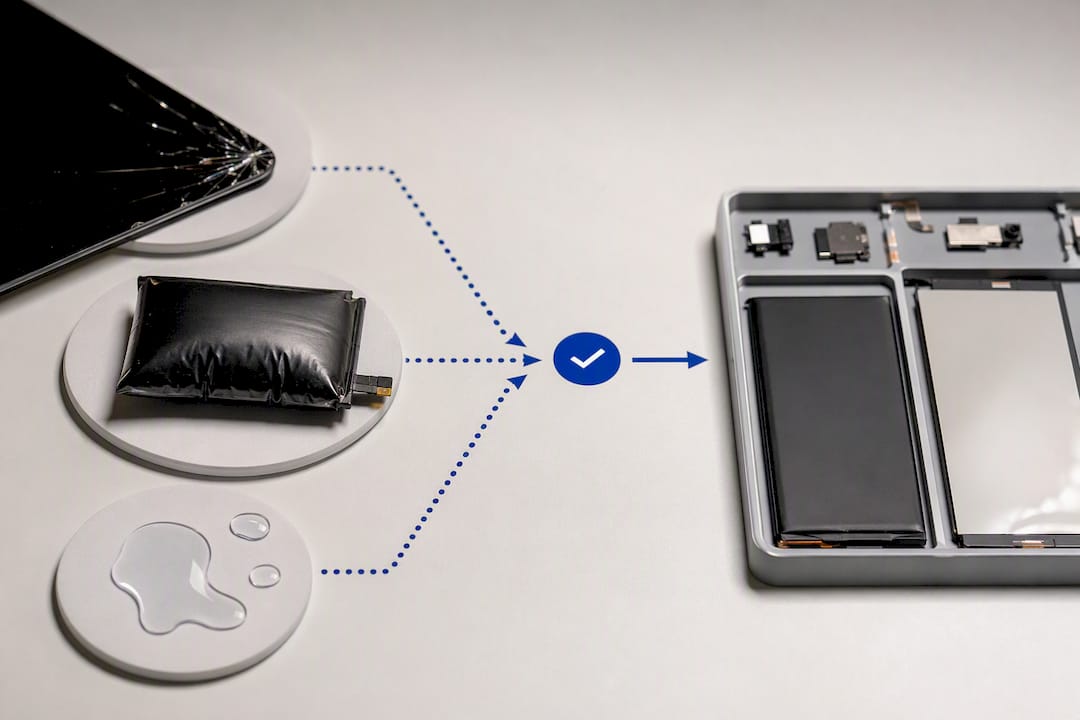
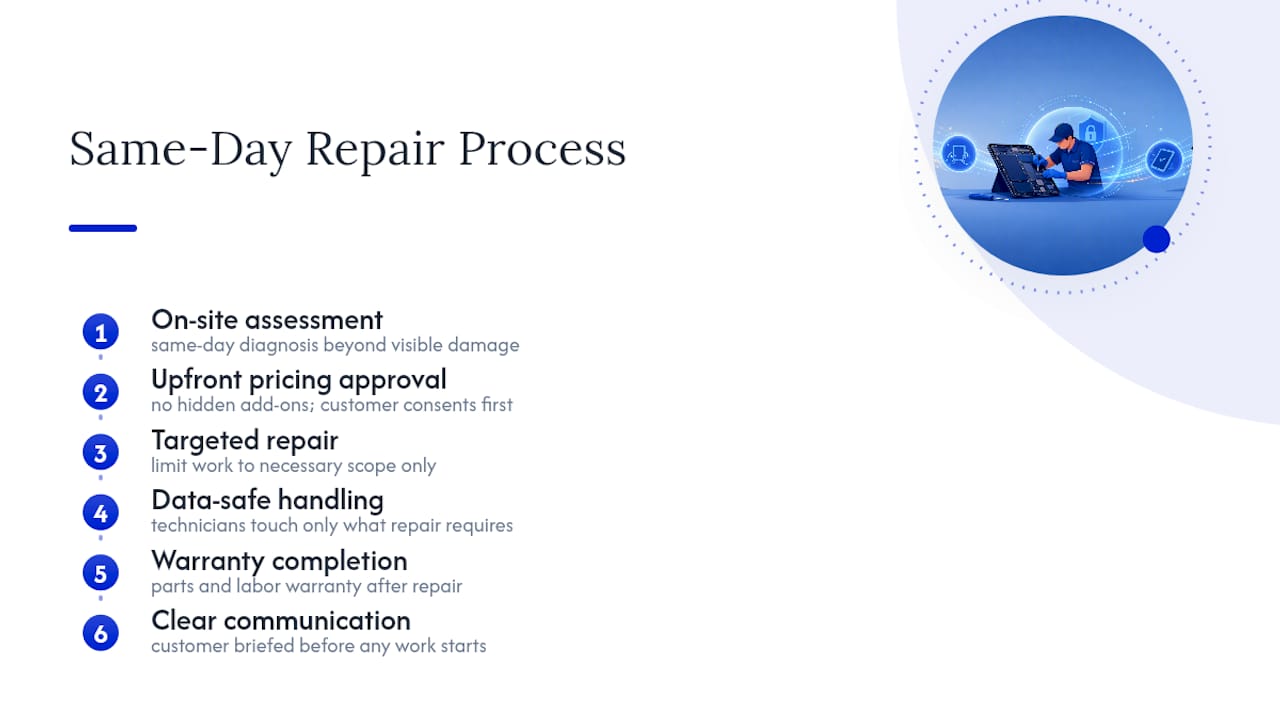
This service builds its process around that lesson: same-day on-site service, upfront pricing with no hidden add-ons, warranty-backed parts and labor, and a data-safety approach where technicians handle only what the repair requires. Customer feedback consistently points to the same three things: speed, clear communication before any work starts, and fixes that actually hold up.
The Advice Most Tablet Owners Never Get
Most guides on this topic focus entirely on price comparisons, and that’s the wrong first filter. The providers who quote the lowest number upfront are frequently the ones who find a second “necessary” repair once your tablet is already disassembled. The better first filter is turnaround transparency: does the shop tell you exactly what determines same-day versus multi-day service, and do they explain it before you agree to anything?
The conventional wisdom that “any repair shop can fix a tablet” also undersells how different board-level work is from a screen swap. A shop that’s excellent at glass replacement isn’t automatically qualified to diagnose water damage that’s been sitting for a week. Ask about that distinction directly instead of assuming competence carries across every repair type.
What should come first, before cost, before location, is whether the provider will tell you plainly what they don’t know yet. A technician who says “I need to open it up before I can commit to a price” is being more honest than one who quotes you instantly over the phone.
— Michael
Book Repair Genius for On-Site Tablet Repair
This service is the alternative to sitting in a repair shop waiting room: a technician comes to your home or office, diagnoses the issue on the spot, and fixes most screen, battery, and charging port problems the same day, all backed by a parts-and-labor warranty.

Booking takes a couple of minutes by phone or online. Have your tablet model and a description of the symptom ready (cracked screen, won’t charge, battery drains fast) so the technician can bring the right parts on the first visit. At booking, you’ll get a clear window for arrival and an upfront estimate; at the appointment, the diagnostic fee applies directly to your repair if you move forward, and your data stays on the device the entire time. Start your booking on the iPad and tablet repair page and get a same-day technician headed your way.
Sources
For more on repair categories, warranty norms, and turnaround expectations, see CPR Cell Phone Repair’s tablet repair guide, Gadget Medics’ repair breakdown, and CCT Repairs’ tablet and iPad service page.
FAQ
How Much Does It Cost to Repair a Tablet?
Cost depends on the recent Apple iPad hardware changes, the repair type, and model. Screen and battery replacements tend to sit at the lower end of the range, while board-level or water damage repairs cost more due to added diagnostic time; Repair Genius provides an upfront quote after diagnosis before any work begins.
What Is the Most Common Tablet Repair?
Cracked screens and glass or LCD damage are consistently the most frequent repair request reported by repair shops, followed closely by battery and charging port issues.
Does Best Buy Do Tablet Repairs?
Some big-box retailers offer limited tablet repair or mail-in services through their tech support programs, but turnaround is typically slower than a dedicated local or on-site repair provider, and same-day service usually isn’t available.
Can My Tablet Be Repaired?
Most common issues, including cracked screens, dead batteries, and charging port failures, are repairable, often the same day if parts are in stock. Severe water damage or extensive board-level failure sometimes makes replacement the more practical option if repair costs approach the price of a new device.
Recommended
- iPad & Tablet Repair in Orlando | On-Site Service
- How to Protect Student Data During Device Repair
- Tablet Screen Repair & Swollen Battery Risks










