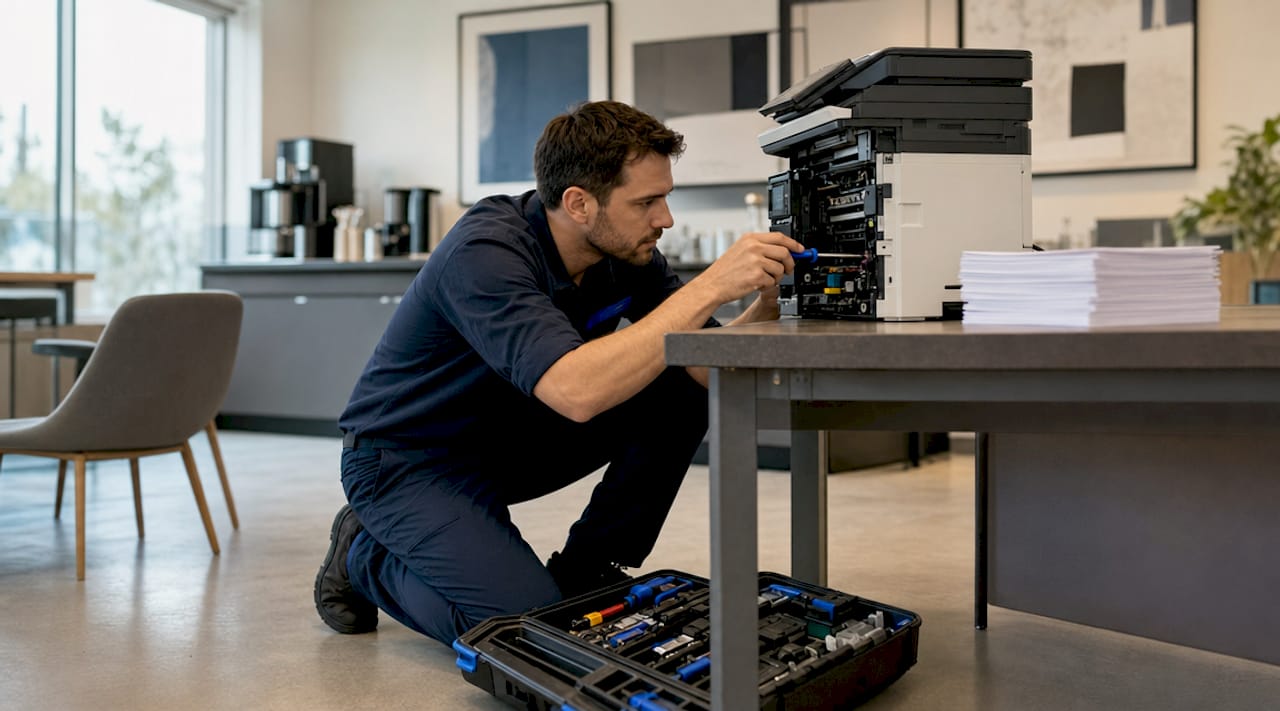
On-site repair for office electronics is the process where certified technicians come directly to your business location to diagnose and fix hardware, software, or network issues without requiring you to pack up and ship devices. This approach, formally called field service repair or depot-free repair in the managed IT industry, is the fastest way to restore productivity when a printer fails mid-deadline or a workstation crashes during a client call. Unlike remote support, a technician can physically inspect components, replace parts, and run live tests in your actual office environment. Repairgeniuses and similar providers cover everything from laptops and desktops to printers and network hardware, often resolving issues the same day.
What office electronics are typically covered by on-site repair?
Onsite repair is best suited for hardware failures and network problems that remote support simply cannot resolve. The range of devices eligible for field service is broader than most office managers realize.
Common office electronics serviced through on-site visits include:
- Desktops and workstations (Windows PCs, iMacs, custom-built towers)
- Laptops and ultrabooks (screen replacements, battery swaps, keyboard repairs)
- Laser and inkjet printers (paper jams, firmware errors, drum replacements)
- Copiers and multifunction devices (calibration, roller cleaning, connectivity fixes)
- Network hardware (routers, switches, access points, patch panels)
- Peripheral devices (monitors, docking stations, external drives)
Printer repair deserves special attention. HP-certified technicians perform multipoint cleaning and full maintenance on laser printers as part of standard on-site visits. This level of service requires physical access to internal components and cannot be replicated remotely.
| Device | Common Issues | Typical On-Site Fix |
|---|---|---|
| Desktop PC | Boot failures, hardware faults | Component swap, OS repair |
| Laptop | Cracked screen, dead battery | Screen or battery replacement |
| Laser printer | Paper jams, print quality errors | Multipoint cleaning, drum swap |
| Network router/switch | Connectivity drops, config errors | Firmware update, reconfiguration |
| Copier/MFP | Calibration drift, feed errors | Roller cleaning, sensor reset |
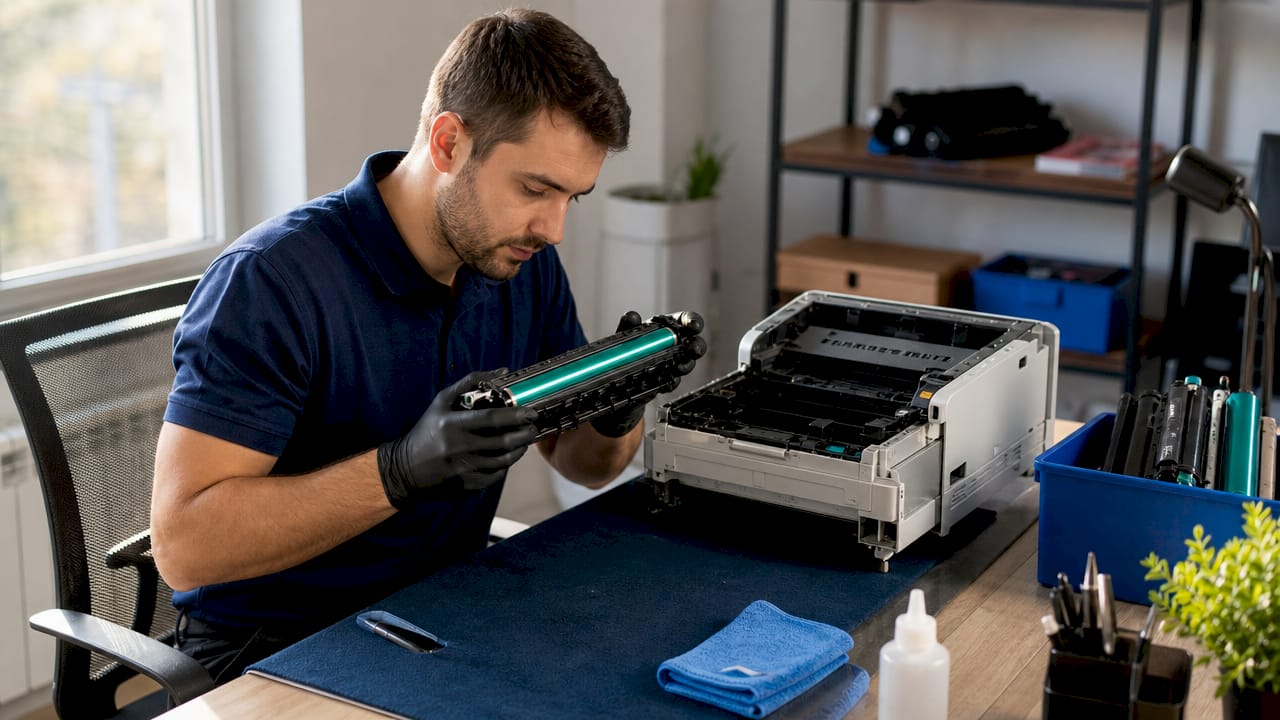
On-site repair is the right call when a device failure affects multiple users or when the problem is tied to how equipment interacts with your specific office network. A technician diagnosing a connectivity issue in your actual environment will catch configuration conflicts that a remote session would miss entirely.
How to prepare your office electronics and data before a technician arrives
Preparation before a repair visit protects your data and cuts diagnostic time significantly. A technician who arrives to a prepared device can start fixing immediately rather than spending the first 20 minutes waiting for backups to run.
Follow these steps before any on-site repair visit:
- Back up all critical files. Use Windows Backup, Time Machine on macOS, or a cloud service like Google Drive or Microsoft OneDrive. Do this the night before, not five minutes before the technician walks in.
- Log out of sensitive accounts. Sign out of banking portals, HR platforms, and any SaaS tools that store financial or personal data. This limits exposure during diagnostics.
- Create a temporary guest account. If your technician needs to log in for testing, a guest account with limited permissions is far safer than handing over your admin credentials.
- Remove portable storage. Pull out any SD cards, USB drives, or SIM cards from the device before the visit. Removing sensitive storage reduces exposure during the diagnostic phase.
- Check your encryption settings. BitLocker on Windows and FileVault on macOS should be active on any device that holds sensitive business data. Confirm they are enabled before the technician arrives.
- Clarify access requirements upfront. Ask your provider exactly what credentials or permissions they need. Clear policies on technician access prevent unexpected requests during the visit and protect data privacy.
Pro Tip: Write down the exact error messages, when the problem first appeared, and any recent changes to the device (new software, updates, physical drops). Detailed symptom documentation helps technicians scope the problem faster and reduces the total time they spend on-site.
What to expect during an on-site repair visit
Understanding the repair workflow removes uncertainty and helps you plan around the visit. Most professional on-site repair services follow a consistent sequence regardless of the device type.
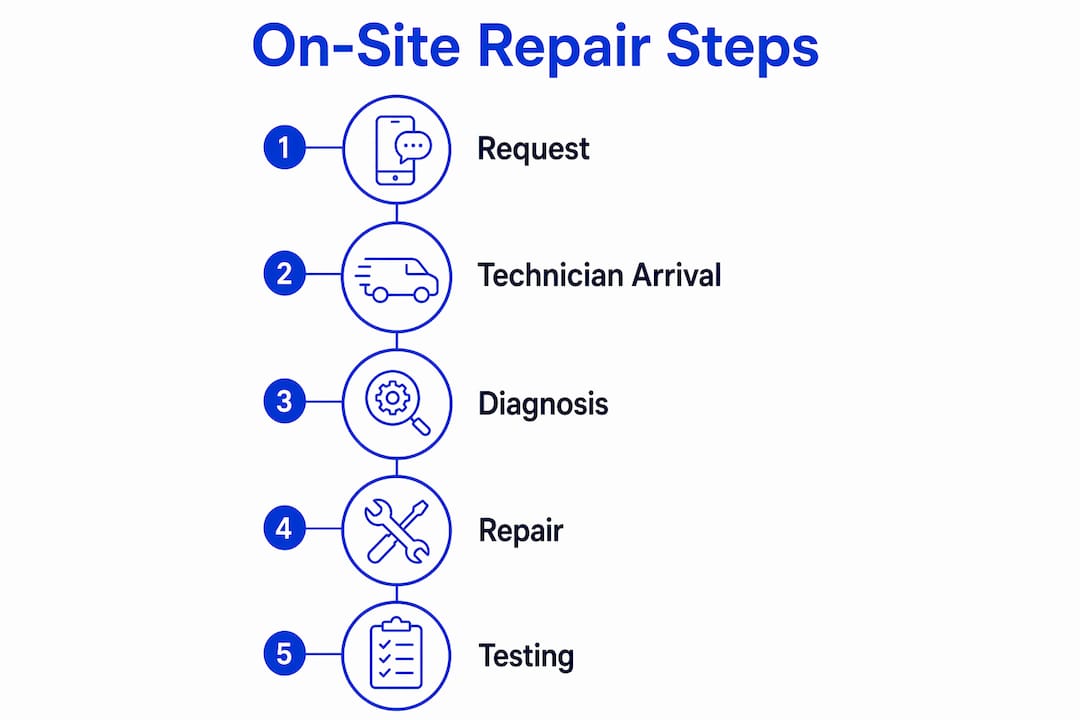
- Rapid on-site diagnosis. The technician runs a physical inspection and diagnostic tests to determine whether the issue is hardware, software, or network-related. Accurate on-site diagnosis leads to better fix rates because technicians can physically test components that remote tools cannot reach.
- Repair execution. Depending on the diagnosis, this includes component replacement, firmware updates, configuration corrections, or deep cleaning. For printers, this often means a full internal cleaning cycle.
- Post-repair testing in your environment. Final testing in the office environment covers startup behavior, application function, and network connectivity. Testing on-site confirms the fix holds under your actual conditions, not just in isolation.
- Checklist sign-off and documentation. Reputable providers use visit checklists for consistency and produce auditable logs of every action taken. Ask for a written summary before the technician leaves.
Response times vary by service model. Managed clients average a 4-hour response time, while ad-hoc or non-retainer visits are typically scheduled within 24 to 48 hours. This gap is significant for small businesses where a single downed workstation can stall an entire team.
| Service Model | Typical Response Time | Best For |
|---|---|---|
| Managed IT contract | 4 hours or less | Businesses with frequent repair needs |
| Ad-hoc on-site visit | 24 to 48 hours | Occasional, non-urgent repairs |
| Same-day dispatch | Same business day | Critical failures requiring immediate fix |
Pro Tip: Ask your provider whether they carry common replacement parts (laptop screens, printer drums, network cables) in their service vehicle. A technician who arrives with parts resolves most repairs in a single visit instead of scheduling a return trip.
How to choose a reliable on-site repair service provider
The provider you choose determines how fast you recover from a device failure and how safe your data stays during the process. Not all on-site repair services are equal, and the differences matter when your business is on the line.
Look for these qualities when evaluating providers:
- Same-day or next-day availability. A provider who cannot commit to a response window is not a reliable partner for business-critical repairs. Confirm their dispatch policy in writing before signing anything.
- Manufacturer certifications. HP-certified printer repair, Apple-authorized service, and Microsoft-trained technicians indicate a provider has met third-party quality standards. Certifications are not just marketing. They reflect real training on specific hardware.
- Transparent pricing. Travel fees, labor rates, and parts costs should be disclosed upfront. Providers who quote a flat rate and then add charges after the visit are a red flag.
- Data safety policies. Ask specifically whether drives will be removed, whether data will be accessed, and what happens if a repair requires a factory reset. Data safety practices during on-site repairs maintain trust and prevent operational disruptions caused by data errors.
- Client reviews and local knowledge. A provider familiar with your area responds faster and understands the local business environment. Check Google reviews and ask for references from similar-sized businesses.
| Service Model | Cost Structure | Best For | Downside |
|---|---|---|---|
| One-time on-site visit | Per-visit fee plus parts | Infrequent, isolated repairs | Higher per-incident cost |
| Managed IT contract | Monthly retainer | Businesses with regular repair needs | Ongoing cost commitment |
| Remote support only | Subscription or per-session | Software issues only | Cannot fix hardware failures |
Pro Tip: Negotiate a hybrid arrangement: a light maintenance contract that covers quarterly check-ups and gives you priority scheduling for urgent repairs. This costs less than a full managed IT retainer but gets you faster response times than ad-hoc calls.
Common mistakes that slow down on-site repairs
Most on-site repair delays are caused by the client, not the technician. Recognizing these patterns before your next service visit saves time and protects your data.
- Skipping the data backup. This is the single most common and most costly mistake. If a repair goes wrong without a backup, data recovery adds hours and significant expense to the bill.
- Failing to document symptoms. Detailed symptom documentation before the visit helps technicians scope the problem quickly. Showing up with “it just stopped working” forces the technician to start from scratch.
- Granting unrestricted access. Handing over admin credentials without clarifying what the technician actually needs creates unnecessary risk. Scope access to what the repair requires.
- Defaulting to remote support for hardware problems. On-site service resolves issues that remote support cannot, including network failures and multi-system hardware faults. Trying to fix a dead hard drive over a screen-share wastes everyone’s time.
- Ignoring proactive maintenance. Reactive repairs always cost more than scheduled maintenance. A printer that gets a quarterly cleaning rarely needs an emergency visit.
Pro Tip: Brief your staff before the technician arrives. Let them know which device is being serviced, how long the visit might take, and whether they need to save their work or log off. A prepared team reduces interruptions and keeps the repair on schedule.
Key takeaways
On-site repair for office electronics is the fastest and most reliable way to resolve hardware and network failures that remote support cannot fix, and preparation before the visit determines how quickly your team gets back to work.
| Point | Details |
|---|---|
| On-site repair scope | Covers desktops, laptops, printers, copiers, and network hardware at your location. |
| Data preparation is non-negotiable | Back up files, log out of accounts, and remove portable storage before every visit. |
| Response time varies by contract | Managed clients get 4-hour response; ad-hoc visits take 24 to 48 hours. |
| Choose certified providers | Look for manufacturer certifications, transparent pricing, and clear data safety policies. |
| Avoid common mistakes | Document symptoms, limit technician access, and never skip the pre-visit backup. |
Why I think most offices underestimate on-site repair until it’s too late
After years of watching businesses scramble when a critical device goes down, the pattern is always the same. The office waited too long to call, had no backup, and handed the technician a device with zero documentation of what went wrong. Then they’re surprised when the repair takes twice as long as expected.
The financial stakes are real. A 2026 Splunk study found that downtime costs Global 2000 companies $600 billion annually, averaging $15,000 per minute lost. Small businesses don’t operate at that scale, but the proportional impact on a 10-person office is just as severe when the one shared printer or the owner’s laptop goes down.
What I’ve found actually works is treating the initial service call as a scoping session. The more detail you give the provider before they arrive, the faster the repair goes. I’ve seen a laptop screen replacement that should take 45 minutes stretch to three hours because nobody knew the device had a BitLocker key stored on a server that was also offline. That’s a preparation failure, not a technician failure.
The other thing most articles won’t tell you: the best on-site repair providers are the ones who push back a little. If a technician agrees to everything without asking clarifying questions about access or data, that’s a warning sign. A good technician scopes the job before touching anything. That discipline protects you as much as it protects them.
Choose a provider who offers on-site computer repair with documented workflows, not just someone who shows up with a toolkit and good intentions.
— Michael
Get your office electronics fixed today with Repairgeniuses
When a device failure hits your office, you need a technician at your door, not a shipping label.

Repairgeniuses provides same-day on-site repair for office electronics across Orlando and Winter Park, Florida. Their certified technicians service computers, laptops, printers, and network devices directly at your location, with transparent pricing and no hidden fees. Every repair prioritizes data safety, and their team brings over 10 years of hands-on experience to each visit. Whether you need a laptop or computer repaired fast or want to set up a recurring maintenance schedule, Repairgeniuses delivers expert service without the hassle of a drop-off shop. Call or book online to get a technician dispatched to your office today.
FAQ
What is on-site repair for office electronics?
On-site repair for office electronics is a field service where certified technicians travel to your business location to diagnose and fix hardware, software, or network issues without requiring device drop-off. It covers desktops, laptops, printers, copiers, and network hardware.
How fast can a technician arrive for an on-site repair?
Response times depend on your service agreement. Managed IT clients typically receive a technician within 4 hours, while ad-hoc visits are usually scheduled within 24 to 48 hours based on urgency and availability.
Is my data safe during an on-site repair visit?
Yes, provided you prepare correctly. Back up your files, log out of sensitive accounts, create a guest account for diagnostics, and confirm your provider’s data access policies before the visit begins.
When should I choose on-site repair over remote support?
Choose on-site repair when the problem involves physical hardware failure, network connectivity issues affecting multiple systems, or any fault that requires hands-on component inspection or replacement. Remote support cannot resolve these issues reliably.
What should I document before the technician arrives?
Write down the exact error messages, when the problem started, any recent software updates or physical changes to the device, and which applications or functions are affected. This detail helps technicians diagnose faster and reduces total time on-site.
Recommended
- On-Site Computer Repair vs Repair Shop
- Electronics Repair in Orlando & Winter Park | Repair Genius
- On-Site Electronics Repair in Conway, FL | Same-Day
- Computer Repair in Orlando & Winter Park | On-Site Service
Article generated by BabyLoveGrowth