
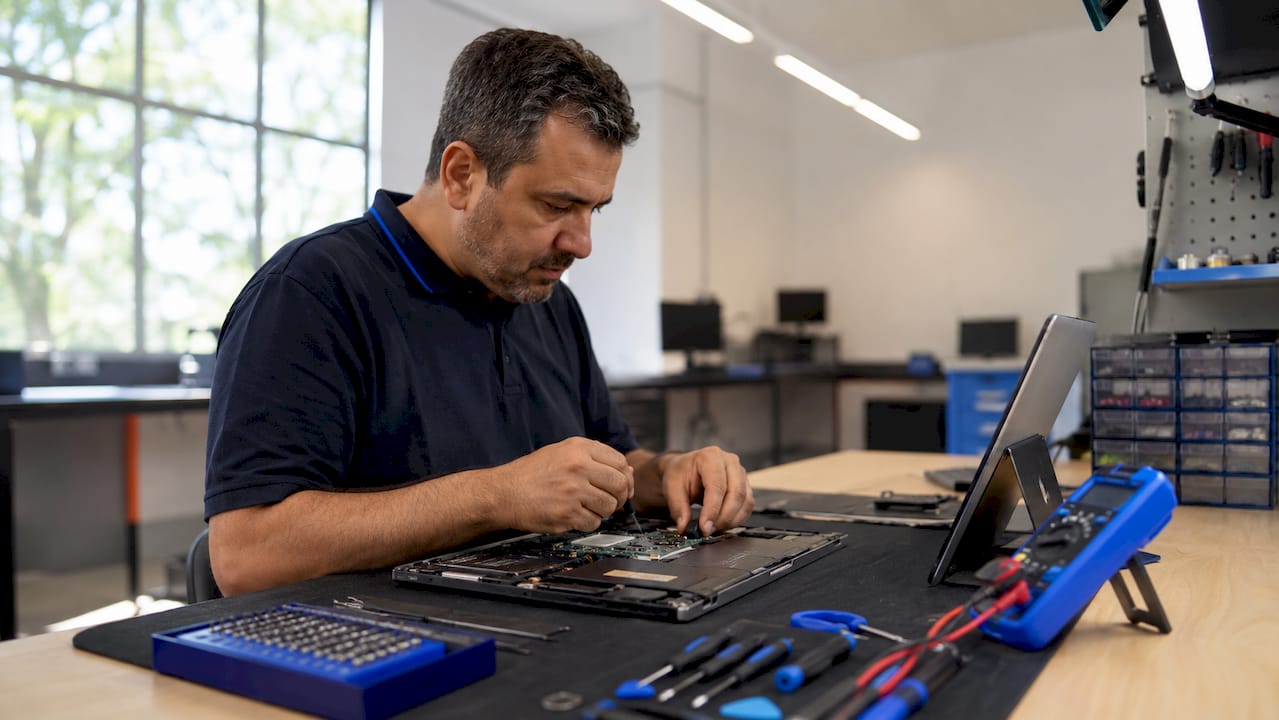
Expediting the laptop repair process means cutting diagnosis time, preventing avoidable delays, and getting your device back in working order as fast as possible. The difference between a one-day fix and a week-long wait usually comes down to what you do before you ever hand over your laptop. Preparation, clear communication, and choosing the right service are the three factors that separate fast repairs from frustrating ones. This guide walks you through every step, from pre-visit prep to understanding what happens on the technician’s bench.
How to expedite the laptop repair process before you arrive
The single biggest cause of repair delays is an unprepared device. Technicians spend extra time running redundant diagnostics when they lack basic information about what went wrong and when.
Back up your data first. Most repair shops disclaim liability for data loss, and data recovery efforts significantly delay repair and add costs. A full backup to an external drive or cloud service like Google Drive or iCloud takes under an hour and protects you from a worst-case scenario.
Document your device’s physical condition. Taking photos from multiple angles before drop-off prevents disputes over damage that may occur during the repair process. This is a two-minute step that has saved many customers from unnecessary arguments.
Gather your device details in advance. Have your laptop’s model number, serial number, and warranty status ready before you contact any shop. You can usually find the serial number on a sticker on the bottom of the device or inside the battery compartment.

Write a clear problem description. A concise written symptom summary is more effective than a verbal explanation. Include the exact error messages you see, when the problem started, what you were doing when it first occurred, and any fixes you already attempted. Technicians use this to skip straight to the most likely cause.
Try a few quick fixes before you go. Disabling unnecessary startup programs can free up RAM and resolve performance issues in under 30 minutes, potentially avoiding a repair visit altogether. If your laptop won’t power on, hold the power button for 60 seconds to perform a hard reset. This step resolves many power-related faults without any professional intervention.
Pro Tip: Check your laptop’s signs of urgent issues before your appointment. Knowing whether your problem is software or hardware narrows the diagnosis window significantly.
How do you choose the right repair service for a faster turnaround?
Choosing the right repair service is as important as preparing your device. The wrong shop can add days to your wait time through poor scheduling, missing parts, or unclear communication.
-
Use online intake forms. Submitting device details via online forms before arrival lets technicians verify parts availability and prepare their workspace in advance. This single step can cut your wait time at the counter from 30 minutes to under 5.
-
Request a free diagnostic and written quote. Most reputable shops offer free diagnostics and written quotes before any work begins. A written quote protects you from surprise charges and gives the technician a clear scope of work to execute without back-and-forth.
-
Verify parts availability before you drop off. Call ahead and confirm the shop stocks the specific screen, battery, or keyboard your model requires. A shop that has to order parts will add 3–7 days to your repair time regardless of how fast their technicians work.
-
Ask about same-day or rush repair options. Common repairs like screen, battery, and keyboard replacements are completed same day, within 1–4 hours, when parts are in stock. Not every shop advertises this upfront, so ask directly.
-
Specify your urgency when you contact the shop. Repair shops advise that early contact and specifying urgency helps prioritize jobs within workshop queues. A technician who knows your deadline can schedule your device at the front of the line.
Pro Tip: When comparing shops, ask for a same-day repair breakdown of what is and is not covered under their turnaround promise. Some shops advertise same-day service but exclude certain models or repair types.
What does the expedited laptop repair workflow look like?
Understanding the repair workflow helps you cooperate at each stage and avoid the delays that come from missed calls or slow approvals.
| Stage | What happens | Your role |
|---|---|---|
| Drop-off or shipping | Device arrives with your written problem description | Submit early in the day for same-day eligibility |
| Diagnostic | Technician identifies the root cause | Be reachable by phone or email for questions |
| Quote approval | Shop sends written quote for your approval | Approve quickly to avoid queue delays |
| Repair execution | Technician replaces or repairs the faulty component | No action needed |
| Quality testing | Device is tested under normal operating conditions | Confirm the original issue is resolved at pick-up |
| Pick-up or delivery | Device returned to you | Inspect before leaving the shop |
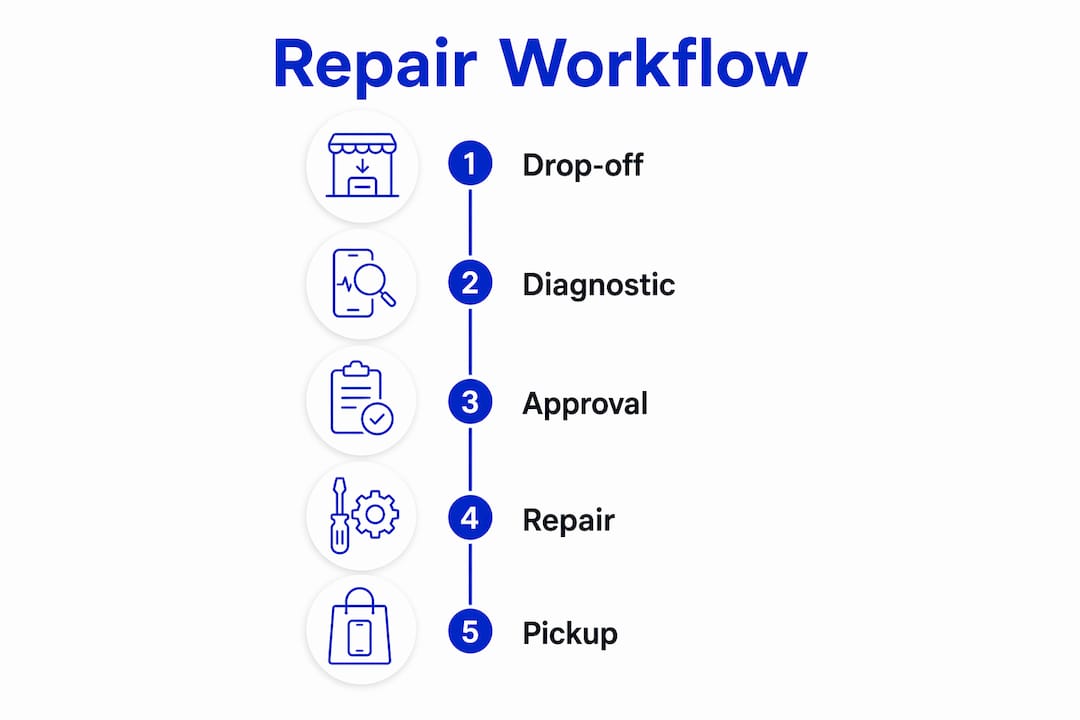
The approval stage is where most delays happen. A technician who finishes a diagnostic at 10 a.m. but cannot reach you until 3 p.m. loses five hours of repair time. Keep your phone nearby and set up email notifications on the day of your repair.
Shops that stock common parts for popular laptop brands like Dell, HP, Lenovo, and Apple can move from diagnostic to repair without any waiting period. For less common models, part sourcing is the primary bottleneck. Ask the shop to confirm part availability before you commit to dropping off your device.
Complex board-level repairs, such as GPU soldering or motherboard trace repair, may take 1–3 days even at the fastest shops. Set realistic expectations for those jobs and ask for a firm completion estimate in writing.
What mistakes slow down your laptop repair the most?
Several common behaviors add hours or days to repair time. Avoiding them is the fastest way to improve laptop repair efficiency without changing anything about the repair itself.
- Skipping the backup. If data recovery becomes necessary mid-repair, the entire job stops. Back up before you go, every time.
- Giving a vague problem description. “It’s slow” forces a technician to run every possible diagnostic. “It freezes for 10 seconds after opening Chrome, shows a blue screen with error code 0x0000007E, and started after a Windows update on march 14” takes the technician directly to the answer.
- Delaying quote approval. Every hour you take to approve a written quote is an hour your device sits idle on a bench. Respond within 30 minutes when possible.
- Not verifying part availability. Dropping off a device only to learn the shop needs to order a part is a preventable delay. One phone call before drop-off solves this.
- Ignoring simple fixes. Thermal slowdowns caused by dust buildup can mimic hardware failures. Cleaning your laptop every 3–6 months prevents slowdowns and avoids repair visits entirely. If your laptop feels sluggish, check whether a quick software fix resolves the issue before booking a technician.
- Overlooking an SSD upgrade. Upgrading from a traditional hard drive to an SSD is the most impactful affordable upgrade to speed laptop performance. Many users book repairs for slowness when a hardware upgrade, not a fix, is the real answer.
Key Takeaways
Preparing your device and communicating clearly before drop-off is the most reliable way to cut laptop repair time from days to hours.
| Point | Details |
|---|---|
| Back up data before repair | Shops disclaim liability for data loss; recovery efforts delay and add cost. |
| Write a detailed symptom description | Specific error messages and timelines let technicians skip redundant diagnostics. |
| Verify parts availability in advance | Confirm stock before drop-off to avoid multi-day waits on ordered components. |
| Approve quotes immediately | Delayed approvals stall repair execution; respond within 30 minutes when possible. |
| Choose shops with same-day capability | Common repairs finish in 1–4 hours when parts are stocked and urgency is stated upfront. |
What I’ve learned after years of watching repairs go wrong
The most avoidable repair delays I see come from one source: people who arrive at a shop with no backup, no written description, and no idea what model their laptop is. That combination turns a two-hour fix into a two-day ordeal.
The second thing I’ve noticed is that urgency only helps you if you communicate it early. Calling a shop at 4 p.m. and asking for same-day service rarely works. Calling at 9 a.m. and saying “I need this back by end of day, here’s the model and the issue” almost always does. Technicians are human. They prioritize the jobs they understand and the customers who made their lives easier.
I also think people underestimate the value of on-site repair services. Driving to a shop, waiting in line, and driving back adds 60–90 minutes to your day before the repair even starts. Services that come to you, like what Repair Genius offers in Orlando and Winter Park, remove that friction entirely. For urgent situations, that time difference matters.
One last thing: do not skip the hard reset before you book anything. I have seen a power button reset fix laptops that owners were ready to replace. It takes 60 seconds and costs nothing.
— Michael
Get your laptop fixed fast with Repair Genius
When your laptop goes down and every hour counts, Repair Genius brings the repair to you. Serving Orlando and Winter Park, Florida, Repair Genius sends expert technicians directly to your location for on-site same-day laptop repair with no hidden fees and no guesswork.

Every repair starts with a free diagnostic and a written quote. You approve before any work begins. Common repairs including screen replacements, battery swaps, and keyboard fixes are completed on-site in a single visit, backed by a 90-day warranty and a no-fix, no-fee guarantee. Fill out the online intake form before your appointment and your technician arrives prepared, with the right parts and a clear plan. Contact Repair Genius today to book your repair and get back to work faster.
FAQ
How long does an expedited laptop repair take?
Common repairs like screen and battery replacements finish within 1–4 hours when parts are in stock. Complex board-level repairs may take 1–3 days.
What should I do before dropping off my laptop for repair?
Back up all data, photograph the device from multiple angles, write a detailed symptom description, and confirm the shop has your required parts in stock before you arrive.
Does a written problem description really speed up repairs?
Yes. A written symptom summary eliminates redundant diagnostic steps and lets technicians target the most likely cause immediately, saving significant time.
Can I fix my laptop myself before booking a technician?
Try a hard reset by holding the power button for 60 seconds and disable unnecessary startup programs first. These steps resolve many common power and performance issues without a repair visit.
How do I know if a repair shop offers same-day service?
Call ahead, state your laptop model and the specific issue, and ask directly whether same-day turnaround is available. Shops with stocked parts for popular brands like Dell, HP, Lenovo, and Apple are most likely to confirm same-day availability.
Recommended
- Laptop Repair Before Replacement Checklist 2026
- Same Day Laptop Repair Explained: What to Expect
- Signs Your Laptop Needs Immediate Repair: 2026
- Why Business Laptops Need Screen Repair: 2026 Guide





