
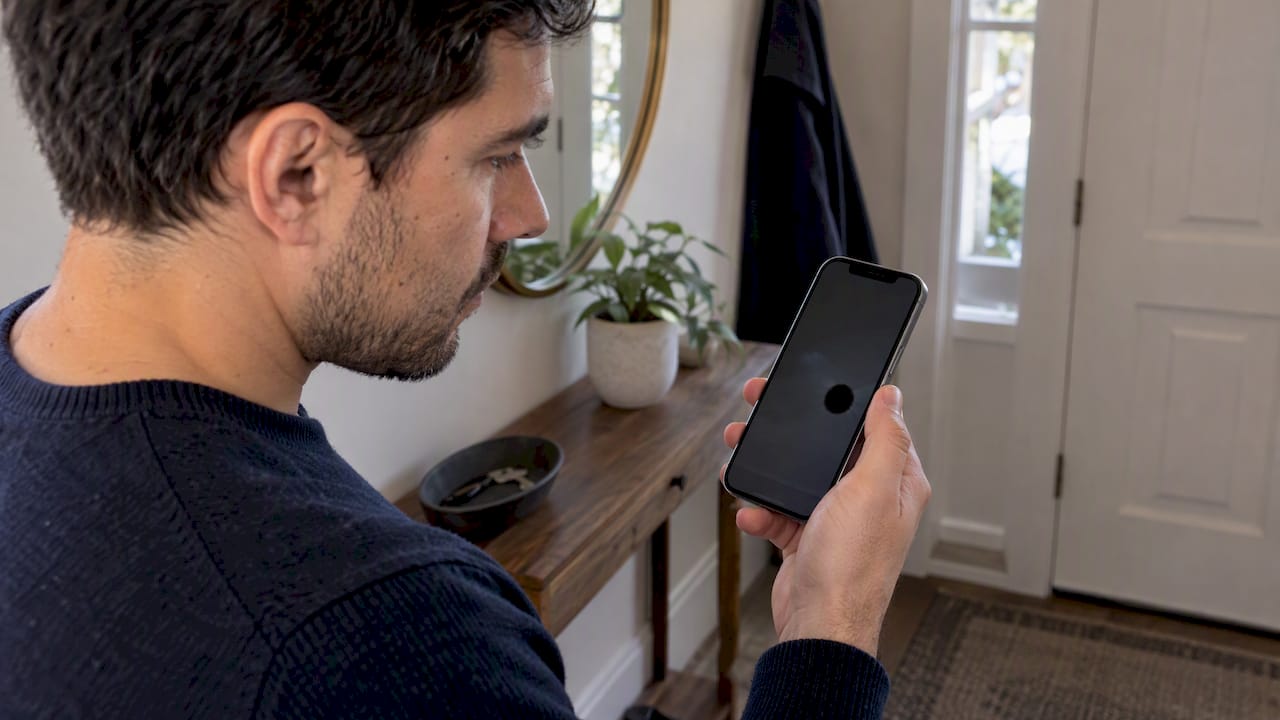
A black spot on an iPhone screen is one of two things: a harmless software indicator you can switch off, or physical damage to the display that no restart will fix. A small, clean-edged dot near the top that comes and goes is almost always software. A spot with ragged edges that stays put, or grows, after a drop, pressure or liquid exposure is hardware, and the only real fix is a new display.
This guide shows you how to tell the two apart in a few minutes, what is worth trying before you spend money, and what to do if the damage is real. It also covers the blurry, shaky or foggy camera problems that often get searched alongside it.
TL;DR
- A small black, green or orange dot at the top of the screen is usually an iOS indicator, not damage. Check this first.
- A fixed black patch with uneven edges that survives a restart points to internal display damage from a drop, pressure or liquid.
- Resets, pixel-repair apps and software updates do not repair damaged display layers. Back up your data, then book a display replacement.
- Spots on OLED screens can spread, so waiting usually makes the repair no cheaper and risks your data.
- In Orlando and Winter Park, we can replace the screen at your home, office or campus.
Table of Contents
- First, rule out the dots that are not damage
- How to recognize real display damage
- Why a black spot can grow
- What to try before booking a repair
- Back up before anything else
- When the spot came after a drop or water
- What about a blurry, shaking or foggy camera?
- What a repair involves
- Our perspective: don’t gamble on a spreading spot
- Fix it where you are, in Orlando and Winter Park
- What it can cost, and the repair-or-replace decision
- Frequently asked questions
- Sources
First, rule out the dots that are not damage
Before you worry about the glass, spend two minutes on the following. These cause a surprising share of “black dot” searches.
The privacy indicator. On recent versions of iOS, a small dot appears near the top of the display while an app uses your camera or microphone. Forbes explains that the dots are normal and the black outline is part of the design. Orange usually means the microphone is active and green means the camera. Open Control Center and the dot’s source is usually named at the top. If the dot disappears when you close the app, nothing is wrong with your screen.
Accessibility features. Vehicle Motion Cues, designed to reduce motion sickness in a moving car, draws animated dots on the edges of the screen. If the dots shift when you move or ride in a vehicle, check Settings, then Accessibility, then Motion. Because they move, they are easy to mistake for a dying display.
A smudge or debris under a screen protector. A speck trapped beneath tempered glass looks like a dark dot. Peel the protector off at one corner, wipe the screen with a microfiber cloth, and look again. If the spot lifts off with the protector, you have saved yourself a repair.
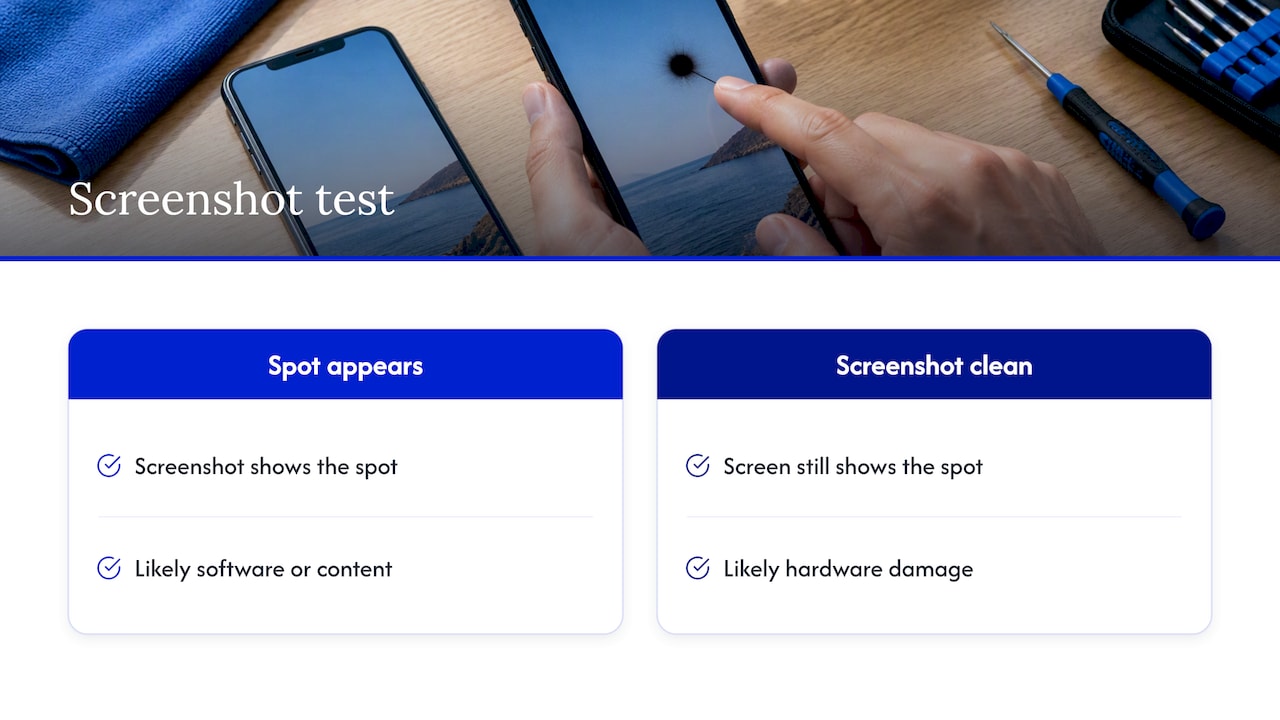
A quick test: take a screenshot, then look at it on another device or in Photos. If the spot appears in the screenshot, it is software or content. If the screenshot is clean while your screen still shows the spot, the spot is in the hardware.
How to recognize real display damage
A hardware black spot has a few typical traits:
- It stays in exactly the same place whatever app you open, and it is still there on the home screen, in the dark and in bright light.
- It has irregular, ink-blot, or semi-circular edges, or appears as a rectangle or a strip along an edge.
- It started after a drop, a squeeze in a pocket or bag, a hot car, or contact with water.
- It may have a purple, blue or green halo, or it may grow slowly over days.
- Touch may still work normally in the area, which tricks many people into waiting.
These traits match what display specialists describe. CDTech’s guide to black spots on displays lists dead pixels, pressure damage, internal panel cracks and trapped moisture as the main causes, and notes that spots from physical damage or liquid are permanent in practice. A spot that appeared with no impact at all is possible too, for example from long-term pressure on the panel or a defect, but the outcome is the same: the panel itself is affected.
Common causes, compared
| Cause | What it looks like | Does it spread? | Fix |
|---|---|---|---|
| Privacy indicator or accessibility feature | Small clean dot at the top, or moving dots | No | Nothing to repair; adjust settings |
| Debris under a protector | Tiny speck, lifts off | No | Remove protector and clean |
| Impact or pressure damage | Ink-like blot, often with color halo | Often | Display replacement |
| Liquid intrusion | Dark patches, sometimes with discoloration | Yes | Display replacement and a check for other water damage |
| Dead pixels | Very small, sharp dots | Rarely | Replace if bothersome |
| Burn-in from heavy use | Faint ghost image, not a black hole | Slowly | Replace if distracting |
Why a black spot can grow
If your spot is bigger than it was last week, you are not imagining it. Many current iPhones use OLED panels, where each pixel is made of thin organic layers sealed from the air. Once a drop or pressure point breaches that seal, moisture and oxygen can reach the organic material. Research on OLED degradation, for example a study of black spot growth in OLEDs, shows that water getting in through tiny pinholes drives dark spots that enlarge over time, and that they grow faster while the device is operating than while it sits idle.
That study examined laboratory OLED devices, not iPhones specifically, so treat it as an explanation of the mechanism, not a forecast for your phone. The practical point still holds: a spot that has started to spread rarely stops by itself.
What to try before booking a repair
These steps cost nothing and take under ten minutes. They will not repair a damaged panel, but they do rule out a glitch.
- Restart the phone. Hold the side button and a volume button until the power-off slider appears, switch off, wait about 30 seconds and power back on.
- Update iOS. Go to Settings, General, Software Update. Install anything pending while the phone is charging and on Wi-Fi.
- Remove the case and protector. Pressure from a tight case can stress the panel, and a protector can hide or imitate the spot.
- Take the screenshot test described above.
- Let the phone cool down if it has been in the sun or a hot car, then look again. Heat can make existing damage more visible.
If you are tempted by a full wipe, know what it does and does not do. A factory reset clears software problems, but it cannot repair physical layers in the display. Here is a walkthrough on how to factory reset an iPhone if you want to confirm the spot is not software, but back up first, because a reset erases everything on the device. The same goes for “pixel repair” apps that flash colors across the screen. They can sometimes wake a stuck pixel on an LCD, but they do nothing for a dark patch caused by internal damage, and running bright flashing patterns on a damaged OLED is not a good idea.
Back up before anything else
If the spot is real, the screen is going to be replaced, and you should protect your data first. Make a fresh iCloud backup (Settings, your name, iCloud, iCloud Backup, Back Up Now) or back up to a computer. If the touch layer is failing or the phone is hard to use, our guide on encrypting local backups and using daily iCloud backups explains the options, and how to transfer contacts before phone service covers the basics.
A normal display replacement does not need your data wiped. Still, a backup is cheap insurance, especially if the phone took a hard drop that may have damaged more than the glass.
When the spot came after a drop or water
A drop that leaves a black spot often leaves other damage you cannot see yet. The spot may be the first symptom of a loose connector, a swollen battery, or a camera module knocked out of alignment. We have written about the warning signs of internal iPhone damage after a drop and how to identify internal damage after a fall. Look for rapid battery drain, heat, a phone that restarts by itself, or a speaker or camera that behaves oddly.
Water is the more urgent case. Dark patches after liquid exposure mean moisture is already inside, and corrosion keeps working after the phone dries on the surface. Power the phone off, do not charge it, and get it looked at promptly rather than waiting to see if the spot fades.
What about a blurry, shaking or foggy camera?
Many people searching for black spots are also dealing with camera trouble, and the causes overlap because drops and moisture affect both.
- Blurry photos. Start with the simplest fix: wipe the lens with a clean microfiber cloth and remove any case lip or lens protector that sits over the glass. Fingerprints and pocket lint cause most soft photos. If photos are still blurry, or only one lens is affected, the camera module may be damaged.
- Shaking or jittering preview. This often appears after a hard drop or after the phone has been exposed to strong vibration. The stabilization hardware inside the module can be damaged. Restart and update first, then have the module inspected if the shake persists.
- Foggy or hazy images. Haze that does not wipe away usually means moisture or condensation inside the lens assembly, or a cracked lens cover. If the phone went into water, treat it as a liquid-damage case. Let it come out of a hot or humid environment gradually and see whether the haze clears; if it stays, the module needs replacement.
If a black spot appears together with camera problems, the impact probably hit more than one part, and a technician should inspect the whole phone, not just the screen.
What a repair involves
A display replacement swaps the damaged panel assembly for a new one. A good technician will test touch response across the screen, brightness, True Tone and the front camera and sensors before handing the phone back. If you want the step-by-step, read the iPhone screen repair process explained or our cracked screen repair guide.
A few questions to ask any provider before you hand over the phone:
- What display quality are you installing, and what does the warranty cover for parts and labor?
- Will you quote the price in full before starting?
- How will my data be protected while the phone is in your hands?
- Will you test the camera, Face ID, speakers and charging after the repair?
If the answers are vague, keep looking. Our piece on why device repairs fail lists the mistakes we see most often.
Our perspective: don’t gamble on a spreading spot
We fix a lot of phones, and the pattern with black spots is consistent. People wait because the phone still works. They tap around the spot, tell themselves it is small, and carry on for weeks. Meanwhile the spot grows, the phone takes another knock, and a one-part repair becomes a more stressful one.
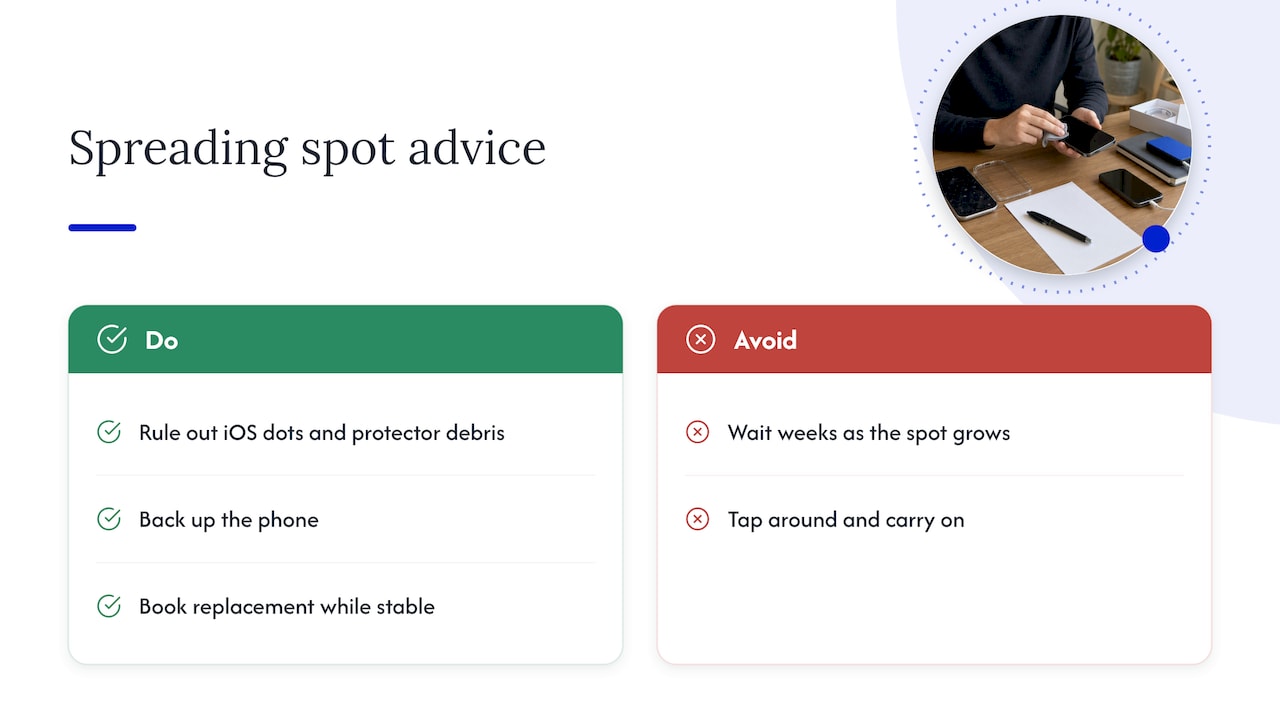
Our advice is simple. First spend two minutes ruling out the privacy dot, accessibility features and a dirty protector. If the spot survives a restart and a screenshot test, accept that it is hardware, back up the phone, and book the replacement while the phone is still stable. We would rather tell you honestly that your dot is just an iOS indicator, and charge nothing, than replace a perfectly good screen.
We also do the repair where you are, because handing your phone to a stranger across a counter is the part many people dislike most. You can watch the work, and your photos, messages and banking apps stay in your hands. Our technicians also handle deeper diagnostics when a spot turns out to be a symptom of something else on the board.
— Michael
Fix it where you are, in Orlando and Winter Park
If your test says the screen is damaged, we come to your home, office or campus in Orlando and Winter Park and repair it on site, with the price quoted up front and a warranty on parts and labor. See our iPhone repair services for models and repair types, check iPhone screen repair cost and same-day options in Orlando, or look at what to expect from Orlando iPhone screen replacement. If the glass is also cracked, this page on fixing a cracked iPhone screen near you will help you decide quickly. Not sure whether your spot is damage? Describe it when you book and we will tell you.
What it can cost, and the repair-or-replace decision
We do not publish fixed prices because the cost depends on your model and on the damage found, so we quote each job before work begins. In general, three things move the number: the iPhone model, the type of panel, and whether anything else is damaged.
Weigh the decision this way:
- Newer phone in good condition: replace the display. It costs a fraction of a new phone and keeps your setup, photos and apps exactly as they are.
- Older phone with a weak battery and other damage: ask for a diagnostic. A new screen on a phone that is failing elsewhere may not be worth it, and an honest technician will say so.
- Phone with AppleCare+ or other coverage: check your plan, as some coverage includes screen damage. Confirm the details with your carrier or Apple before paying out of pocket.
- Phone that is also water-damaged: diagnosis comes first, because the display may not be the only failed part.
Whatever you choose, avoid continuing to use a phone with a spreading spot as if nothing is wrong. A spot near the edge can quietly reach the middle of the display, and a phone that slips from your hand again can turn a small, simple repair into a larger one.
Frequently asked questions
How do I fix a black spot on my iPhone screen?
If it is an iOS indicator or a speck under a protector, you can fix it yourself by checking settings and cleaning the screen. If it is damage inside the display, the fix is a screen replacement. Restarts, resets and pixel apps will not repair damaged display layers.
How do I get a black dot off my iPhone screen?
First work out what it is. A dot at the top that appears while an app uses the camera or microphone is normal and goes away when the app closes. A fixed dot that appears in the same spot on every screen and does not show in a screenshot is physical, and removing it means replacing the display.
How much does it cost to fix a black spot on a phone?
It depends on the iPhone model and the panel type, since newer OLED displays cost more than older ones. We quote the exact price before any work starts, so you decide with the number in front of you. Booking a diagnosis is the quickest way to get it for your model.
Why does the black spot keep growing?
On OLED screens, a breach in the panel’s protective seal lets moisture and oxygen reach the organic material, and the damage can spread outward from the first spot, as research on OLED black spot growth describes. That is why we suggest repairing sooner rather than later.
Can a black spot go away on its own?
If it is a software indicator or debris, yes, because there is nothing wrong with the screen. Spots caused by internal damage do not heal and tend to stay the same or get larger.
Sources
- iOS 18: Here’s Why There’s A New Black Dot On Your iPhone (Forbes)
- Black Spots on Display: Causes, Solutions & LCD Defect Prevention Guide (CDTech)
- Mechanism of the operational effect of black spot growth in OLEDs (ScienceDirect)
Recommended
- iPhone Screen Repair Orlando: Signs You Need Replacement or Cleaning
- iPhone Screen Repair Process Explained for 2026
- iPhone Screen Repair Cost and Same Day Repair in Orlando
- Cracked Screen Repair Process: 2026 Complete Guide










