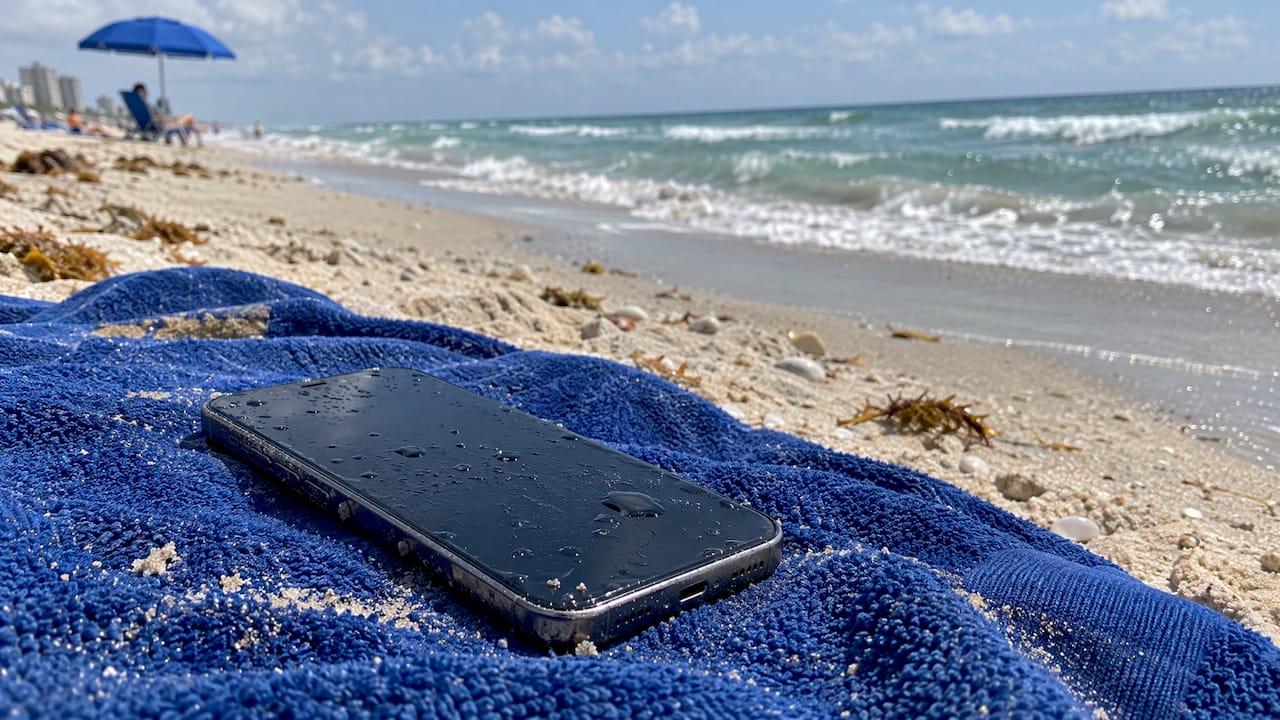
Salt water is the hardest liquid on a phone, because the salt left behind keeps corroding the circuit board long after the screen looks fine. The fastest way to protect the phone and the data on it is to power it down, rinse off the salt, dry it without heat, and get it looked at before corrosion spreads. If you are in Orlando or Winter Park, we come to you for that last step.
This guide is for anyone whose phone just met the ocean, a pool of brackish water or a splash at the beach: what to do right now, what makes things worse, and how to tell whether the phone can be saved.
TL;DR
- Take the phone out of the water, turn it off and do not charge it. Power plus salt water is what causes shorts.
- A quick rinse in clean fresh water removes salt, which is the opposite of what you would do for a drink spill you could ignore. Then dry it with cool air and a lint-free cloth.
- Skip rice, hair dryers, ovens and compressed air. They do not remove salt and some push moisture deeper.
- A phone that works after salt water can still be corroding inside. Have it inspected, especially if it holds photos or work data.
- In Orlando and Winter Park, Repair Genius offers on-site water damage repair, same day.
Table of Contents
- Why salt water is worse than fresh water
- The first hour: step by step
- What not to do
- Signs of salt water damage
- If you cannot find the phone
- What each major brand says to do
- Why on-site repair suits a salt water emergency
- Get it checked the same day
- FAQ
- Sources
Why salt water is worse than fresh water
Fresh water mostly causes trouble while it is wet. Salt water leaves minerals behind. An iFixit community answer explains that the real damage comes from mineral deposits and corrosion as water evaporates, and the saltier the water, the more damage. Salt also conducts electricity, so a powered-on phone can short-circuit quickly.
Samsung says that with seawater it is extremely important to remove the salinity as soon as possible, because leftover debris can speed up corrosion of the mainboard. Huawei adds that sea water can become corrosive again when moistened even after it has dried. That is why a phone can seem fine for a day and then start restarting, losing charge or flickering.
Does water resistance protect against the sea?
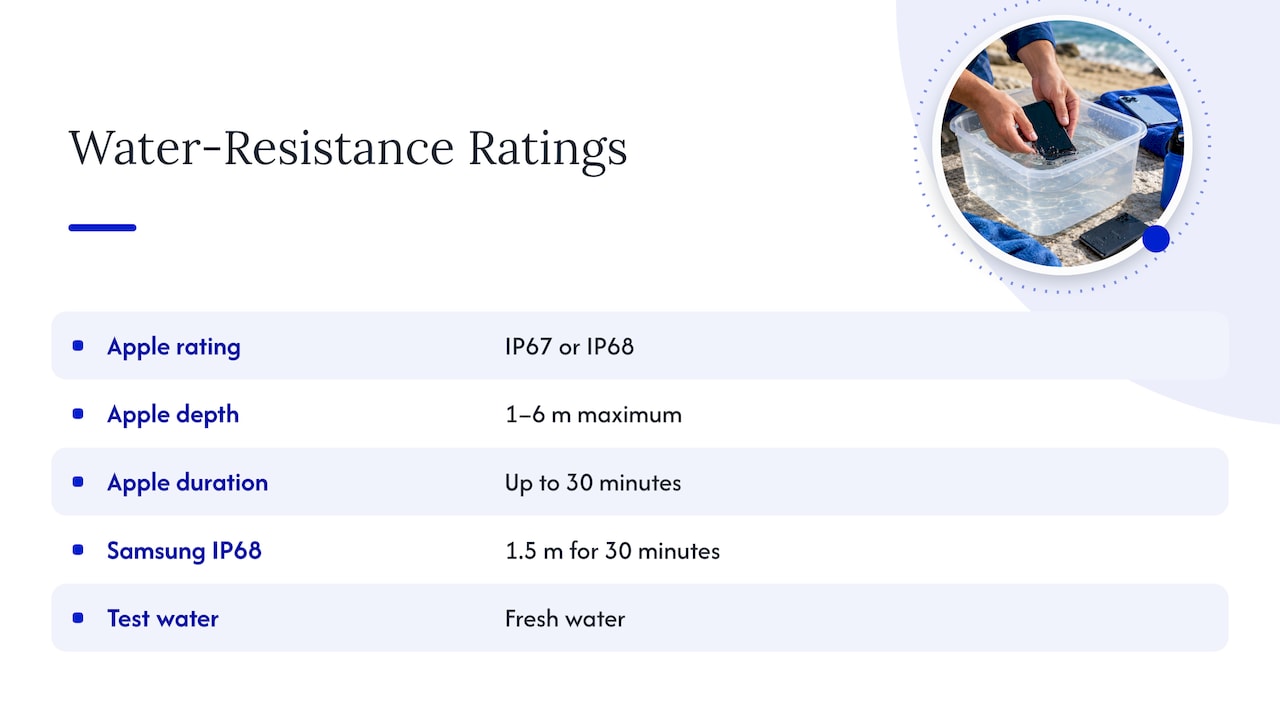
Partly, and not for long. Apple says iPhone models carry IP67 or IP68 ratings with maximum depths of 1 to 6 meters for up to 30 minutes, that resistance can decrease with normal wear, and that liquid damage is not covered by warranty. Samsung describes its IP68 rating as 30 minutes at 1.5 meters and notes a phone can become waterlogged beyond that. Those ratings are tested in fresh water, and waves, pressure and an older phone with worn seals change the picture. Treat any sea dunk as a case for cleaning and inspection.
The first hour: step by step
- Get the phone out and cut power. iFixit’s guidance is to remove the phone from the liquid as soon as safely possible and turn it off if it is still on. If it is off, leave it off.
- Watch for battery warning signs. If you see heat, smoke, steam, bubbling, bulging or melting, do not handle the phone, per the same iFixit guide.
- Rinse off the salt. Consumer Reports advises lightly rinsing with tap water, since saltwater can react badly with the phone’s metals. Samsung’s guidance for seawater is a 1 to 3 minute soak in clean water for removable parts and the device, then a rinse. Use fresh water, not more sea water.
- Dry the outside. Pat with a lint-free cloth, concentrating on the charging port. Tap the phone gently against your hand with the port facing down, as Apple describes in its liquid splash guidance.
- Let air do the work. Leave it in a dry, ventilated spot, with a fan blowing cool air near the port. Consumer Reports suggests at least 24 hours before turning it on.
- Do not charge it. Apple says to unplug all cables and wait at least 5 hours after it is completely dry before charging. With salt water, we would not charge until a technician has checked the phone.
If you are in Orlando or Winter Park, this is the point to call us rather than power the phone on to test it. Our guide to fixing a water damaged phone covers the general sequence, and the one on spotting water damage signs shows what technicians look for.
What not to do
- Do not use rice. AP News reported that Apple warned against putting an iPhone in rice because small particles can damage the phone. iFixit says rice will not help because it does not remove contaminants. With salt, drying slowly without rinsing simply gives corrosion more time. See rice vs silica gel for when to stop DIY.
- Do not use heat. TCL warns that hair dryers, microwaves, ovens and radiators can severely damage internal components and seals.
- Do not poke the port. Apple says not to insert a cotton swab or paper towel into the connector.
- Do not shake it or press buttons. Huawei advises against moving or shaking the phone and against trying to power it on.
- Do not rely on a working screen. Samsung says a water-resistant Galaxy that appears normal may still have internal damage or corrosion.
Signs of salt water damage
Corrosion looks like a white, chalky film on metal surfaces, especially pins and connectors, according to iFixit. You usually will not see that without opening the phone. What you will notice first:
| What you see | What it can mean |
|---|---|
| Phone will not turn on or charge | Short circuit or corroded charging port or battery connector |
| Restarts or turns on and off by itself | Corrosion on the board, moisture still inside |
| Black spots, pixel bleeding or lines on the screen | Liquid inside the display. Samsung lists these as physical damage signs |
| Fogging under the camera lens | Moisture in the camera module |
| Charging works, then stops | Corroded charging contacts |
If the display has significant liquid damage inside, iFixit notes it may need replacing. The damage is often permanent where corrosion has eaten through traces, but many phones are recoverable when cleaned early. The longer salt sits, the worse it gets, and iFixit’s guide stresses that liquid damage tends to worsen with time.
Why we do not suggest opening it yourself
Some guides tell you to disassemble the phone, brush off corrosion and soak the board in 90% isopropyl alcohol. iFixit calls liquid damage one of the more challenging repairs and suggests consulting a professional if you are unsure or need your data. A phone opened at the beach or on a kitchen table risks cracked glass, lost screws and a torn battery connector. That is work for a technician with the right tools.
If you cannot find the phone
If it sank for good, How-To Geek recommends treating it as a loss: contact your carrier to move your number, use a tool such as Find My to mark it lost and lock it, and restore from a backup on a new device. This is also why a recent backup matters. Before any phone service, our note on transferring contacts is worth a minute.
What each major brand says to do
| Brand | Core advice |
|---|---|
| iPhone | Rinse with tap water, wipe, tap port down, air dry, wait before charging. See our water damaged iPhone tips. |
| Samsung | Power off, soak or rinse in clean water for 1 to 3 minutes, air dry in shade, inspect even if it works. See Samsung moisture detected. |
| Google Pixel | Lift out, turn off, dry with a soft cloth, finish drying at room temperature. Pixel 10 owners in the US can use a liquid damage test. |
| Other Android | Same pattern: power off, rinse, cool air, no heat. A phone that will not charge may be showing a liquid alert. |
Why on-site repair suits a salt water emergency
Speed is the whole game with corrosion, and a drop-off shop adds travel, a queue and often days without your phone. We come to the location you choose in Orlando and Winter Park and offer same-day service. We prioritize data safety, so your photos, messages and work accounts stay protected while the phone is repaired, and we quote pricing up front with no hidden fees. Our repairs carry a warranty on parts and labor, and our technicians handle advanced board-level repairs, which is the kind of work salt corrosion calls for.
That matters if you are a professional who cannot be offline, a student with a phone full of coursework, or a parent whose phone holds a year of family photos. Our guide to data recovery in Orlando explains how recovery fits in.
We see salt water as a clock, not a verdict. The phone that goes into the ocean is usually repairable in the first day or two, and much harder after salt has had time to work.
Our advice is simple: power it down, rinse it, and book a technician before you test it. Powering a wet phone on to see if it works is the one step that turns a repairable phone into a dead one, and a technician can check the board for corrosion before power goes through it.
We built our service around coming to you, with clear pricing and a focus on keeping your data safe, because people with a wet phone do not have time to wait.
Michael
Get it checked the same day
If your phone went into the sea in Orlando or Winter Park, our water damage repair service brings a technician to you. We repair iPhones, Samsung and other Android phones, tablets and laptops, and we also handle iPhone repair and cellphone repair jobs that follow water damage, such as batteries, charging ports and screens.

Spilled the same water on a laptop instead? Cut power first, as in our guide to water on a laptop.
FAQ
Can a phone survive salt water?
Often yes, if it is powered down quickly, rinsed with fresh water and cleaned by a technician before corrosion spreads. The outcome gets worse the longer salt sits inside, so speed matters more than the phone’s age or price.
Should I rinse a phone that went in the sea?
Yes. Consumer Reports and Samsung both advise rinsing off salt with clean water, after the phone is off. Do not use a hose or pressure, and dry the port area carefully afterward.
How long should I wait before turning it on?
Guidance from Consumer Reports is at least 24 hours of drying, and Apple says at least 5 hours after the phone is fully dry before charging. With salt water we recommend having a technician inspect it first, since it is hard to tell when a phone is truly dry.
Is a working phone safe to ignore?
No. Samsung warns that internal damage or corrosion can be present even when a phone seems normal. A check soon after exposure can catch corrosion before it causes restarts, battery drain or a dead board.
Sources
- What to Do If Your Phone Gets Wet, Consumer Reports
- iPhone Liquid Damage Repair, iFixit
- Electronics Water Damage, iFixit
- iFixit community answer on water damage
- Water has entered my phone, Huawei Support
- I dropped my device in water, Samsung Canada
- I dropped my device in water, Samsung UK
- Protect your Galaxy device after water exposure, Samsung UK
- Check for physical damage, Samsung
- Apple on splash, water and dust resistance
- Apple on liquid splashes, archived
- Help prevent water damage to your Pixel phone, Google
- TCL support: device falls into water
- Don’t put your wet phone in rice, AP News
- What to Do If You Drop Your Smartphone in the Ocean, How-To Geek
Recommended
- How to Fix a Water Damaged Phone
- Water Damaged iPhone Repair Tips | Save Your Device
- Spot Phone Water Damage Signs in a Couple of Minutes
- Samsung Moisture Detected: What to Do and When to Get Help