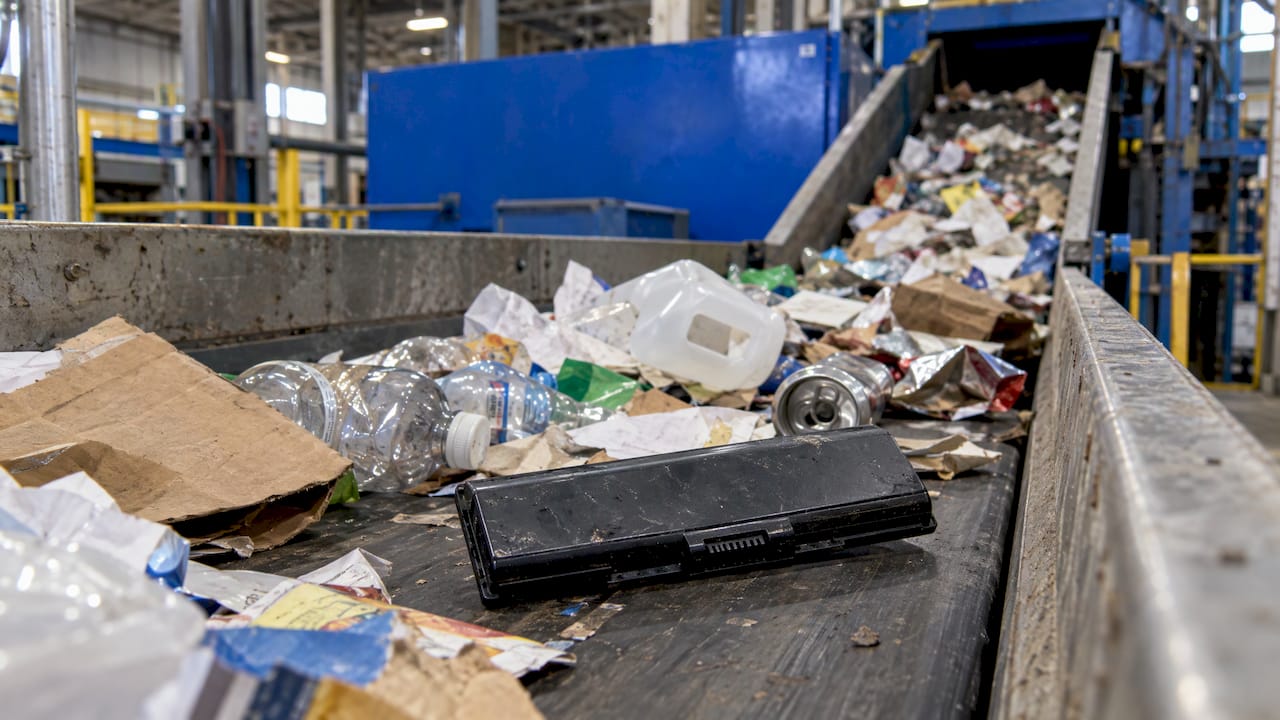
Don’t throw an old laptop battery in the trash or the blue recycling cart. Tape over its terminals, put it in its own plastic bag, and take it to a battery drop-off, a participating electronics retailer, or a household hazardous waste site. In Orlando, the Orange County Landfill takes rechargeable batteries free of charge for county residents. If the battery is swollen, leaking or hot, the steps change, and you will find them below.
TL;DR
- Lithium-ion laptop batteries never go in household garbage or recycling bins. The EPA says they can start fires in trucks, landfills and recycling plants.
- Before drop-off, put non-conductive tape (electrical tape) over the terminals and bag each battery separately.
- Good destinations: a certified electronics recycler, a retailer takeback program, or a local household hazardous waste site.
- A swollen battery is a fire hazard. Keep it away from anything flammable, in sand or kitty litter, and call the manufacturer or your local hazardous waste program for direction.
- If it smokes or burns, leave, close the door and call 911.
Table of Contents
- Why an old laptop battery can’t go in the trash
- Step by step: preparing a laptop battery for drop-off
- Where to take it: your options
- What if the battery is swollen, leaking or damaged?
- Is it the battery, or something else?
- Data first: protect your files before the laptop leaves your hands
- Our perspective
- Need the battery replaced? We come to you
- FAQ
- Sources
Why an old laptop battery can’t go in the trash
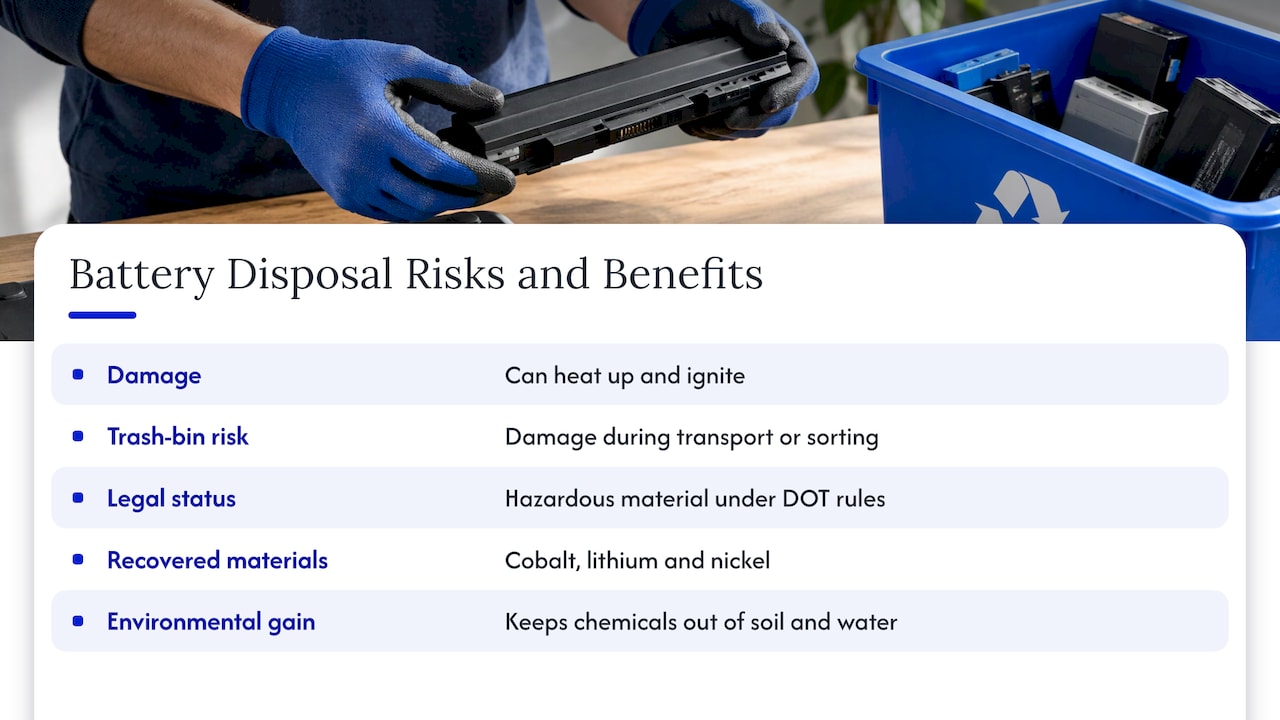
A laptop battery is a lithium-ion pack. It stores a lot of energy in a small, tightly sealed space. If it is crushed, punctured or shorted, it can heat up and ignite. Garbage trucks compact their loads, and sorting machines at recycling plants shred and squeeze material. The EPA explains that a battery thrown in the trash or the municipal recycling bin may be damaged or crushed during transport or sorting, which creates a fire hazard.
There is a regulatory side too. PHMSA says lithium batteries are regulated as a hazardous material under the U.S. Department of Transportation’s rules. It tells private individuals to use appropriate recycling channels and never to put household lithium batteries in the trash or general recycling.
There is also something to gain. Recycling recovers valuable materials such as cobalt, lithium and nickel, and it keeps chemicals out of soil and water. That is why the proper route is worth the small effort.
Step by step: preparing a laptop battery for drop-off
A working or merely worn-out battery that looks normal is the easy case. Here is how to handle it.
- Stop using it. If the laptop only runs on the charger or the battery barely holds a charge, it has reached the end of its useful life. Our guide on how long laptop batteries last explains why capacity usually fades within a few years.
- Power down and unplug. Shut the laptop down fully before you touch anything.
- Remove the battery only if it is designed to come out. Many older laptops have a removable pack. Most modern ones have an embedded battery. North Carolina’s environmental agency warns consumers not to pry out an embedded battery, because that can damage it, expose you to hazardous materials and start a fire. If yours is built in, take the whole laptop to a recycler.
- Tape the terminals. The EPA advises covering the terminals with non-conductive tape, such as electrical tape.
- Bag it separately. Each battery, or each device with a battery inside, goes in its own plastic bag. Don’t toss several loose batteries together in one container where the terminals can touch.
- Carry it by hand. Keep it in your car’s cabin or cargo area, out of direct summer sun, and drive it to the drop-off soon rather than letting it sit around.
The Battery Network also notes that lithium and soft-sided batteries need extra preparation before drop-off to prevent sparks and reduce fire risk, so follow any instructions a collection site posts.
Where to take it: your options
The federal guidance is consistent. The Department of Energy’s consumer guide says removable rechargeable batteries can go to specialized battery recyclers, retailers with takeback services, or local household hazardous waste programs. Batteries built into a device can go to certified electronics recyclers or to local electronics or hazardous waste collection programs.
| Option | Best for | What to know |
|---|---|---|
| Household hazardous waste site | Any laptop battery, including those you aren’t sure about | Run by your county. Free for residents in Orange County. |
| Battery drop-off location | Removable packs and loose rechargeable batteries | Use a locator such as The Battery Network. Most sites take common rechargeable batteries. |
| Retailer takeback | Convenient drop-off while you shop | Policies and limits differ by store, so check before you go. |
| Certified electronics recycler | Whole laptops with embedded batteries | Also a good home for the rest of the machine. |
The EPA names Earth 911 and Call2Recycle as two databases for finding a recycler near you.
In Orlando and Winter Park
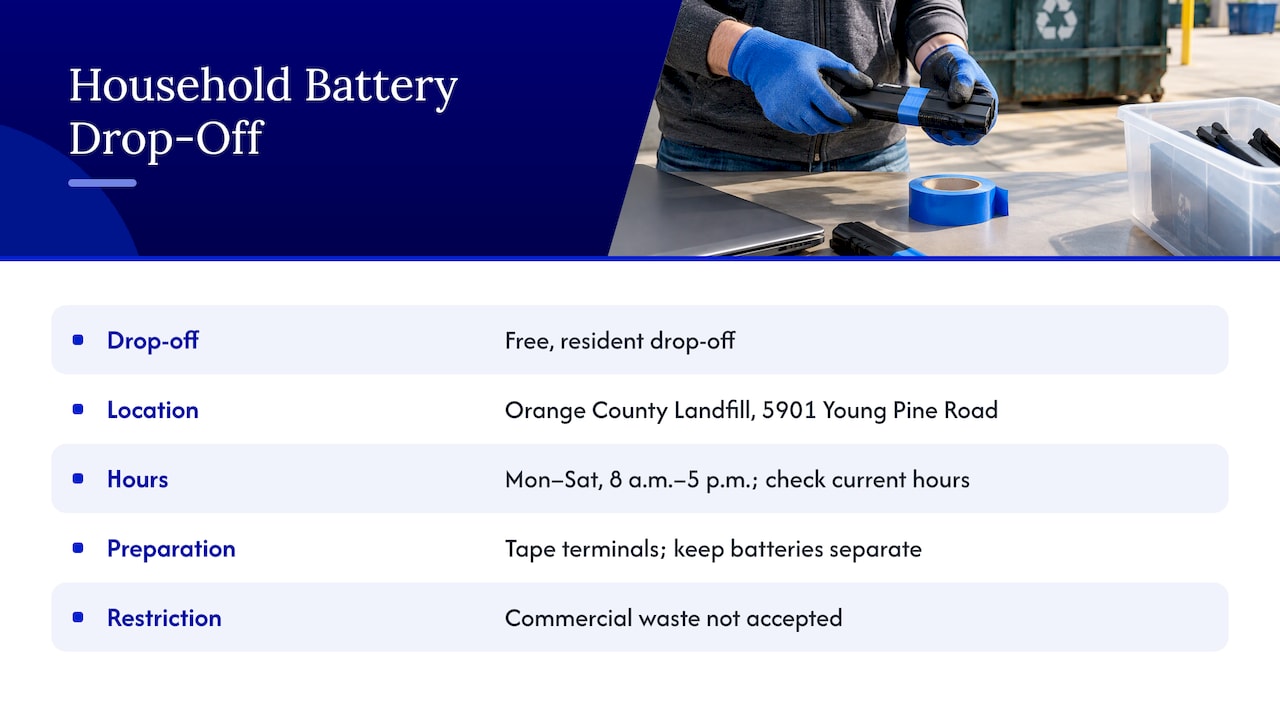
Orange County Utilities runs a free drop-off for residents at the Orange County Landfill, 5901 Young Pine Road, Orlando. According to the county, it is open Monday through Saturday, 8 a.m. to 5 p.m. The county asks you to cover all lithium battery terminals with tape and separate them from other batteries. Commercial waste isn’t accepted, so a business with a pile of old equipment needs a different route. Hours can change, so check the county page before you drive out.
Winter Park residents have the same option. The City of Winter Park lists the Orange County Landfill for household hazardous waste and e-waste, and it also publishes periodic household hazardous waste drop-off events. Look at the city page for the current schedule.
If you are weighing your choices, a clear overview of recommended disposal options for used laptop batteries covers certified recyclers, participating retailers and local collection programs side by side.
What if the battery is swollen, leaking or damaged?
A swollen laptop battery is not ordinary e-waste. Swelling is a sign of internal damage. Common signs, according to the EPA’s tip sheet, include:
- bulging or swelling
- odors
- excess heat
- smoke
- discoloration or corrosion
- damaged wires
- leaking
- odd noises
You may notice a laptop whose trackpad clicks poorly, whose lid won’t close flat, or whose case seams are pushing apart. That is often the battery expanding underneath.
Do this right away
The EPA states that swelling indicates damage and a potential fire hazard. If there is no imminent threat of fire, contact the manufacturer, the retailer, your state waste management agency or your local household hazardous waste program for direction. Store the battery or device somewhere safe, such as a bucket full of sand or kitty litter, away from flammable materials.
In practice:
- Stop charging and shut the laptop down. Don’t press on the swollen area or try to flatten it.
- Unplug the charger.
- Move the laptop or battery outside the living space if you can do so safely. North Carolina’s guidance says a damaged or swollen battery shouldn’t be stored inside the home. It recommends a metal bucket or sturdy plastic bin filled with sand or kitty litter. In Florida, a covered garage floor away from cars, paper and cardboard, or a patio, is a sensible equivalent.
- Tape any exposed terminals, as the EPA tip sheet recommends for damaged batteries.
- Call the Orange County hazardous waste program or the laptop’s manufacturer and ask how to deliver a damaged battery.
Don’t mail it. A damaged or swollen battery shouldn’t be shipped, and under the federal rules damaged and defective lithium batteries have their own packaging and marking requirements for shipping. The EPA tip sheet describes them. Also, don’t assume a regular drop-off box will take it. Many sites don’t accept bulging batteries, so call ahead before you go.
If you have a swollen phone or tablet battery as well, our pages on a swollen phone battery and on tablet swollen battery risks cover those devices.
If it gets hot, smokes or ignites
This is an emergency. The FDNY states that fire extinguishers don’t work on lithium-ion battery fires. Leave the area, close the door behind you and call 911. These batteries can re-ignite minutes, hours or even days after the visible fire is out, so don’t go back to “check” on it. Don’t try to pick up or move a burning battery.
Is it the battery, or something else?
Before you retire a battery, make sure it is the real cause. A laptop that drains fast, shuts off suddenly or runs hot may have a software problem, a failing charger or a clogged fan. Our guides on laptop overheating and what to check when a laptop won’t boot can help you sort it out. If a replacement battery is the answer, you may keep the laptop for years more, which is the cheapest option. Our repair before replacement checklist shows how to decide, and the signs your laptop needs immediate repair tell you when not to wait.
Data first: protect your files before the laptop leaves your hands
If the whole laptop is going to a recycler, because the battery is embedded or the machine is finished, deal with your data first. A battery drop-off asks nothing of you, but an old laptop still holds your files, saved passwords and logins.
- Back up what you need. Our guide on encrypting local backups and using iCloud daily walks through it.
- If the laptop won’t start and files are stuck on it, data recovery in Orlando is worth a read before you recycle it.
- Sign out of your accounts and wipe the drive before handing the device over.
Our perspective
Most people come to us with a laptop that has a worn-out battery, and what they really want to know is whether the machine is worth saving. In many cases it is. A fresh battery can bring a laptop with a fine screen, fast storage and a good keyboard back to a full working day, often at a fraction of the cost of a new machine.
The other call we get is about a battery that has started to bulge. Our advice there is simple: don’t wait, don’t poke it, and don’t carry it around in a bag. Stop charging, put it somewhere non-flammable, and get a qualified technician to look at it. When we come on site, we can check whether the battery is the problem, handle the swap safely, and tell you plainly what the repair involves, with the price quoted up front. Then we give you the old battery’s disposal instructions so it ends up in the right channel instead of a trash can.
Our technicians are certified, and we back parts and labor with a warranty. We have more than 10 years of experience, and we protect your data throughout the repair. Whichever way you go, repair or replacement, the old battery should always end up at a proper recycling point.
Michael
Need the battery replaced? We come to you
If your laptop battery is failing and you’d rather not carry it across Orlando, we can help. Repair Genius sends a technician to your home, office or school in Orlando and Winter Park for same-day service where available, with transparent pricing and no hidden fees. We repair Windows laptops, MacBooks and iMacs, and we can look at the whole machine in one visit, from battery to storage to software.

See our on-site computer repair services or our MacBook and iMac repair page, or book through Repair Genius. If you are comparing, our guide to on-site computer repair versus a repair shop lays out the differences.
FAQ
Can I throw away an old laptop battery?
No. Lithium-ion batteries can be crushed or damaged in garbage trucks and sorting equipment and start fires. The EPA says to take them to separate recycling or household hazardous waste collection points instead. This applies to the trash and to your blue recycling cart.
How do I recycle a laptop battery in Orlando?
Tape the terminals, bag the battery separately and bring it to the Orange County Landfill household hazardous waste drop-off on Young Pine Road. It is free for county residents. You can also look for a nearby drop-off with a locator such as Call2Recycle’s, which the county recommends.
What do I do with a swollen laptop battery?
Stop charging it, unplug it and keep it away from flammable materials, ideally in a bucket of sand or kitty litter. Then contact the manufacturer or your local hazardous waste program for direction, as the EPA advises. Don’t try to puncture it or flatten it. If it smokes, leave the area and call 911.
Can I take the battery out of my laptop myself?
Only if the laptop was designed for it, with a removable pack. If the battery is embedded, don’t pry it out. Doing so can damage it, expose you to hazardous materials and start a fire. A technician or a certified electronics recycler can handle it.
Is it safe to store a dead laptop battery at home until I can drop it off?
A normal-looking dead battery should be taped, bagged and kept somewhere cool and dry, away from flammable items, for as short a time as possible. A battery that shows swelling, odor or heat should not be stored inside the home. Move it outside the living space into a non-flammable container and arrange drop-off promptly.
Sources
- Frequent Questions on Lithium-Ion Batteries, US EPA
- Used Lithium-Ion Batteries, US EPA
- Battery Collection Tip Sheet, US EPA
- Transporting Lithium Batteries, PHMSA
- Consumer Guide to Battery Recycling, US Department of Energy
- Drop-off Locations, The Battery Network
- Lithium-Ion Battery Safety in the Home, NC DEQ
- Dangers of Lithium-Ion Batteries, FDNY
- Household Hazardous Waste, Orange County Utilities
- Waste Diversion & Recycling, City of Winter Park
Recommended
- Laptop Battery Lifespan: Most Drop to 80% in 2–4 Years
- Buy & Sell Apple Products in Orlando | iPhone, MacBook & iPad
- Computer & Laptop Repair in Orlando