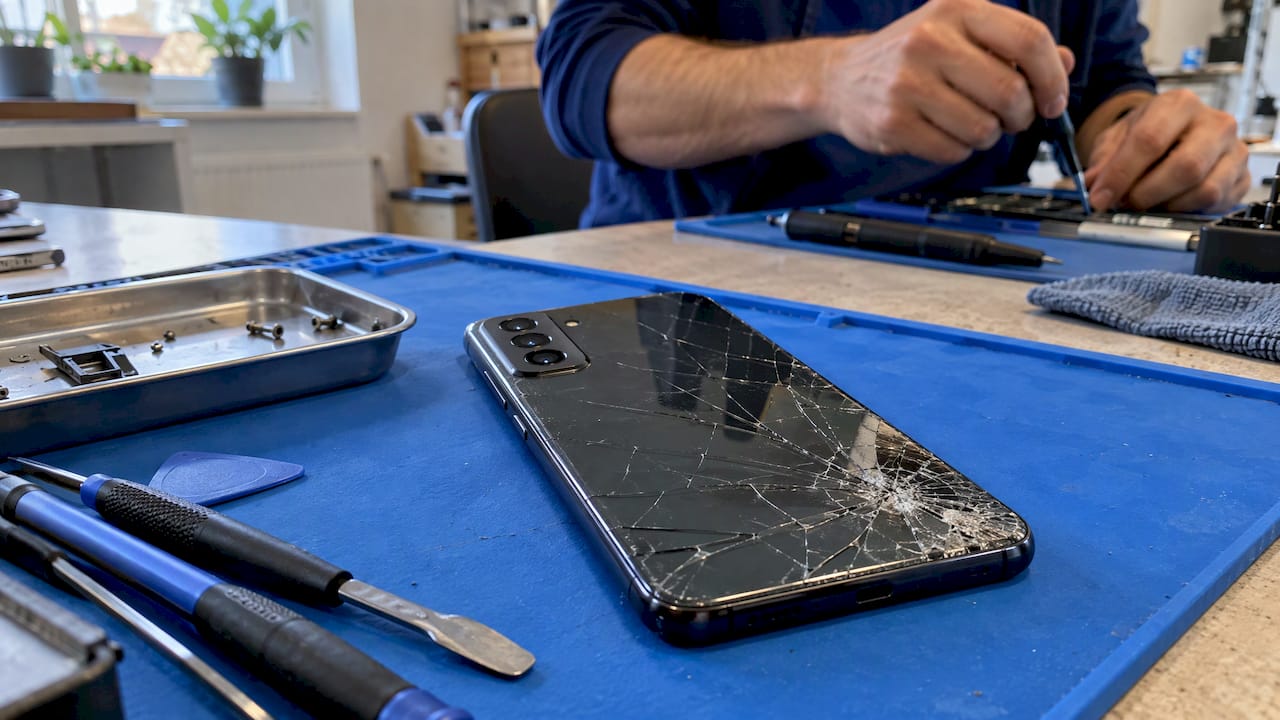
If the back of your Samsung, Pixel or other Android phone is cracked, you can usually get it fixed without replacing the phone. The glass is normally glued on, and a technician softens that glue with controlled heat, lifts the panel, moves the small parts across and seals a new back in place. The work is delicate, and it goes wrong most often when a cracked panel is pried at home. In Orlando and Winter Park, we bring that repair to your door.
TL;DR
- Most Android back glass is held by adhesive and comes off with heat. Some designs bond the glass to the frame, which makes the job harder.
- A cracked back can cut you and let dust and moisture in. Cover it with clear tape and keep using it only briefly until it is fixed.
- If the back is lifting or bulging, stop charging the phone and get it inspected promptly. That can point to a swollen battery.
- Pry tools on cracked glass tend to spread the cracks, and repairs by anyone other than a certified provider can affect Samsung warranty coverage.
- We repair Samsung and Android phones on site in Orlando and Winter Park, with the price quoted up front and a warranty on parts and labor.
Table of Contents
- What to do the moment you see the crack
- Is it safe to keep using a phone with a cracked back?
- How Android back glass is actually repaired
- Why prying at home usually backfires
- When to hand it to a professional
- What to check before anyone repairs your phone
- Our perspective on back glass repair
- Book an on-site repair in Orlando or Winter Park
- What affects the price and timing
- FAQ
- Sources
What to do the moment you see the crack
A cracked back panel is rarely an emergency, but a few minutes of care now keep a small problem small.
- Cover the glass. Clear packing tape across the cracked area holds splinters in place. iFixit’s own back cover guide for the Galaxy S25 Ultra recommends covering cracked back glass with strips of packing tape so the pieces stay contained.
- Take off the case if it is pressing on the crack. Remove it slowly, over a table, so loose chips do not fall into your hands or the charging port.
- Stop squeezing and bending. Pressure in a back pocket is how a hairline crack becomes a spiderweb.
- Back up your data. Photos, contacts and messages should be safe before anyone opens the phone. If you need a quick refresher, our guide to transferring contacts before phone service covers the basics.
- Check the edges. Run your eyes along the seam between the glass and the frame. If the back looks raised, puffy or separating, read the battery section below before you plug the phone in.
Do not try to peel off loose pieces with your fingers or a knife. Sharp slivers are the main injury risk, and a blade under the edge is the fastest way to crack the rest.
Is it safe to keep using a phone with a cracked back?
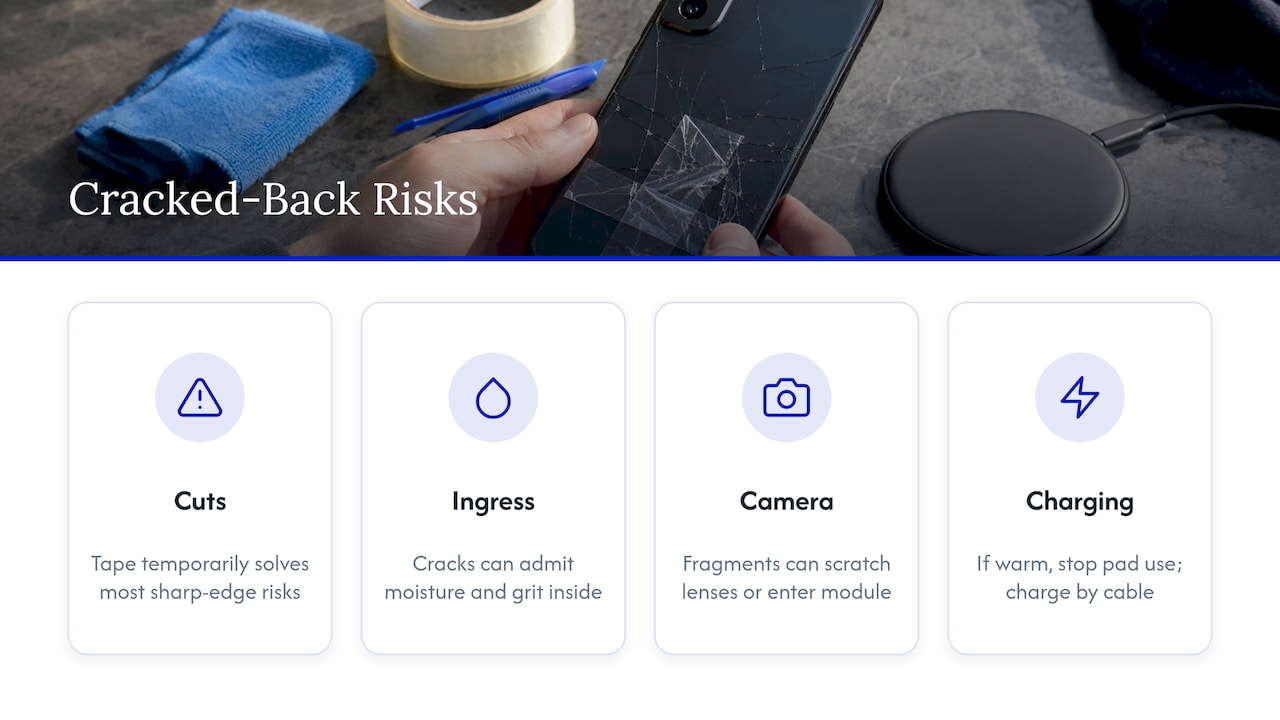
For a short time, usually yes, as long as the crack is just a crack. There are four practical concerns.
Cuts. Sharp edges and loose splinters catch skin and pockets. Tape solves most of this temporarily.
Water and dust. Most modern Android flagships are sealed with adhesive around the back. A crack in the glass can let moisture and grit reach the inside. If your phone has already taken on water, our guide on how to fix a water damaged phone explains what to do next.
Camera area. Glass fragments near the camera bump can scratch lenses or work their way into the module. If your photos start to look hazy or blurry, our Android camera repair guide walks through what to check first.
Wireless charging. A damaged back can make wireless charging unreliable. If the phone gets warm on the pad, stop using the pad and charge by cable until it is repaired.
When the back is lifting, not just cracked
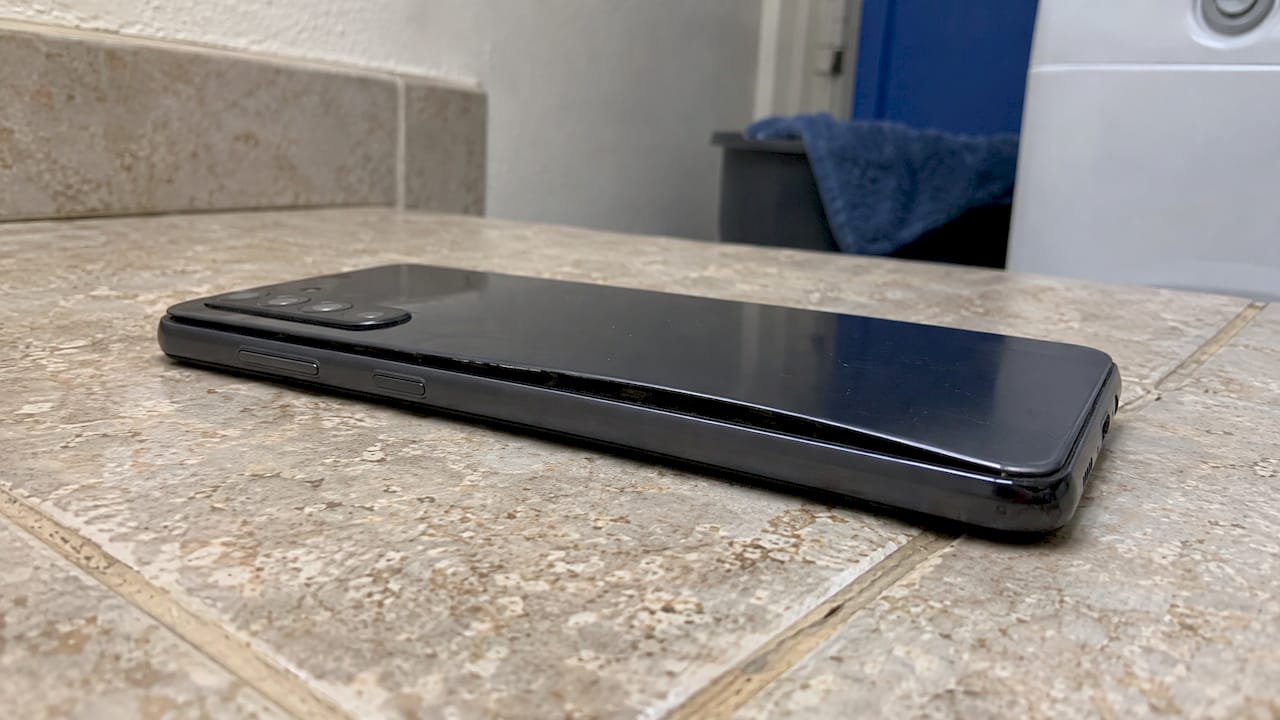
This is the one situation where you should not wait. If the back panel bulges, rises off the frame or separates along the seam, the cause can be a swelling battery rather than an impact. Stop charging and using the phone, keep it away from anything flammable, and have it inspected promptly. Battery safety is why repair guides begin by draining the battery and powering the phone off: iFixit’s S25 Ultra guide tells you to let the battery drop below 25% and power the phone off completely because a charged lithium-ion battery can catch fire if it is damaged.
How Android back glass is actually repaired
The technique is simple to describe and hard to do well. Here is what happens on a typical job.
- Diagnosis. The technician confirms whether the glass is a separate panel, bonded to the frame, or part of a bent housing. That decides the method.
- Heat. Controlled warmth softens the adhesive around the edge. iFixit’s Galaxy A56 5G guide says to use the lowest heat that softens the adhesive and keep the heat source moving, and notes that a hair dryer is gentler on internal parts than a heat gun.
- Separation. Thin picks work the panel free a little at a time. The same guide warns that glass can crack if it is bent too far, so stubborn spots get reheated instead of forced.
- Transfer. Small parts such as the fingerprint sensor or camera flash sometimes live on the old back and have to move to the new one. iFixit’s Samsung explainer notes you may have to transfer smaller parts like a fingerprint sensor or camera flash to the replacement.
- Cleaning. Old adhesive is scraped away so the new panel sits flat.
- Sealing and curing. New adhesive goes down, the back is pressed in place and held while it sets.
- Testing. Cameras, wireless charging, the fingerprint reader, buttons and charging are checked before the phone is handed back.
Why the process differs by model
On most Android phones, including Samsung Galaxy, Google Pixel, Xiaomi and OnePlus, the back is a separate glass panel stuck on with adhesive. Some designs bond the glass to the frame, and then a repair may involve a more specialized removal method or a full housing replacement. That is why a price and timeline depend on the exact model, and why we confirm the model before we come out.
The adhesive itself is a big part of the challenge. iFixit’s teardown team has described Samsung’s rear glass adhesive as thick and messy, and it gets worse as the phone ages. On older Pixels, iFixit reports that the adhesive on the Pixel 3 and 4 back covers is very thick and that the glass on the Pixel 3 can break under slight pressure if it already has a small crack.
Why prying at home usually backfires
It is tempting to watch a video, buy a suction cup and try it. Here is where that tends to go wrong.
- Cracks spread. iFixit’s Kevin Purdy notes that on a modern Samsung with any cracks, using a tool under the curved edge will likely make them worse, sometimes into bigger spiderweb cracks.
- Heat is a balancing act. Too little and the glass will not release. Too much and you risk the battery and nearby parts.
- There are parts under parts. On Pixels, iFixit describes a lot of different screws, layers of adhesive and parts beneath other parts, so a mistake during reassembly could cause headaches or even damage.
- Sealing is not guaranteed. iFixit’s A56 guide says opening the phone can reduce its water and dust resistance even if you install new adhesive.
- Warranty. Samsung’s own Self Repair document states that damage caused by repair attempts by anyone other than a Samsung certified service provider is not covered by the warranty. It also says water and dust resistance cannot be guaranteed after repair by the user or another unskilled worker, and it advises backing up your data first.
Samsung does run a self-repair program for some models. As reported in early 2024, it covers the Galaxy S20, S21, S22 and S23 lineups, and genuine parts including back glass can be bought online through iFixit. Coverage changes over time, so check Samsung’s current list for your model. Having access to the parts is one thing. Having the tools, the heat control and the practice to fit them without cracking a second panel is another, and that is what you hire a technician for.
When to hand it to a professional
Here is a simple rule: the more of these apply, the more sense it makes to have a technician do it.
- The back is already cracked in more than one place.
- Your phone is a curved-edge flagship, where the glass wraps over the sides.
- The phone is still under warranty or you rely on its water resistance.
- The back is lifting or the phone gets hot while charging.
- The camera, fingerprint reader or wireless charging coil sits right under the damage.
- You cannot be without the phone for days, or you have no clean workspace and the right tools.
- The phone holds work files, student projects or family photos you cannot lose.
If you are in Orlando or Winter Park, a technician who comes to your home, office or campus removes the shipping, the waiting room and the days without your phone.
What to check before anyone repairs your phone
These steps take ten minutes and apply to any provider.
- Back up. Cloud backup or a computer copy of photos, messages and contacts.
- Note the exact model. Look in Settings, then About phone. The same name can hide different variants, and the model decides the repair method.
- Photograph the damage. Capture the back, the camera area and the frame, so everyone agrees on the starting condition.
- Test what works. Check the cameras, flash, fingerprint reader, wireless charging and buttons, and tell the technician what is already flaky.
- Remove accessories. Case, screen protector and SIM tray items can stay with you.
- Ask about the price, timing and warranty up front. You should hear what is covered, and for how long, before work begins.
- Ask how your data is handled. A back glass job does not need your passcode contents, and a good provider explains what access, if any, they need.
- Look for related issues. A phone that dropped hard enough to crack the back may also have a screen or battery problem. If the display is flickering after the drop, our Galaxy screen flicker guide explains the causes.
Our perspective on back glass repair
We see the same pattern again and again: a phone gets a small crack on the back, someone tries to pry it off with a hair dryer and a guitar pick, and the crack becomes a shatter that takes the camera cover with it. The glass is the easy part to replace. The adhesive, the heat and the tiny parts under it are where the skill is.
That is why we built our service around coming to you. Same-day on-site repair means you do not hand your phone to a counter and wonder what happens to it. You watch the work, you keep control of your data, and you get a price quoted before we start, with no hidden fees.
We have more than 10 years of experience, certified technicians and board-level repair capability, so if the drop did more than crack the glass, we can see that too. Our repairs carry a warranty on parts and labor.
Michael
Book an on-site repair in Orlando or Winter Park
We repair Samsung, Google Pixel and other Android phones at the location you choose, whether that is your kitchen table, your office or your dorm. Technicians diagnose the problem, quote the price before work starts and complete most repairs the same day. See our Samsung and Android repair page to request a visit.

Tell us your model and what the back looks like, and we will confirm the repair approach before we arrive. If your phone also needs a battery, charging port or screen fix, we can look at those in the same visit.
What affects the price and timing
We do not publish a flat price for Android back glass, because it depends on the phone. These are the factors that move the quote.
| Factor | Why it matters |
|---|---|
| Model | Panel availability, adhesive type and how much sits under the glass differ by phone. |
| Glass design | A separate panel is usually quicker than glass bonded to the frame. |
| Extra damage | Frame bends, camera lens cracks or battery wear can add work. |
| Parts to transfer | Fingerprint sensors, flashes and similar parts have to be moved and tested. |
| Age of the phone | Older adhesive can take longer to loosen. |
A useful comparison point is the price of a new phone. A repair is often a fraction of replacement, and you keep your setup, your apps and your settings. Ask any provider for the quote in writing before work begins.
FAQ
Can cracked Android back glass be replaced, or does the whole phone need replacing?
In most cases the back glass alone can be replaced. On many Android phones it is a separate panel held with adhesive, so the technician warms it, lifts it and fits a new one. On designs where the glass is bonded to the frame, the repair can be more involved, so the model matters.
Can I use my phone while the back glass is cracked?
Briefly, yes, if you cover the crack with clear tape and avoid pressure on it. The risks are cuts, dust and moisture getting in, and the crack spreading. If the back is lifting or bulging, stop charging and using the phone and have it inspected promptly.
Does fixing the back glass affect water resistance?
Opening a sealed phone can reduce its water and dust resistance, even with new adhesive, according to iFixit’s guidance. Samsung says the same about repairs by unskilled workers. Treat any repaired phone as no longer fully water resistant and keep it away from pools, sinks and rain.
Will a repair void my Samsung warranty?
Samsung’s Self Repair document says damage from repair attempts by anyone other than a certified provider is not covered. Check your warranty terms before any repair, and ask your repair provider what their own warranty covers.
How long does an Android back glass repair take?
It varies by model and by whether other parts need attention. We aim for same-day service in Orlando and Winter Park, and we confirm the timing when we quote the job.
Sources
- iFixit: What You Should Know Before You Fix Samsung Phones
- iFixit: What You Should Know Before You Fix Google Pixel Phones
- iFixit: Samsung Galaxy S25 Ultra Back Cover Replacement
- iFixit: Samsung Galaxy A56 5G Disassembly and Basic Repair
- Samsung Self Repair Document 1.0
- SlashGear: Everything to know about Samsung’s self-repair program
- 9to5Google: Samsung expands DIY repair program
Recommended
- Android Camera Repair: Try 7 Fixes Before an Onsite Visit
- Phone Repair vs Replacement Cost: 2026 Decision Guide
- Phone Repair with a Limited Budget: Smart Fixes That Last