
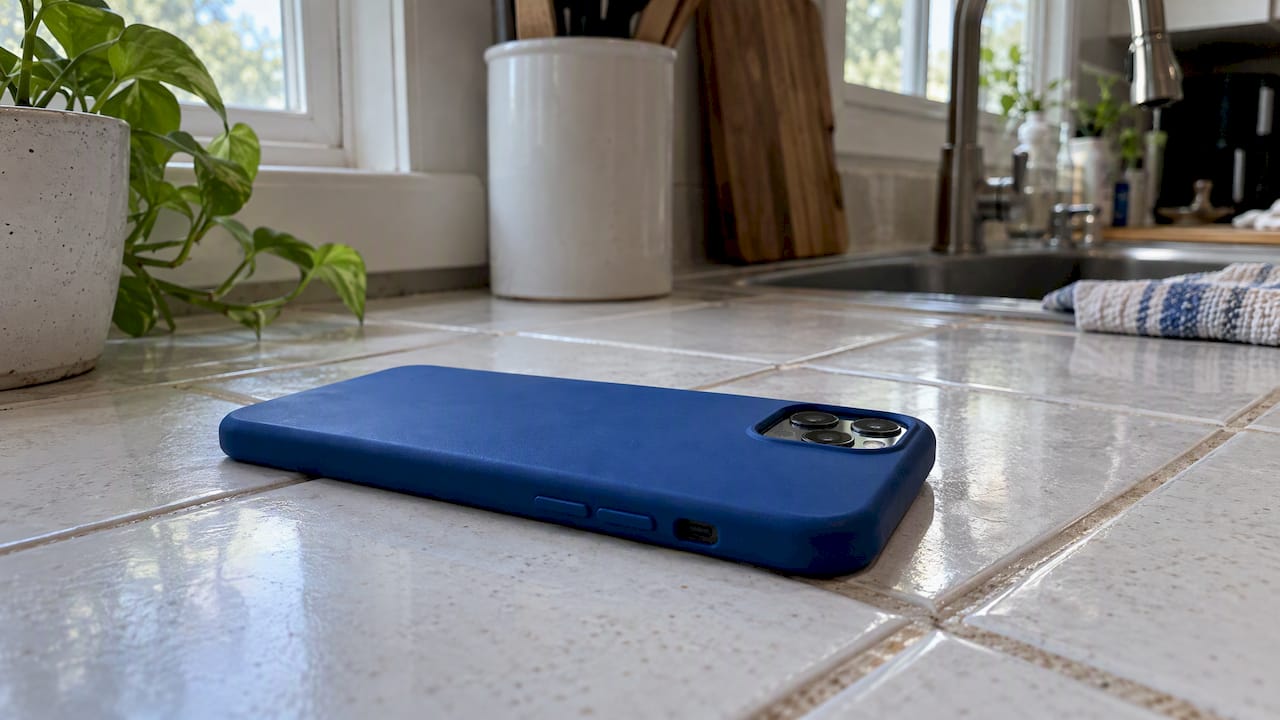
If your Android feels hot, unplug it, stop whatever you’re doing, remove the case, and move it to a cooler, shaded spot. Those four moves solve most overheating in a few minutes. If the phone stays hot after that, work through the diagnosis steps below, since persistent heat can point to a charging fault or battery damage that needs a professional look.
TL;DR:
- Check Settings, then Battery, restart the phone, and install pending updates; if heat persists, use Safe Mode to identify a recently downloaded app.
- If charging causes heat, test a certified cable and adapter, disable fast charging, or switch from wireless to wired charging before seeking repair.
- Keep the phone between 32°F and 95°F, avoid gaming or video calls while charging, and use a thin, ventilated case to limit recurring heat.
- Stop troubleshooting and seek professional diagnosis if heat persists while idle, swelling appears, a burning smell develops, or shutdowns recur; never remove the battery yourself.
Table of Contents
- Common causes of Android overheating
- Immediate cooling steps you can follow in the next 1-5 minutes
- How to find software and app causes
- Charging and accessory checks
- Long-term prevention: settings and habits that reduce recurrence
- When overheating likely indicates hardware or battery damage
- Detailed diagnostic procedures professionals use to pinpoint overheating
- What to expect during the repair process, from inspection to testing
- What overheating repairs typically cost
- Keeping your phone cool after a repair
- A technician’s take on when to stop troubleshooting
- How Repair Genius can help with Android overheating
- FAQ
- Sources
Common causes of Android overheating
Heat usually comes from one of four places: what the processor is doing, what’s running in the background, where the phone sits, or how it’s charging. Heavy tasks like gaming, video streaming, GPS navigation, or restoring a large backup push the processor and graphics chip hard, and that workload generates heat as a byproduct. A stuck or rogue app can do the same thing quietly, running in the background long after you’ve closed it.
Charging adds its own heat load. Fast charging pushes more power into the battery in less time, wireless charging pads lose energy as heat during the transfer, and a damaged or uncertified cable or adapter can make either process worse. Environmental heat matters too: direct sunlight, a hot car dashboard, or even a warm pocket on a summer day raises the phone’s internal temperature before you’ve opened a single app.
The most serious cause is the battery itself. A battery that’s aged, swollen, or physically damaged can overheat even when the phone is idle, and that’s a different problem than a busy app or a bad cable.
- Heavy CPU or GPU use from gaming, streaming, navigation, or backups.
- Background apps, software bugs, or rogue processes running unseen.
- Charging issues: fast charging, wireless pads, or damaged cables and adapters.
- Environmental heat from direct sun or a hot car interior.
- Battery wear or physical damage, the cause most likely to need repair.
Immediate cooling steps you can follow in the next 1-5 minutes
A hot phone needs quick, simple first aid before you try to diagnose anything.
- Unplug the charger and stop charging immediately.
- Remove the case so trapped heat can escape.
- Move the phone to a shaded, cool surface, not a pocket or bag.
- Close heavy apps, switch on power saving mode, and lower brightness and screen refresh rate.
- Let the phone sit untouched for a few minutes before using it again.
If charging triggered the heat, wait until the phone feels cool before plugging back in. If it stays hot, feels hot even with the screen off, or won’t respond normally, power it down or boot into Safe Mode to rule out a third-party app before you go any further.
Pro Tip: Lay the phone screen-down on a hard, cool surface like tile or wood instead of fabric. Hard surfaces pull heat away faster than a couch cushion or bedspread.
How to find software and app causes
Most overheating that isn’t tied to charging or direct sun comes down to software. Start with the battery usage screen under Settings, which shows exactly which apps have used the most power and processing time recently; a single app taking a disproportionate share is a strong lead. Restarting the phone clears temporary processes and is worth doing before anything else, especially combined with installing any pending system and app updates; for details on reinstalling and inspecting apps, see the Android app installation process.
If heat continues after a restart, boot into Safe Mode, which disables third-party apps temporarily. If the phone runs cool in Safe Mode, a downloaded app is the cause, and you can narrow it down by uninstalling recent installs one at a time.
- Check Settings, then Battery, for apps with unusually high usage.
- Restart the phone and install all pending updates before retesting.
- Boot into Safe Mode to confirm whether a third-party app is responsible.
- Disable background data or uninstall the offending app once identified.
- Back up your data before considering a factory reset as a last resort.
Charging and accessory checks
Charging hardware causes a large share of heat complaints, and it’s usually easy to test. Use a manufacturer-certified or well-reviewed cable and adapter, and inspect both for fraying, bent pins, or discoloration that signals heat damage. If a phone overheats while charging, manufacturers advise unplugging it, removing the case, and checking the charger and cable for damage before trying again.
Wireless charging is less efficient than a cable and produces more heat as a result, so if your pad runs warm, try wired charging instead to see if the heat goes away. Fast charging can also raise temperature; switching it off is a low-effort test that often resolves the issue without any hardware repair.
- Use certified cables and adapters, and check them for fraying or heat marks.
- Toggle fast charging off, or switch from wireless to wired charging, to isolate the cause.
- Remove thick or insulating cases before charging, and avoid charging on soft surfaces.
- Confirm the fix by charging on a cool, hard surface with a known-good charger.
Long-term prevention: settings and habits that reduce recurrence
A few standing habits do more to prevent overheating than any single fix. Manufacturer guidance recommends keeping devices within roughly 32°F to 95°F (0°C to 35°C), so avoiding prolonged sun exposure or a hot car protects both performance and battery health over time.
- Turn on background app limits or a power-saving or light mode to ease processor load.
- Keep the operating system and apps updated, and avoid gaming or video calls while charging.
- Choose a thin, ventilated case, and keep the phone within its recommended temperature range.
- Check battery health periodically and clear unused storage to reduce thermal strain.
Pro Tip: Set your phone to update apps and the OS overnight while it’s unplugged and idle, so updates don’t compete with daytime use for processing power.
When overheating likely indicates hardware or battery damage
Some signs point past software and straight to hardware. Heat that persists while the phone is idle, a swollen back panel or screen, heat that returns after a full power-off, a burning smell, or repeated unexpected shutdowns are all red flags that call for professional diagnosis rather than another round of troubleshooting.
If you notice any of these, stop using the device, set it on a non-flammable surface like a tile floor or metal tray, and avoid DIY battery removal, since damaged lithium-ion cells can enter thermal runaway and release heat and gas rapidly. A professional will check battery health, the charging port, board-level connections, and visible swelling before recommending a repair path.
- Persistent heat while idle, with no apps open or screen on.
- Visible swelling of the battery, back glass, or screen.
- A burning smell, repeated shutdowns, or heat that returns right after power-off.
Detailed diagnostic procedures professionals use to pinpoint overheating
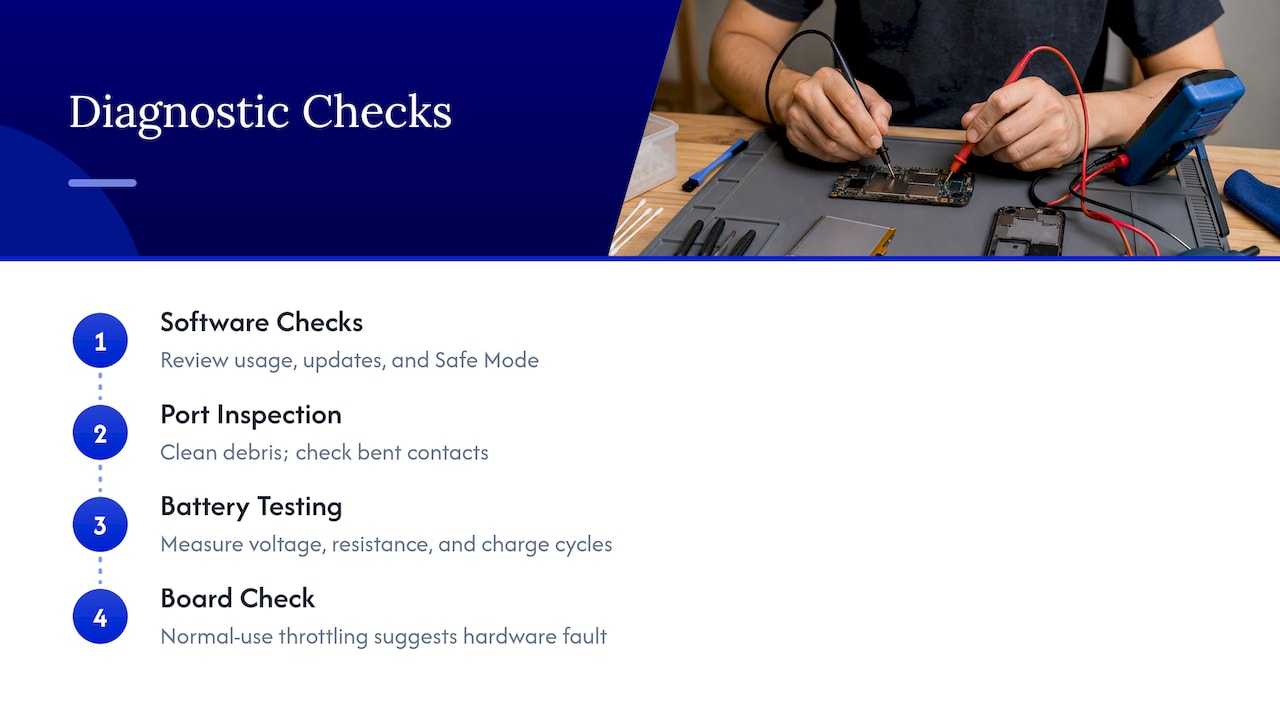
A technician’s diagnosis moves in a specific order rather than guessing at parts. The first pass usually repeats the consumer-level checks: reviewing battery usage history, confirming software is current, and testing in a mode equivalent to Safe Mode to rule out rogue apps.
From there, hardware diagnostics take over. A charging port gets inspected and cleaned, since debris or bent contacts can cause resistance that generates heat during charging. Technicians use multimeters and dedicated battery testers to measure voltage, internal resistance, and charge cycles, which reveal a battery that’s degraded well below its rated capacity even if it looks physically normal. Board-level inspection under magnification checks for corrosion, loose solder joints, or component damage near the power management chip, which regulates charging and can overheat if it’s failing.
Pixel Phone’s own support guidance confirms that modern Android phones include built-in thermal protections that throttle performance or disable charging features once internal temperature crosses a safe threshold, and some manufacturers also offer built-in diagnostic apps, such as Samsung Members, that run quick battery and thermal checks as a useful first-line tool. When those protections keep triggering despite normal use, it tells a technician the fault is almost certainly a degraded battery or a damaged charging component, not a software quirk.
What to expect during the repair process, from inspection to testing
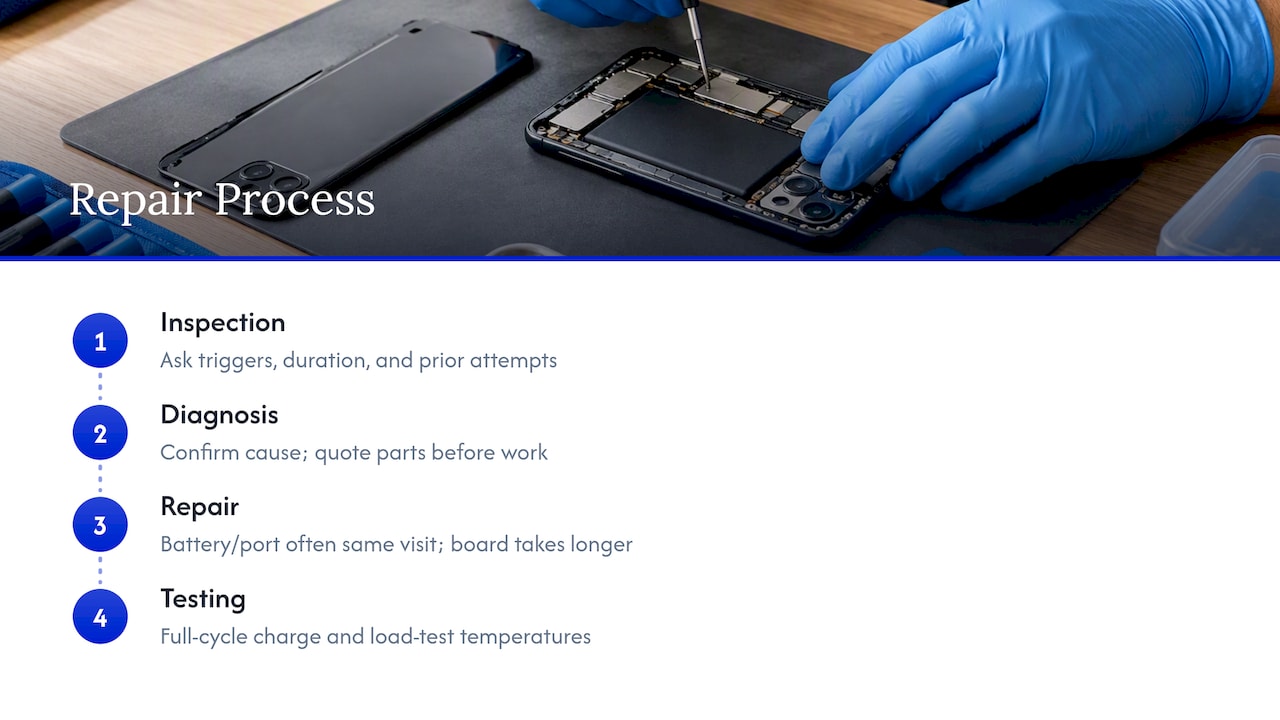
A typical overheating repair moves through four stages. The visit starts with an inspection, where the technician asks what triggers the heat, how long it’s been happening, and what’s already been tried, then runs the diagnostic checks described above to narrow the cause.
Diagnosis follows directly from that inspection, usually within the same visit, since battery testing, port inspection, and a visual board check don’t require sending the phone elsewhere. Once the cause is confirmed, whether it’s a worn battery, a damaged charging port, or a board-level fault, the technician quotes the repair and replacement parts needed before starting any work.
Repair itself varies by cause. Swapping a battery or repairing a charging port is usually a same-visit job, while a motherboard-level repair takes longer and may need specialized tools or parts ordered in advance. The final stage is testing: charging the device through a full cycle, running it under load to confirm temperatures stay normal, and checking that the original symptoms don’t return before the visit wraps up. On-site repair compresses these stages into a single appointment at your location instead of multiple trips to a shop.
What overheating repairs typically cost
Repair costs depend heavily on what’s actually failing. A battery replacement, the most common fix for persistent heat, is typically the least expensive hardware repair, since the part itself is small and installation is usually quick. A charging port repair sits in a similar range, since it mainly involves replacing a small connector assembly.
Board-level repairs cost more and take longer, since they involve diagnosing a specific failed component on the main circuit board rather than swapping a self-contained part. Costs also vary by phone model, since parts for newer or less common Android devices are often pricier than for older, widely sold models.
Because pricing depends on the model and the exact fault, the most reliable way to know what a specific repair will cost is a direct diagnostic quote rather than a general estimate. Getting an upfront, itemized quote before any work starts protects you from surprise charges once a technician opens the device.
Keeping your phone cool after a repair
Once a battery or charging port repair is done, a few habits protect that fix. Choose a case built with ventilation in mind rather than a thick, fully enclosed design. Cases marketed as “slim” or “vented” let heat escape during charging and heavy use, while bulky protective cases trap it against the back of the phone.
Avoid charging on soft surfaces like a mattress or couch cushion, which block airflow around the phone and let heat build up. A hard, flat surface, ideally with the case removed during charging, lets heat dissipate instead of radiating back into the device. If you use a wireless charging pad, make sure it’s a certified one that matches your phone’s charging standard, since mismatched or cheap pads run hotter and charge less efficiently.
Keep an eye on battery health in Settings periodically after the repair, and continue the same habits that prevented the original problem: updated software, background app limits, and keeping the phone out of direct sun or hot cars. A repaired phone follows the same temperature rules as a new one, so the prevention habits from earlier in this guide still apply.
A technician’s take on when to stop troubleshooting
Most overheating resolves with the basic steps: unplug, cool down, check the apps, check the charger. I’d push back on the instinct to keep troubleshooting once you see swelling, a burning smell, or heat that returns right after shutdown. Those aren’t software symptoms, and pushing further on your own risks a damaged cell. At that point, a professional diagnosis costs you far less than a damaged phone, a melted charger, or worse.
— Michael
How Repair Genius can help with Android overheating
If your phone checks out as a hardware or battery problem rather than a software fix, we handle Android repairs on-site, so you don’t have to box up your phone and wait days for a shop to get to it. We bring technicians to your location, quote repairs with transparent pricing and no hidden fees, and keep your data secure throughout the repair.

- Book once you’ve noticed a red flag: swelling, persistent idle heat, or repeated shutdowns.
- Expect a diagnostic check of the battery, charging port, and board before any repair starts.
- Get an upfront quote before work begins, with warranty-backed parts and labor.
Our Samsung and Android device repair page has more on what we service and how to book a same-day visit.
FAQ
Why is my Android phone so hot all of a sudden?
Sudden heat is usually caused by a demanding app, a charging issue, or direct sun exposure rather than a hardware fault appearing out of nowhere. Check what app was open when the heat started and whether the phone was charging, since both are the most common sudden triggers.
How do I cool down my Android?
Unplug the charger, remove the case, close heavy apps, and move the phone to a cool, shaded surface. Most phones return to normal temperature within a few minutes once the heat source is removed.
How do I check what is overheating my phone?
Open Settings, then Battery, to see which apps have used the most power recently, and restart the phone to clear background processes. If heat continues, boot into Safe Mode to check whether a downloaded app is responsible.
Can an overheating phone be fixed?
Yes, most overheating is fixed through software changes or a charger swap, and hardware causes like a worn battery or damaged charging port are repairable too. We diagnose the exact cause on-site and quote the repair before starting any work.
Sources
- Galaxy battery — charging tip | Samsung Support
- Thermal runaway heat generation in lithium-ion pouch cells — IOPscience
Recommended
- How to Fix an Overheating Phone | Causes & Solutions
- Why Your Android Phone Keeps Freezing: Causes & Fixes
- Fix Slow Phone Charging Fast: 30W+ Charger, 15 Minute Test, When to Repair










