

Device end-of-life repair is defined as restoring or maintaining an electronic device after the manufacturer has stopped providing official support, updates, or replacement parts. The industry term for this practice is post-EOL (end-of-life) servicing, and it covers everything from screen replacements on unsupported phones to battery swaps on laptops the manufacturer no longer services. Understanding what is device end-of-life repair matters because the decision to fix, hold, or recycle an aging device carries real financial, security, and environmental consequences. Repair Genius has handled these decisions for customers in Orlando and Winter Park for over 10 years, and the calculus is rarely as simple as “just buy a new one.”
What is device end-of-life repair, and how does it differ from standard repair?
Device end-of-life repair is best understood as a staged and evolving process rather than a single cutoff date. Manufacturers move products through several distinct phases before a device becomes truly unrepairable through official channels.
The four phases most manufacturers use are:
- Active support. The product is sold, updated, and fully serviced by the manufacturer and authorized repair providers.
- End-of-sale (EOS). The product is discontinued from retail but still receives software updates and authorized repairs.
- End-of-life (EOL). The manufacturer stops issuing updates. Hardware repairs may still be possible, but software vulnerabilities go unpatched.
- Obsolete or vintage status. The manufacturer stops ordering or stocking parts. Authorized repair becomes impossible, and independent repair providers become the primary option.
Each phase changes what repair looks like in practice. A device in the EOS phase can still be fixed through authorized channels. A device classified as obsolete requires aftermarket parts and independent technicians. Knowing which phase your device is in tells you exactly which repair doors are still open.
Pro Tip: Check your device’s model number against the manufacturer’s official service policy page before booking any repair. Apple, for example, publishes a clear list of vintage and obsolete products at support.apple.com.
How manufacturer support timelines affect your repair options
Manufacturer timelines set hard limits on what authorized repair providers can do. Apple offers service and parts for a minimum of 5 years and up to 7 years after the last date a product was distributed. That means an iPhone purchased in 2019 may still qualify for authorized parts through 2026, but only just. Beyond 7 years, Apple classifies devices as obsolete with no available parts, and authorized repair stops entirely.
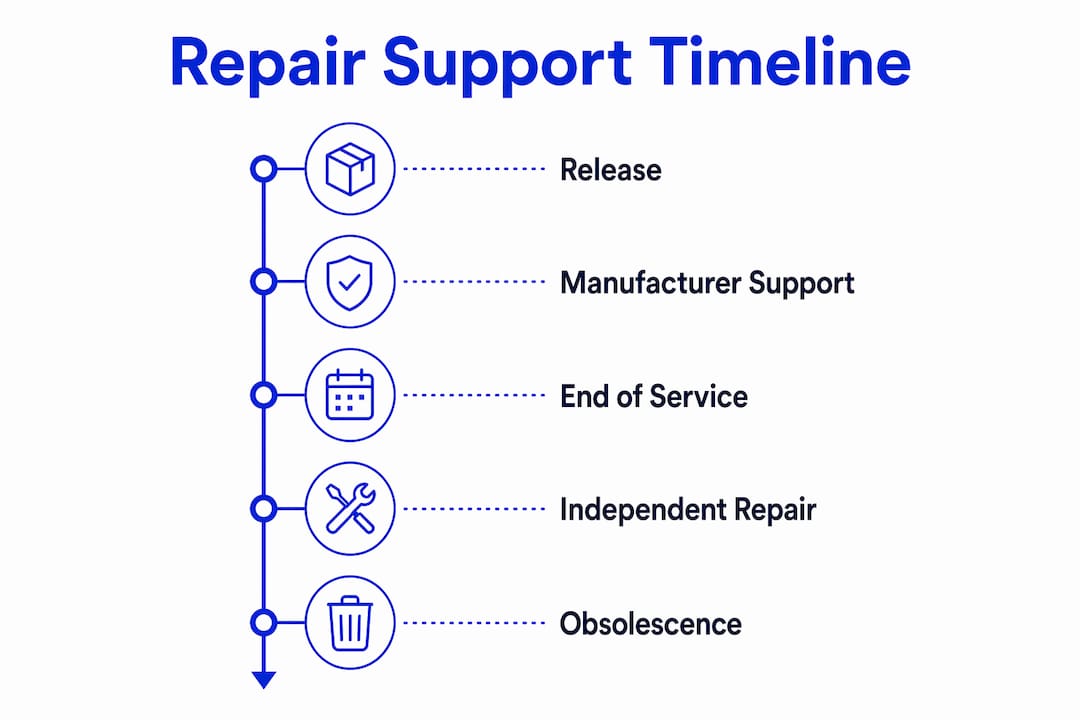
That timeline creates a narrow window. Owners who wait too long lose access to manufacturer-sourced components. The practical implication is clear: the closer a device gets to obsolete status, the more urgent a repair decision becomes.
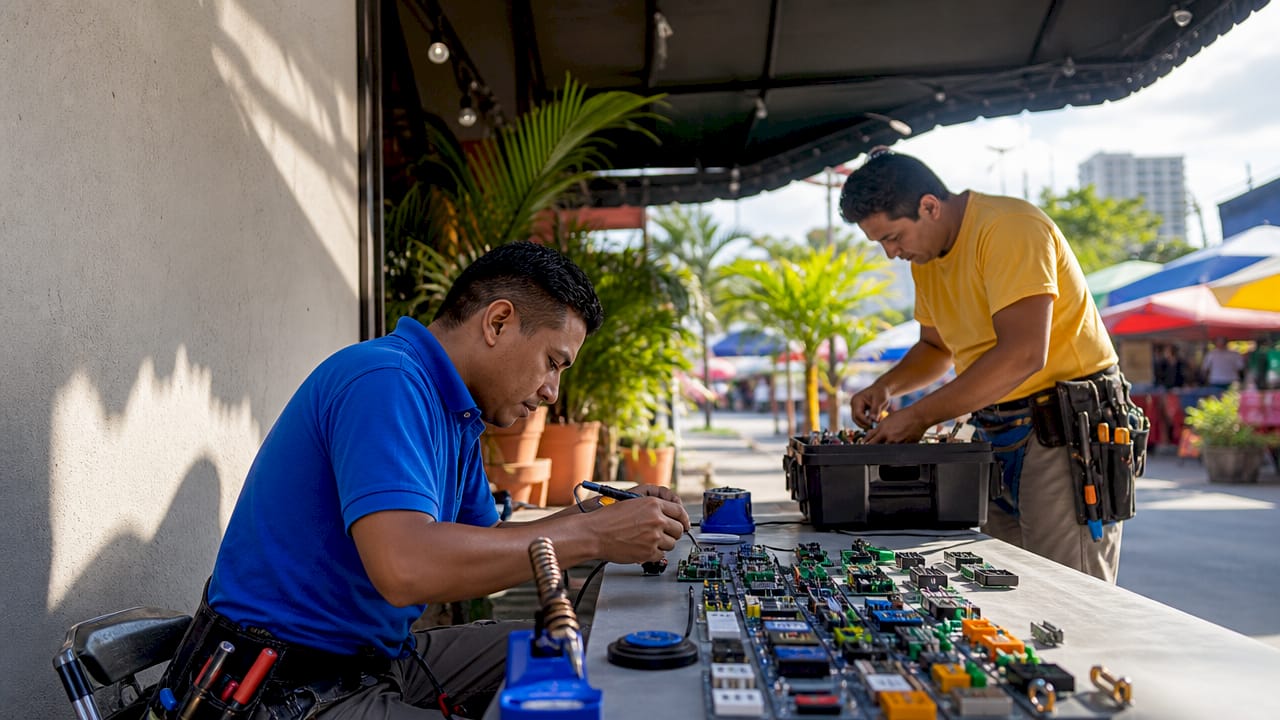
Independent repair providers fill the gap after authorized parts ordering ends. They source components through aftermarket supply chains, which can include refurbished original parts, third-party manufactured equivalents, or donor devices. Quality varies, but a skilled independent technician with access to good parts can often restore full function to a device that an authorized service center would turn away.
The main barrier to end-of-life repair is not physical repairability. Most devices are mechanically fixable long after their EOL date. The real barrier is parts supply chain continuity. Once a manufacturer stops ordering components, the aftermarket supply shrinks over time. Timing matters enormously.
How the EU Right to Repair directive supports end-of-life device repairs
The EU Right to Repair directive, formally Directive 2024/1799, creates legally enforceable repair obligations for manufacturers. It is the most significant regulatory shift in consumer electronics repair in decades. While it applies to the European Union, its effects ripple globally because manufacturers cannot easily maintain two separate product and parts strategies.
The directive requires manufacturers to:
- Make spare parts available at reasonable prices for a defined period after a product is sold.
- Provide repair tools and technical documentation to independent repair providers.
- Not use software locks or design choices that deliberately obstruct repair.
- Supply parts within a reasonable timeframe, not just theoretically offer them.
“Right-to-repair policy treats repair as dependent on measurable conditions: availability and affordability of spare parts, tools, and documentation determines realistic repair feasibility.” — EU Right to Repair Manufacturers Directive
The Ecodesign implementing regulations go further by defining minimum spare-parts availability periods by product category. For smartphones and tablets, manufacturers must supply parts for a set number of years after the last unit is sold. This directly extends the viable repair window for end-of-life devices. A phone that a manufacturer might otherwise quietly abandon now has a legally protected repair tail.
For individuals and businesses outside the EU, these rules still matter. Manufacturers who comply with EU Ecodesign requirements often make parts more broadly available as a result, which benefits independent repair providers worldwide.
What are the real challenges of repairing obsolete and unsupported devices?
Physical repair is only part of the challenge. Repairing old electronics that have lost software support introduces a second category of risk that most owners overlook entirely.
Parts availability and timing
The aftermarket parts supply for any given device peaks shortly after EOL and then declines. Donor devices get cannibalized, third-party manufacturers stop producing compatible components, and prices rise. Owners who act early get better parts at lower prices. Owners who wait two or three years past EOL often find that the repair cost has risen sharply or that quality components are simply unavailable.
Security risks for connected devices
Hardware reuse alone is insufficient for unsupported connected devices. Unpatched security risks and “zombie” device behavior create real vulnerabilities when a device stays on a network after its software support ends. A repaired but unpatched smartphone or IoT device becomes an attack surface. Fixing the screen does not fix the operating system.
The recommended approach for connected devices that have lost cloud or app support is network isolation or hardening. This means moving the device to a separate network segment, disabling unused services, and limiting its internet access. Manufacturers should provide instructions on lost features and safe network removal when support ends, though many do not.
Pro Tip: If you repair a device that no longer receives security updates, treat it as you would a guest network device. Keep it off your primary network and away from sensitive accounts or data.
| Challenge | Impact | Mitigation |
|---|---|---|
| Parts supply decline | Higher cost and lower quality over time | Repair early, before the aftermarket window closes |
| Software vulnerabilities | Unpatched attack surfaces on connected devices | Network isolation and service hardening |
| Authorized repair cutoff | No manufacturer-sourced parts after obsolete status | Use qualified independent repair providers |
| Data exposure on disposal | Personal or business data at risk | Wipe devices before recycling or resale |
Practical steps for managing end-of-life repairs and device recycling
A clear workflow prevents bad decisions and wasted money. Whether you manage one personal phone or a fleet of business laptops, the same staged approach applies.
- Diagnose first. Identify the specific failure before assuming a device is beyond repair. A dead battery, cracked screen, or failed charging port are all fixable on most devices, even older ones. A logic board failure on a 9-year-old device is a different calculation.
- Check parts availability. Confirm that quality replacement parts exist before committing to a repair. An independent repair provider with supply chain experience can tell you quickly whether components are available and at what price point.
- Compare repair cost to replacement value. A repair that costs more than 50% of a comparable replacement device is generally not worth pursuing unless the device holds unique data or has specific software compatibility requirements.
- Document the decision. Businesses especially need a recorded diagnosis and repair feasibility assessment before declaring a device as waste. Asset governance frameworks require this documentation as a compliance step under WEEE (Waste Electrical and Electronic Equipment) regulations.
- Wipe data before disposal. Any device leaving your control, whether for recycling, resale, or donation, must have its storage wiped to factory state. This applies to phones, laptops, tablets, and any connected device with stored credentials.
- Choose responsible recycling. When repair is not feasible, certified e-waste recyclers process components safely and recover materials. Dropping a device in general trash is both wasteful and, in many jurisdictions, illegal.
Repair Genius handles the diagnosis and repair steps for individuals and businesses in the Orlando area, often on the same day and at the customer’s location. That removes the friction that causes most people to delay repairs until parts windows close.
Key takeaways
Device end-of-life repair requires acting before parts windows close, addressing software security alongside hardware, and documenting decisions to stay compliant with e-waste regulations.
| Point | Details |
|---|---|
| EOL repair is time-sensitive | Parts availability declines after obsolete status; repair early for better outcomes. |
| Manufacturer timelines vary | Apple provides parts for 5–7 years; beyond that, independent repair is the only option. |
| EU Right to Repair expands access | Ecodesign rules legally require spare parts and documentation availability for phones and tablets. |
| Security risk survives hardware repair | Connected devices need network isolation or hardening after software support ends. |
| Document before recycling | Asset governance and WEEE compliance require a recorded repair feasibility decision before disposal. |
Why most people get end-of-life repair wrong
I have seen the same mistake repeated hundreds of times. Someone holds onto a device for two years past its EOL date, waits until it finally breaks, and then discovers that the parts window has closed. The repair that would have cost $80 in year one now costs $200 in year three, if parts are even available. The delay that felt like patience was actually the most expensive decision they made.
The second mistake is treating a repaired device as fully restored when it has lost software support. A phone with a new screen and a dead operating system update cycle is not a safe daily driver for banking apps or business email. Hardware repair and software security are two separate problems. Fixing one does not fix the other.
What I recommend to every customer managing older devices is a simple rule: repair the hardware while parts are still good, then make a deliberate decision about the device’s role going forward. A device without security updates can still serve as a dedicated media player, a secondary camera, or an offline tool. It just should not be your primary connected device.
The environmental argument for repair is real, but it only holds up when the repair is done at the right time with quality parts. A rushed repair with low-grade components that fails in six months is not a sustainability win. It is just delayed waste. Repair well, repair early, and recycle responsibly when the time comes.
— Michael
Repair Genius brings end-of-life device repair to you
Aging devices do not have to mean expensive replacements or rushed recycling decisions. Repair Genius specializes in on-site electronics repair for iPhones, Android phones, laptops, and tablets in Orlando and Winter Park, Florida, including devices that manufacturers no longer service through authorized channels.
With over 10 years of experience and same-day service, Repair Genius technicians come directly to your location, diagnose the issue, and give you a transparent price before any work begins. For businesses managing fleets of aging devices, Repair Genius also supports office electronics repair with minimal disruption to your operations. No hidden fees, no data risk, and no wasted trip to a shop that turns your device away.
FAQ
What does device end-of-life repair mean?
Device end-of-life repair means fixing an electronic device after the manufacturer has stopped providing official support, updates, or replacement parts. The goal is to extend the device’s usable life through independent or aftermarket repair services.
How long do manufacturers provide parts for phones and laptops?
Apple provides parts and service for a minimum of 5 years and up to 7 years after a product’s last distribution date. Beyond that, devices are classified as obsolete and authorized parts ordering stops entirely.
Is it safe to keep using a device after its software support ends?
Using a connected device after software support ends creates security risks because vulnerabilities go unpatched. Network isolation or hardening reduces that risk, but the device should not be used for sensitive accounts or business data.
What are my options when a device becomes obsolete?
Independent repair providers using aftermarket parts are the primary option once a device reaches obsolete status. If repair is not feasible, certified e-waste recycling is the responsible disposal path.
Do I need to wipe my device before recycling it?
Yes. Any device leaving your control must be wiped to factory state before recycling, resale, or donation. This protects personal data and, for businesses, satisfies data security and WEEE compliance requirements.
Recommended
- Laptop Repair Before Replacement Checklist 2026
- How Repairs Shape Device Resale Value in 2026
- iPhone Battery Replacement vs Buying New | Repair Guide
- Repair vs Replace Student Laptop: 2026 Guide





