

A laptop showing signs it needs immediate repair is defined by symptoms like persistent overheating, clicking hard drive noises, rapid battery drain, and sudden system crashes. These are not minor inconveniences. They are hardware failure warnings that can lead to permanent data loss or complete device breakdown within days if ignored. Knowing the difference between a slow software day and a genuine hardware crisis is the skill that separates a $150 repair from a $1,200 replacement. This guide covers the most critical laptop malfunction signs so you can act before the damage becomes irreversible.
1. signs your laptop needs immediate repair: overheating and loud fan noises
Persistent overheating is one of the clearest indicators a laptop needs repair. When your laptop burns to the touch, shuts down mid-task, or runs its fan at full speed constantly, the cooling system is failing. Left unaddressed, this leads directly to motherboard damage, which is one of the most expensive repairs you can face.
Loud fan noises suggest bearing wear and eventual fan failure, which removes the only barrier between your processor and heat damage. This is less immediately catastrophic than a hard drive failure, but the window for cheap intervention closes fast. A $80–$160 fan repair today beats a $300+ motherboard replacement next month.
Common causes of overheating include:
- Clogged air vents packed with dust and debris
- Dried thermal paste between the CPU and heat sink
- A failing or seized cooling fan
- Blocking the vents by using the laptop on soft surfaces like beds or couches
Pro Tip: Use a can of compressed air to blow out the vents every three months. If the fan noise continues after cleaning, book a diagnostic. Do not wait for a shutdown.
2. hard drive clicking or grinding noises and data loss risk
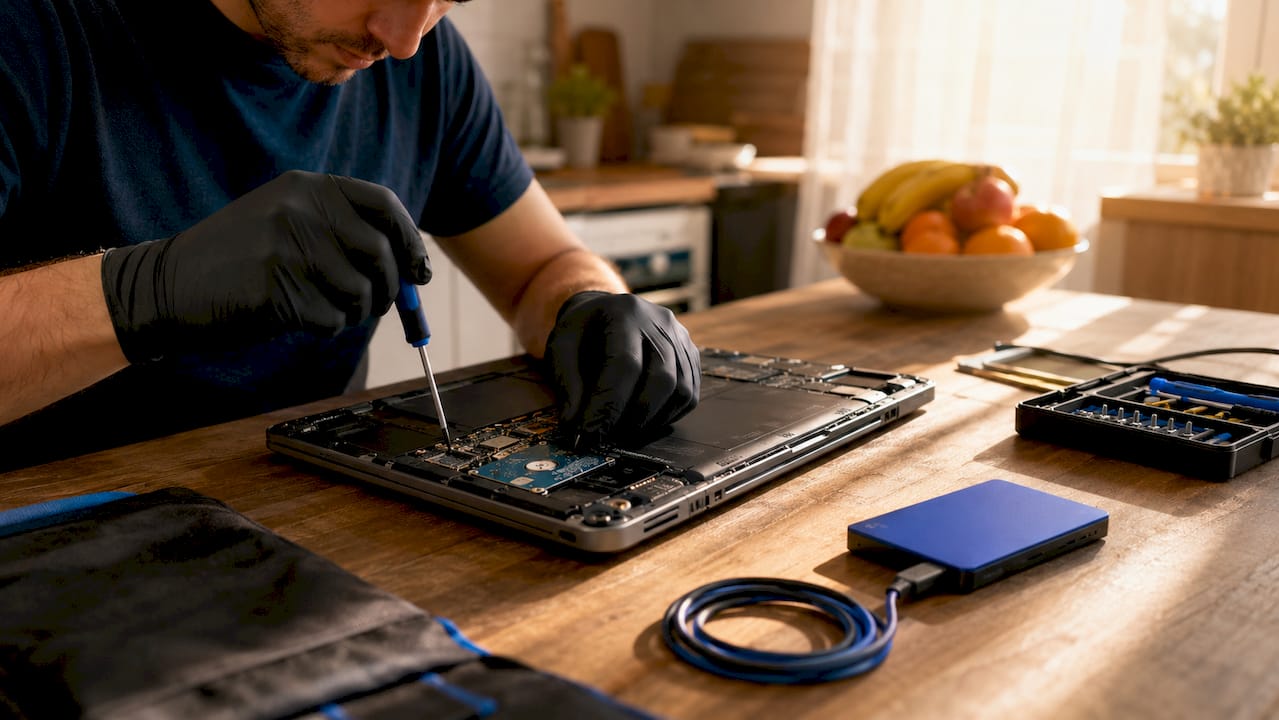
A clicking or grinding sound from your laptop is called the “click of death.” It means the read/write head is physically contacting the drive platters, causing irreversible mechanical damage with every second the drive spins. This is the single most urgent laptop repair symptom on this list.
The moment you hear this sound, stop what you are doing and shut the laptop down. Do not restart it. Do not run a disk check. Every additional read/write cycle increases the chance that your data becomes permanently unrecoverable.
Back up your data immediately when you notice drive failure symptoms. Urgent repairs protect hardware, but a backup is the only thing that protects your files.
Steps to take right now if you hear clicking:
- Power off the laptop completely
- Do not force a reboot or run disk repair utilities
- Connect an external drive or use cloud storage to back up any accessible files
- Contact a professional technician for data recovery and drive replacement
Repeated hard reboots on a failing drive accelerate damage and make professional data recovery significantly harder. A new SSD costs far less than data recovery services, which can run into hundreds of dollars.
Pro Tip: If your laptop is still partially functional, copy your most critical files to Google Drive or an external USB drive before powering off. Speed matters more than organization at this stage.
3. rapid battery drain, bulging batteries, and charging failures
Battery problems range from annoying to genuinely dangerous. Rapid drain, where a full charge lasts under an hour, signals a degraded battery cell that needs replacement. Failure to charge at all points to either a dead battery or a faulty charging port. Both require professional attention.
The most urgent battery warning sign is physical swelling. Battery bulging is a serious safety hazard that requires immediate removal and replacement to avoid fire risk. A swollen battery pushes against the laptop’s chassis, can crack the screen from the inside, and in rare cases can rupture and ignite. If your laptop lid no longer closes flat or the keyboard feels raised, open it and look for a visibly puffed battery.
Watch for these battery warning signs:
- Battery drains from 100% to dead in under 60 minutes under normal use
- Laptop only works when plugged in, with battery showing 0% permanently
- Visible bulging or warping of the laptop body near the battery
- Charger gets extremely hot or sparks at the connection point
Battery replacements cost $60–$130 at most repair shops. That is a fraction of what a new laptop costs, and it extends your device’s life by two to three years in most cases.
4. unexpected shutdowns, blue screens, and system freezing
Random shutdowns and blue screen errors are the laptop equivalent of a medical emergency. They signal that something fundamental is failing, and software fixes rarely solve the root problem. Blue screen errors stem from failing RAM, corrupted drives, or driver conflicts, and isolating the exact cause requires professional diagnostic tools.
Before calling a technician, run through these software-side checks:
- Uninstall apps you have not used in the past 90 days to free up RAM
- Run a full malware scan using Windows Defender or Malwarebytes
- Update all drivers, especially GPU and chipset drivers, through Device Manager
- Check your storage health using CrystalDiskInfo (Windows) or Disk Utility (Mac)
- Run the Windows Memory Diagnostic tool to test RAM stability
If the crashes continue after completing these steps, the problem is hardware. Software slowness is often mistaken for hardware failure, but persistent blue screens after a clean software environment point clearly to a physical component failure. At that point, a professional diagnostic is the only reliable next step.
5. unresponsive keyboard, flickering display, and connectivity failures
These symptoms feel less dramatic than a crash, but they often signal deeper hardware faults that worsen quickly. A keyboard that drops keystrokes, has dead zones, or registers phantom inputs can indicate a failing ribbon cable, liquid damage, or a motherboard connection issue. Replacing a keyboard costs far less than replacing a motherboard.
Screen flickering is a particularly telling warning sign for laptop failure. It points to a failing display cable, a dying backlight, or GPU problems. If the flicker appears at specific screen angles, the display cable is likely fraying. If it happens regardless of position, the GPU or display driver is the more likely culprit. Screen replacements run $120–$350 depending on the model, but catching a cable issue early keeps costs at the lower end.
Watch for these hardware warning signs:
- Keys that stick, repeat, or fail to register
- Touchpad that freezes, jumps, or stops responding entirely
- Screen that flickers, goes black, or shows horizontal lines
- WiFi dropping repeatedly while other devices stay connected
- Bluetooth pairing that fails or disconnects without reason
Connectivity failures, especially WiFi dropping on a single device while your router works fine for everything else, often point to a failing wireless card. This is a straightforward repair that most technicians handle in under an hour. Ignoring it leads to a progressively worse connection until the card fails entirely.
6. burning smell or visible physical damage
A burning electronics smell is a five-alarm warning. It means a component is overheating beyond safe limits or actively failing. Immediate professional repair is necessary upon noticing a burning smell, as this can indicate motherboard damage that spreads to other components within days. Shut the laptop down immediately and do not power it back on.
Visible physical damage, including cracked chassis, broken hinges, or a screen held together with tape, is more than cosmetic. A cracked hinge stresses the display cable with every open and close cycle. A broken chassis exposes internal components to dust, moisture, and physical shock. These are not problems that stay contained.
7. extremely slow performance that software cannot fix
Severe, persistent slowness that does not improve after a clean reinstall of the operating system is a hardware problem. The most common culprits are a failing hard drive, insufficient RAM, or a processor throttling due to heat. Each of these has a specific fix, and none of them resolve themselves.
An SSD upgrade delivers up to a 5x speed boost over an aging spinning hard drive. This single upgrade transforms a laptop that feels unusable into one that performs like new. Combined with a battery replacement, it extends device life significantly at a fraction of new laptop cost. If your laptop is under five years old and slow, an SSD swap is almost always the right call before considering replacement.
8. repair vs. replace: how to decide when you spot these signs
The 50% repair cost rule is the clearest framework for this decision. If the repair quote exceeds half the cost of a comparable new or refurbished laptop, replacement is the financially sound choice. If it comes in under that threshold, repair wins.
Professional diagnostics provide clear quotes that make this calculation straightforward. Skipping diagnostics and guessing leads to the most common repair regret: scrapping a repairable laptop or overspending on a machine with multiple failing components.
Use this table to guide your decision:
| Scenario | Recommended Action |
|---|---|
| Laptop under 3 years old, single component failure | Repair. Cost is almost always under the 50% threshold. |
| Laptop 3–5 years old, SSD or battery issue | Repair. SSD and battery upgrades extend life cost-effectively. |
| Laptop over 5 years old, motherboard failure | Replace. Motherboard repairs can exceed $425 on aging hardware. |
| Any age, bulging battery or burning smell | Repair immediately for safety. Do not delay. |
| Multiple simultaneous failures | Get a diagnostic quote first, then apply the 50% rule. |
You can also use the laptop repair checklist from Repair Genius to walk through each symptom before making a final call.
Key takeaways
Catching the signs your laptop needs immediate repair early is the single most effective way to avoid data loss and prevent a minor fix from becoming a full replacement.
| Point | Details |
|---|---|
| Clicking noises demand instant action | Shut down immediately and back up data before any further use. |
| Bulging batteries are a safety emergency | A swollen battery risks fire and must be replaced without delay. |
| Blue screens need professional diagnosis | Hardware faults behind crashes require diagnostic tools, not software guesses. |
| The 50% rule guides repair decisions | If repair costs exceed half the replacement price, buy new instead. |
| SSD upgrades extend laptop life significantly | Swapping to an SSD delivers up to a 5x speed boost on aging hardware. |
What i’ve learned after watching hundreds of laptops die unnecessarily
The most common mistake I see is waiting. Someone hears a faint clicking noise and decides it is probably nothing. Three days later, the drive is dead and the files are gone. The clicking sound is never nothing. It is the drive telling you exactly what is about to happen.
The second mistake is DIY repair attempts on hardware problems. Running disk repair utilities on a physically failing drive does not fix it. It accelerates the damage. I have seen people spend two days trying software fixes on a laptop that needed a $90 fan replacement. By the time they brought it in, the motherboard had cooked itself.
My honest advice: if the symptom is physical, meaning a sound, a smell, a swollen battery, or a flickering screen, stop using the laptop and get a professional opinion before doing anything else. A diagnostic assessment costs far less than the repairs that follow a misdiagnosis. The laptops that survive longest are the ones whose owners treated the first warning sign as the real problem, not a preview of one.
— Michael
Get your laptop diagnosed and fixed today with repair genius
If you recognized any of these warning signs in your own laptop, the next step is a professional diagnostic, not another restart.

Repair Genius provides on-site laptop repair in Orlando and Winter Park, Florida, with same-day service and no hidden fees. Technicians come directly to your location, which means no dropping your device off and waiting days for a callback. Whether the issue is a failing hard drive, a swollen battery, a cracked screen, or a system that will not stop crashing, Repair Genius has handled it before. Backed by over 10 years of experience, the team diagnoses the problem accurately before quoting a price. Visit Repair Genius to book your repair today.
FAQ
What are the most urgent signs a laptop needs repair?
The most urgent laptop repair symptoms are clicking or grinding hard drive noises, a burning smell, and a visibly swollen battery. These three signs indicate active hardware failure or a safety hazard that requires immediate shutdown and professional attention.
Can i fix a blue screen error myself?
You can try software fixes first, including updating drivers, running malware scans, and testing RAM with Windows Memory Diagnostic. If blue screens continue after these steps, the cause is a hardware fault that requires professional diagnostic tools to isolate accurately.
How do i know if my laptop battery needs replacing?
Your battery needs replacing if it drains from full to dead in under an hour, if the laptop only works while plugged in, or if the laptop body appears warped or raised near the battery compartment. A bulging battery is a safety emergency requiring immediate replacement.
When should i replace my laptop instead of repairing it?
Apply the 50% rule: if the repair quote exceeds half the cost of a comparable new or refurbished laptop, replacement is the better financial decision. Motherboard repairs on laptops over five years old frequently cross this threshold.
Does a slow laptop always mean hardware failure?
Not always. Software issues like bloated startup programs, malware, or a full hard drive cause slowness that basic cleanup can resolve. If the laptop remains slow after a clean operating system reinstall, the problem is hardware, most commonly a failing drive or insufficient RAM.
Recommended
- Why Business Laptops Need Screen Repair: 2026 Guide
- Laptop Repair Before Replacement Checklist 2026
- iPhone Screen Repair Orlando: Signs You Need Replacement or Cleaning
- MacBook Not Turning On? Get Same Day Repair in Orlando






2 thoughts on “Signs Your Laptop Needs Immediate Repair: 2026”
Comments are closed.