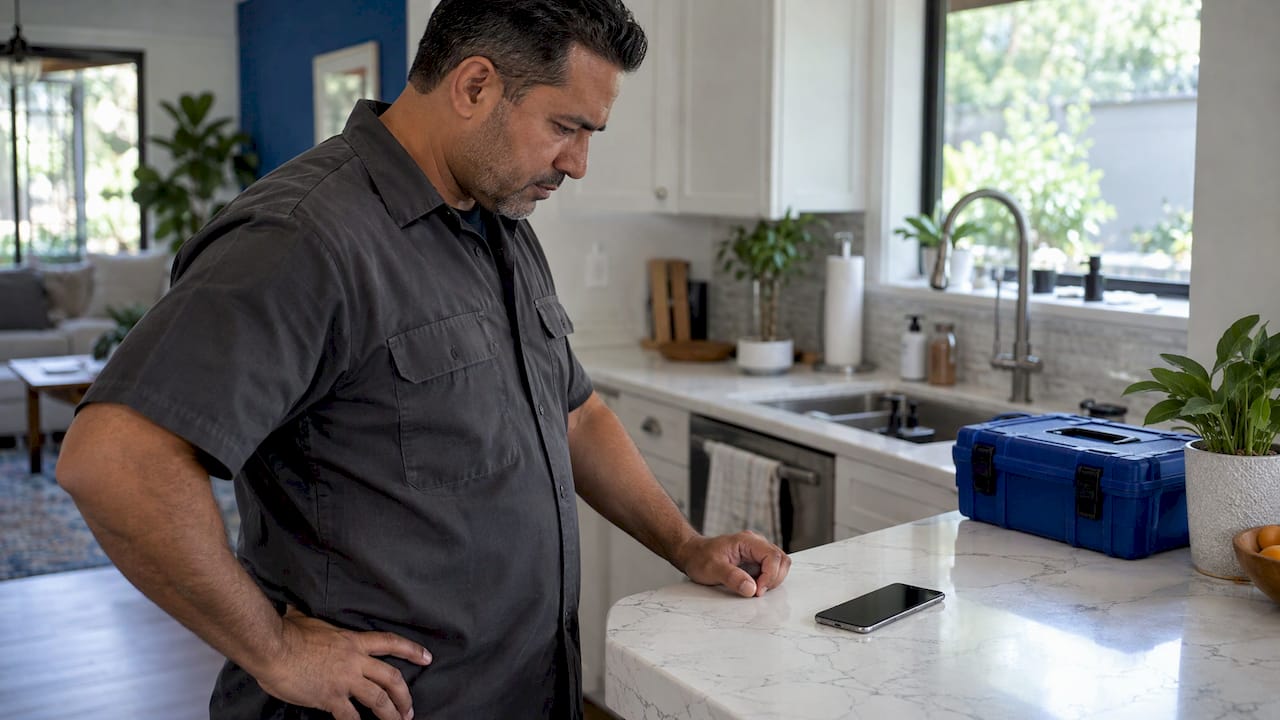
True Tone usually goes missing after a screen replacement because the iPhone no longer recognizes the new display as the one it was built with. The toggle disappears, or the screen looks colder and flatter than before. On many recent iPhones the fix is a matching, properly configured display plus the finishing step in Settings, and it is best handled during the repair itself rather than afterward. If you are in Orlando or Winter Park, we replace iPhone screens on site, at your home, office or campus, so the display is checked while the technician is still with you.
TL;DR
- True Tone depends on a handshake between the display, its light sensors and the iPhone. A replacement screen that is not set up correctly can break it.
- Apple’s support page lists True Tone problems, weaker ambient light sensing, off colors and uneven brightness as possible effects of a nongenuine display.
- On iOS 18 and later, Repair Assistant (in Settings > General > About) can finish the setup of a genuine Apple display, and you can see the status under Parts & Service History.
- Check True Tone in Control Center before the technician leaves, and ask for the display status to be confirmed on the spot.
- If the toggle is missing or grayed out days later, a second look at the display and settings usually finds the cause.
Table of Contents
- What True Tone does, and which devices have it
- Why True Tone disappears after a screen replacement
- What Repair Assistant is, in plain words
- How to check what your iPhone says about its display
- How to test True Tone after the repair
- Before you decide the screen is the problem
- What it means by iPhone model
- When the original display data cannot be moved
- Does True Tone matter enough to worry about?
- Our perspective
- Book an on-site iPhone screen repair in Orlando or Winter Park
- FAQ
- Sources
What True Tone does, and which devices have it
True Tone adjusts the color temperature of your screen to match the light around you. Under warm indoor bulbs the screen shifts slightly warmer, and in cool daylight it shifts cooler, so whites look like paper rather than like a glowing panel. Apple’s support page lists the iPhones and iPads that offer True Tone: iPhone 8 and later, iPhone SE (2nd generation) and later, and a range of iPads from the 9th-generation iPad and the iPad Pro to the iPad Air and iPad mini.
The feature needs more than a nice panel. According to Apple’s own white paper as reported by The Verge, True Tone relies on server-side calibration and on accurate communication between a product’s display and its light sensors. As iDownloadBlog explains, the system uses multichannel sensors to keep measuring the ambient light, and an algorithm tells the graphics processor how to shift color and intensity. Each device’s sensor is calibrated with its display to account for small manufacturing differences.
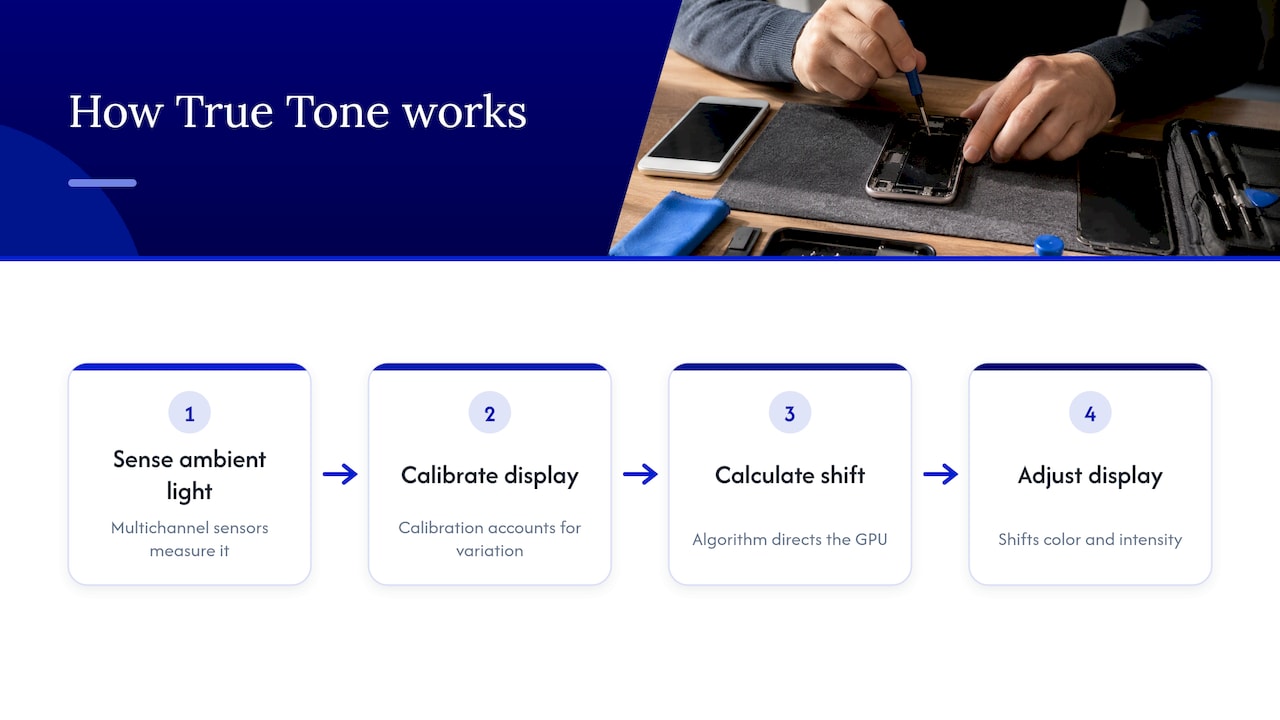
That is why a screen swap is not like changing a phone case. The display carries its own identity and calibration, and the phone expects to see them.
Why True Tone disappears after a screen replacement
There are three common reasons, and they often overlap.
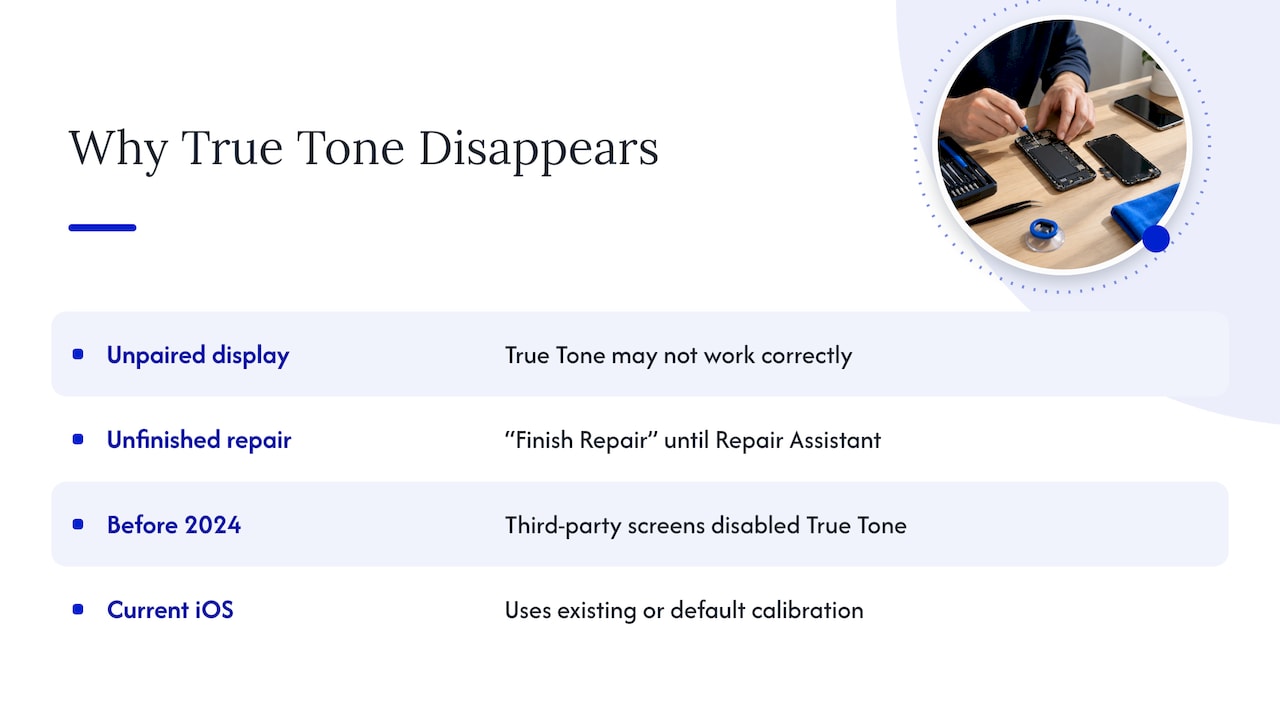
1. The new display is not paired to your iPhone. Apple says in its genuine iPhone displays guide (updated October 22, 2026) that a nongenuine display can cause several symptoms: True Tone may not work correctly, ambient light sensor performance can drop, color calibration can be off, maximum brightness can be lower or uneven, and the battery can drain unexpectedly. The same page explains that an “Unknown” label next to Display in your settings means the part is not a genuine Apple part, is not working as expected, has not been verified and linked to the iPhone after repair, or has been modified.
2. The repair was finished but the setup was not. On iPhone 15 and later running iOS 18 or newer, Apple says the display line shows “Finish Repair” after a new Apple display is installed, until the repair is completed with Repair Assistant. A previously used display shows “Used”. A screen can look perfect and still be waiting for that last step.
3. The old software rules applied. Before Apple’s 2024 policy change, Engadget reported that iOS switched True Tone off whenever it detected a third-party replacement screen. Apple then said it would let people turn True Tone on with third-party parts, with the best performance it can provide, and keep the option to turn it off in Settings. Because third-party displays are not factory-calibrated, iOS uses existing or default calibration settings when True Tone is activated on them. In plain terms: the feature may now run, but it may not look identical to the original.
If you had your screen replaced years ago and True Tone never came back, the iOS version you are running matters a lot. Updating changes what the phone can do with that screen.
What Repair Assistant is, in plain words
Repair Assistant arrived with iOS 18. 9to5Mac reported that it lets users and repair professionals configure new and used Apple parts on the device, and that properly configuring a display part enables features such as True Tone and auto-brightness. Anyone who had a repair done earlier with a used or unconfigured genuine part sees a prompt in Settings after updating to iOS 18 to complete the configuration.
MacRumors added that it works with iPhone 12 and later, including parts installed before iOS 18 shipped, and that the part appears under Parts and Service in Settings > General > About.
So the practical rule is this: the newer your iPhone and iOS, the more likely the display can be set up correctly after a repair. Older models, or screens that are not genuine Apple parts, may not get the full set of features back. Apple’s own wording is that a nongenuine display may affect True Tone, and it is worth planning the repair around that.
How to check what your iPhone says about its display
This takes under a minute and tells you most of what you need.
- Update to the latest iOS your iPhone supports. If you are on a beta, move to a stable public release first.
- Open Settings > General > About.
- Scroll to Parts & Service History (it appears on supported models after a repair).
- Look at the Display line. “Genuine Apple Part” is the best case. “Used” means a previously used Apple display. “Finish Repair” means setup is incomplete. “Unknown” means the phone could not verify the part.
- If you see “Finish Repair”, tap through the prompts and let the phone restart, with Wi-Fi connected.
These labels are also why it pays to understand repairability before you buy a device. If you are comparing tablets, repairability rankings for tablets show how easy different models are to service, which affects how many of these pairing steps you will meet later.
How to test True Tone after the repair
Once the screen is in, test it the same way you would a new phone.
- Open Control Center and press and hold the brightness slider. The True Tone button should be there.
- Or go to Settings > Display & Brightness and look for the True Tone switch.
- Switch it off and on. As The Mac Observer describes, the screen color shifts slightly as you toggle it. If nothing changes at all, note that.
- Check auto-brightness too (Settings > Accessibility > Display & Text Size). Apple lists weaker ambient light sensing as a symptom of a nongenuine display, so the two features often fail together.
If you want a quick comparison, hold the phone beside another device in the same room with True Tone off and then on. A working True Tone shift is subtle, not dramatic.
Before you decide the screen is the problem
True Tone can also be turned off by other settings. Apple notes that some display accessibility options, including Invert Colors, Grayscale and Increase Contrast, might turn off True Tone. If you changed any of those, or a family member did while playing with the phone, reset them first and test again.
A few other quick checks:
- Restart the phone and check the toggle again.
- Make sure the phone is updated, since the setup tools depend on the iOS version.
- Remove any thick screen protector that covers the sensor area at the top of the display.
- Check whether other display symptoms appeared at the same time, such as dim brightness, flicker or dead touch zones. If touch is also off, our guide to iPhone touch not working covers what to try first. A dark patch is a separate issue, covered in black spot on iPhone screen.
What it means by iPhone model
The answer to “can I get True Tone back” depends on what is in your hand.
| Your situation | What to expect |
|---|---|
| iPhone 12 or later, iOS 18 or newer, genuine Apple display | Repair Assistant can configure the part, and True Tone and auto-brightness become available once the setup is done |
| iPhone 15 or later, new Apple display, repair not finished | Display shows “Finish Repair” until you complete it in Settings |
| Previously used Apple display | Display shows “Used”; setup can still be completed on supported iOS versions |
| Display shows “Unknown” | The phone could not verify the part; True Tone may not work correctly, per Apple |
| Older iPhone (8 through 11) | True Tone is supported by the hardware, but Repair Assistant is listed for iPhone 12 and later, so the result depends on the display installed |
The table sums up Apple’s genuine displays page and the MacRumors report. Your exact result still depends on the model and the iOS version, so treat it as a map rather than a promise.
When the original display data cannot be moved
Some older repair routines relied on copying data from the original screen to the new one. That only works if the original is still readable. A badly crushed screen, a torn flex cable or a dead data chip can make the original unreadable, and then the simple route is closed. This is exactly the situation where a technician who works at board level, which is how we describe our repairs, can look at the phone as a whole instead of just swapping a part. We do not promise True Tone will look identical to the factory screen on every phone, because Apple itself says the experience can vary on displays that were not factory-calibrated.
What you can do is protect your options before the repair:
- Keep the old screen until you have confirmed True Tone works. Do not let it be thrown away on the way out.
- Say True Tone matters to you when you book. It changes which parts and which setup steps make sense.
- Back up first. A full backup means a restore or reset is never a risk. Our note on encrypting local backups before repair explains the setup.
- Turn off Find My if the technician asks for it. Our guide on turning off Find My before an iPhone repair walks through it.
Does True Tone matter enough to worry about?
For most people it is a comfort feature rather than a function. Without it, the phone works normally and the color is simply fixed rather than adaptive. But some people notice the difference fast: a screen that suddenly looks cold in the evening, eyes that feel more strained, or photos that look different when you edit them. If you do color-sensitive work, such as photos for a small business or product listings, the adaptive shift can matter.
The bigger point is that missing True Tone is often a signal. Apple connects it with ambient light sensing, brightness and battery behavior on a nongenuine display. When one of those is off, it is worth checking the rest at the same time instead of treating True Tone as a cosmetic loss.
Our perspective
We see True Tone as the quickest way to tell whether a screen replacement was finished properly. The glass can be flawless, the touch can be sharp, and the colors can still be wrong, because the display and the phone have to recognize each other.
That is why we think the best time to deal with True Tone is during the repair, not three days later in a parking lot. When a technician comes to you, you can open Control Center, check the display line in Settings, and confirm the result together before anything is packed up. You never hand the phone to a counter and hope.
Our approach is built on transparent pricing quoted up front, honest diagnostics and a warranty on parts and labor. Our technicians are certified and our repairs reach board level when a phone needs more than a swap. And because the work happens at your location, your data stays with you while it is done.
Michael
Book an on-site iPhone screen repair in Orlando or Winter Park
We replace iPhone screens at your home, office or campus in Orlando and Winter Park, with same-day service and a quote before work starts. Parts and labor are covered by a warranty. See our iPhone repair services for the full list, from screens and back glass to batteries, charging ports and cameras. If you want to know what happens during a visit first, the iPhone screen repair process is laid out step by step.

If True Tone is already missing from a screen you had replaced elsewhere, tell us the model and iOS version when you book and we will look at the display, the settings and the options together.
FAQ
Why is True Tone missing after my screen replacement?
The phone likely could not verify or calibrate the new display. Apple says a nongenuine display can cause True Tone to not work correctly. A genuine display that was installed but not finished in Repair Assistant can also hide the feature.
Can True Tone come back after a screen replacement?
Often yes, depending on your model, the iOS version and the display installed. On iPhone 12 and later with iOS 18 or newer, Repair Assistant can configure a genuine Apple display so True Tone and auto-brightness work. Results on other displays can vary.
How do I turn on True Tone?
Open Settings > Display & Brightness and switch True Tone on, or press and hold the brightness slider in Control Center and tap the True Tone button. If the option is missing, check Settings > General > About > Parts & Service History for a “Finish Repair” or “Unknown” message on the display.
Is it better to keep True Tone on or off?
It is a preference. On keeps the screen’s warmth matched to the room, which many people find easier on the eyes. Off gives a fixed color that some prefer for photo editing. You can switch it any time from Control Center.
Sources
- About genuine iPhone displays – Apple Support
- Adjust the brightness and color temperature on your iPhone – Apple Support
- iPhone users won’t lose True Tone after third-party repairs – Engadget
- Apple will soon offer better support for third-party iPhone parts – The Verge
- Apple to let True Tone adjust colors on third-party iPhone displays – iDownloadBlog
- iOS 18 adds Repair Assistant – 9to5Mac
- iOS 18 includes Repair Assistant – MacRumors
- What is True Tone on iPhone and how to enable it – The Mac Observer
- Most Repairable Tablets – FactRated
Recommended
- iPhone Screen Repair Process Explained for 2026
- Face ID Repair: Quick Fixes and When to Get Help
- Black Spot on iPhone Screen: Causes, Fixes and When to Repair
- iPhone Touch Not Working: Fixes to Try Before Repair