
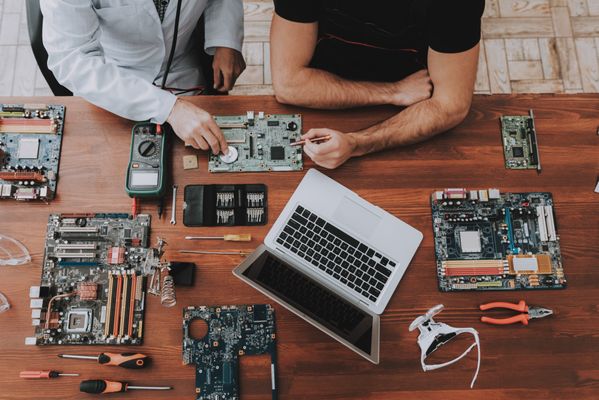
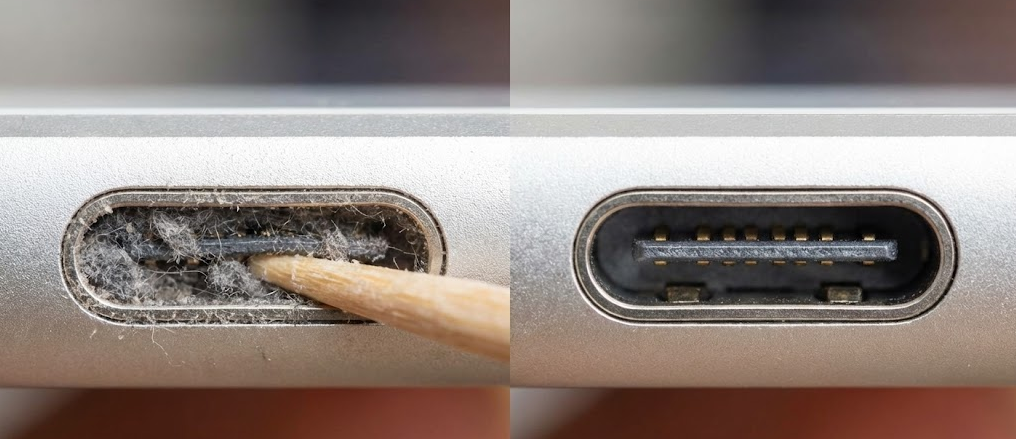
Ten years ago, a tablet was a luxury. In 2025, it is essential the primary textbook for students, the register for businesses and the entertainment hub for families. When that screen shatters or the battery fails, it’s a major disruption. At Repair Genius, we see the panic daily. From dropped iPads to dead Surfaces, the first question is always: Should I just buy a new one? In this guide, we explain why repairing is almost always the smarter, safer and more economical choice and how our We Come To You service in Orlando is changing the game. One of the most common misconceptions is that a cracked screen is just a sticker swap. In reality, modern tablet repair is a skilled trade because of the complex anatomy of devices like the iPad Air and Pro. In budget tablets, these layers are separate, making repairs cheap. But in premium devices, they are industrially fused. Some low quality shops try to separate them manually, leading to ghost touching or dust traps. At Repair Genius, we use factory-grade assemblies to ensure your premium tablet functions exactly as it did out of the box. A cracked screen is annoying, but a swollen battery is dangerous. Lithium-ion batteries can expand due to heat or age, a process called outgassing. Our iPad and tablet repair technicians are trained in hazardous material handling. We safely remove the volatile battery and replace it with a fresh cell, restoring safety and like-new battery life. We believe in honest recommendations. While some devices are too old to fix, 80% of the time, the math favors repair. For a standard student iPad, a glass replacement is highly affordable compared to spending $350+ on a new unit. Plus, repairing is the ultimate form of recycling, keeping e-waste out of landfills. If you are a parent or a busy professional, you don’t have time to drive to a shop and wait days for a repair. Surface Pros are notoriously difficult to open, requiring precise heat and patience. Many shops refuse them; we specialize in them. We also handle Samsung Galaxy Tabs and Amazon Fire devices, addressing everything from charging port failures to software issues. One of the most frequent calls we get is: My tablet won’t charge. I think the battery is dead. Often, the battery is fine, but the charging port is packed with lint or damaged. The Fix: Sometimes a professional cleaning solves it in minutes. Other times, our technicians perform micro-soldering to install a new port a complex repair that saves the device without needing a new battery. Buying new means the headache of data transfer and lost passwords. When you repair with us, your data stays put. If you also have a broken phone, we can often perform iPhone repairs during the same visit, saving you even more time. A cracked screen or dying battery isn’t the end. By choosing repair, you save money, time and data. By choosing Repair Genius, you get the luxury of the repair shop coming to you. Whether it’s a shattered iPad in Winter Park or a dead Surface Pro in Downtown Orlando, we have the tools to get you back to work. Don’t squint through the cracks. Call or Text Repair Genius at 689-312-0543. We provide upfront quotes, honest diagnostics and the fastest mobile service in Florida. How long does an iPad screen repair take? Most standard iPad screen replacements take between 45 to 90 minutes. We do this right at your location, so you get the device back immediately. My iPad frame is bent. Can you still fix the screen? Yes! We use specialized G-Tool equipment to reshape bent metal corners and straighten the frame before installing the new screen, ensuring a perfect fit. Do you use original Apple parts? We use the highest quality aftermarket parts that meet or exceed OEM specifications. Premium or refurbished original parts are available upon request. Is it worth fixing an old iPad? If it’s very old (like an iPad 2), we might suggest upgrading. But for most iPads from the last 5-6 years, repair is absolutely worth it. We provide honest recommendations during the diagnostic. Can you fix my phone during the same visit? Absolutely. Mention it when booking so we can bring the right screens for your iPhone repairs or other devices!1. The Anatomy of a Break: It’s Not Just Glass
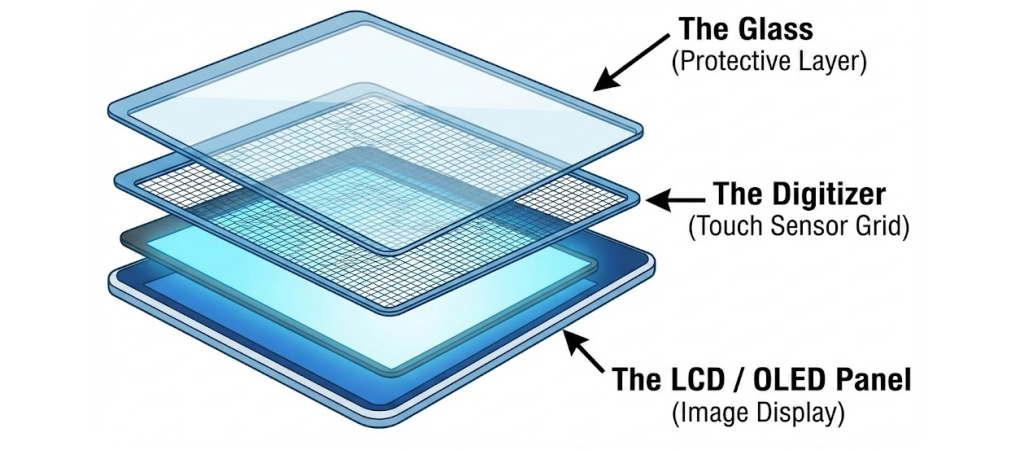
The Three Layers of Your Screen
Fused vs. Non-Fused Displays
2. The Swollen Battery Danger: A Ticking Time Bomb
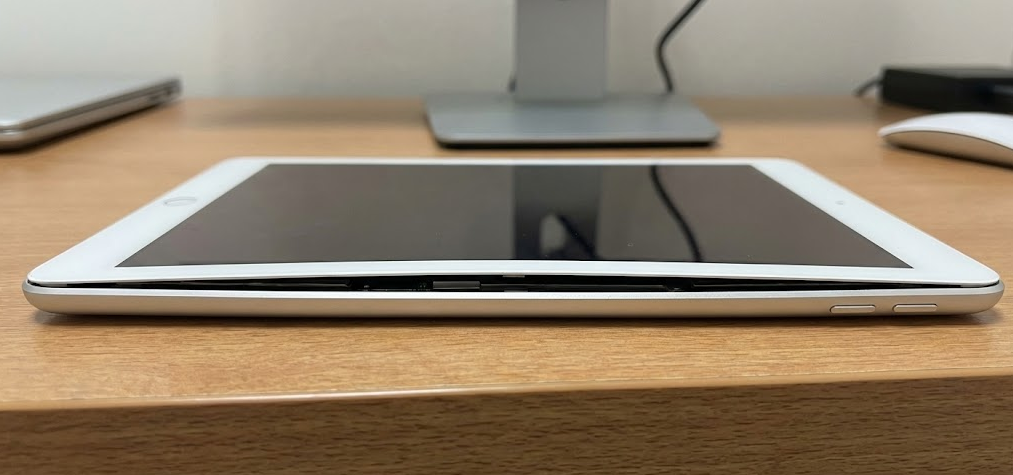
Warning Signs You Must Not Ignore:
The Safety Protocol
3. The Financial Mathematics: Repair vs. Replace in 2025
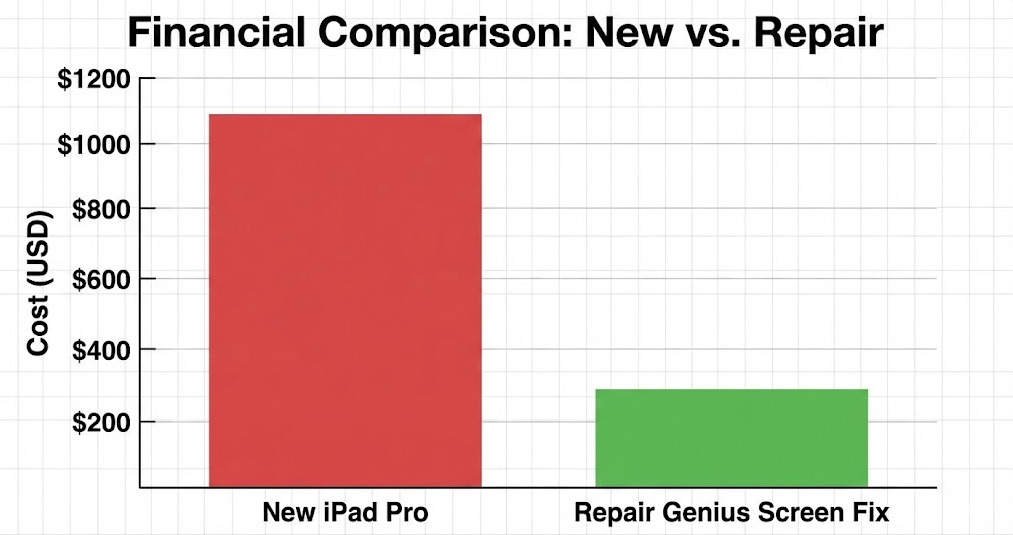
The iPad Pro Scenario
The School iPad Scenario
4. The Mobile Advantage: Convenience for Parents and Pros

We Come To You
5. Beyond the iPad: Specialized Tablet SupporWhile Apple dominates, we are experts in the entire ecosystem.
Microsoft Surface & Android
6. The Charging Port Illusion
7. Data Preservation: The Ultimate Priority

Conclusion: Don’t Replace It, Revive It
Ready to fix your tablet?
Frequently Asked Questions





