

If your phone screen just cracked before a client call or your battery is swelling before a weekend trip, the smartest move is a local on-site repair provider that hands you a written estimate, tests the fix while you watch, and backs the parts and labor with a warranty. For Orlando and Winter Park, Repair Genius meets that bar: same-day scheduling, itemized pricing, and a repair process focused on data security.
TL;DR:
- On-site repair offers same-day service with clear, written estimates and guarantees on parts and labor, reducing downtime and protecting data security.
- Proper preparation includes backing up data, enabling repair modes, removing SIM cards, and keeping passcodes private to prevent data loss and unauthorized access.
- Repair technicians should arrive with parts, provide transparent testing in front of you, and obtain your sign-off before completing the repair.
- Trustworthy providers have a verified business presence, detailed quotes, clear warranties, and transparent customer reviews to avoid scams or subpar service.
- Repair Genius meets these standards, offering on-site repairs for phones and devices in Orlando and Winter Park with proven transparency, warranties, and same-day scheduling.
Table of Contents
- Why On-Site Repair Beats a Drop-Off Shop for Urgent, Data-Sensitive Jobs
- How Should You Prep Your Phone Before the Technician Arrives?
- What Happens During an On-Site Phone Repair Visit?
- How Do You Spot a Trustworthy Repair Provider (and Avoid a Bad One)?
- Why Repair Genius Fits the Trust Criteria Orlando Residents Actually Need
- Ready to Book? Here’s What a Same-Day Visit Looks Like
- Sources
- FAQ
Why On-Site Repair Beats a Drop-Off Shop for Urgent, Data-Sensitive Jobs
A cracked screen at 9 a.m. is a business problem by 10 a.m. if your phone runs your point-of-sale app or your calendar. On-site repair fixes that math: a technician comes to your home, office, or a coffee shop near Winter Park, and you get your device back the same day instead of losing it for 48 hours at a counter.
The bigger issue, though, is who touches your phone while it’s out of your hands. Investigations have caught repair technicians snooping through customers’ private photos and files during supposedly routine repairs. Staying in the room removes that opportunity entirely.
On-site techs handle most everyday jobs well:
- Screen and back glass replacement
- Battery swaps
- Charging port cleaning and repair
- Camera module replacement
- Basic water damage triage
Complex board-level repairs, deep liquid damage, or microsoldering usually need a controlled bench environment, something a reputable on-site provider will tell you upfront rather than pretend to handle in your driveway.
How Should You Prep Your Phone Before the Technician Arrives?
A few minutes of prep protects your data and speeds up the whole visit. Here’s the order that actually works:
- Back up everything first. Confirm an iCloud, Google, or local backup has finished, not just started, before the tech touches the device.
- Turn on a repair mode if your phone has one. Apple’s Repair Mode, Samsung’s Maintenance Mode, and Google’s Repair Mode all limit what a technician can see while still letting them test the repaired part.
- Pull the SIM and any memory card. Log out of banking apps and anything with saved payment methods.
- Keep your passcode to yourself until testing. Unlock the phone yourself when the tech needs to verify a function, rather than handing over your PIN.
- Say something if the phone won’t power on. A dead phone changes the data-recovery conversation, and you want that discussion before any diagnostic work starts, not after.
These steps track closely with what manufacturer and industry guidance recommends, and recent consumer reporting backs the same playbook: back up, use repair modes where they exist, and stay present for testing.
Pro Tip: If you manage several company phones, run this checklist for each device the night before your appointment. A device repair checklist for employees keeps everyone’s backups and SIM removal consistent instead of scrambling the morning of the visit.
What Happens During an On-Site Phone Repair Visit?
A legitimate technician shows up with parts in hand, a clear timeline, and paperwork before touching your screwdriver. Screen and battery swaps typically wrap up in under an hour when the part is in stock, though older models or unusual color finishes can add a wait if a part has to be sourced.
Before any work starts, you should see:
- A written, itemized estimate covering parts, labor, and any diagnostic fee
- Your explicit sign-off before the tech opens the case
- A verbal walkthrough of what’s being replaced and why
Once the repair is done, testing happens in front of you: charging speed, touch response across the full screen, camera focus, and Face ID or fingerprint unlock all get checked before the tech packs up. Consumer-protection guidance from the FTC points to clear, written pricing as one of the clearest signs you’re dealing with a legitimate business rather than a fly-by-night operator.
If the damage turns out to be worse than expected, a good technician tells you on the spot and asks for written authorization before shifting the job to a bench.
How Do You Spot a Trustworthy Repair Provider (and Avoid a Bad One)?
Not every phone repair operation deserves your device or your passcode. Run through this before you book:
- Ask for a written estimate before anything happens. No quote on paper means no accountability if the final bill doubles.
- Confirm a warranty on both parts and labor. A warranty of at least a reasonable minimum duration is standard; anything less transparent is a red flag.
- Check that the business has a real name, address, and phone number, not just a text-message booking line.
- Look for reviews you can actually verify, ideally with specifics about pricing and turnaround, not just star ratings.
- Ask how they handle intake. A documented job sheet listing your device’s condition and the requested repair protects you if something’s disputed later, and it’s a habit of shops that take liability seriously.
The warning signs run the opposite direction: no willingness to put a price in writing, pressure to hand over your phone unlocked and unattended, or a warranty description that changes depending on who you ask. If a technician balks at customer-present testing, that’s worth walking away from. For a longer rundown of specific warning signs, see this breakdown of common smartphone repair red flags.
Why Repair Genius Fits the Trust Criteria Orlando Residents Actually Need
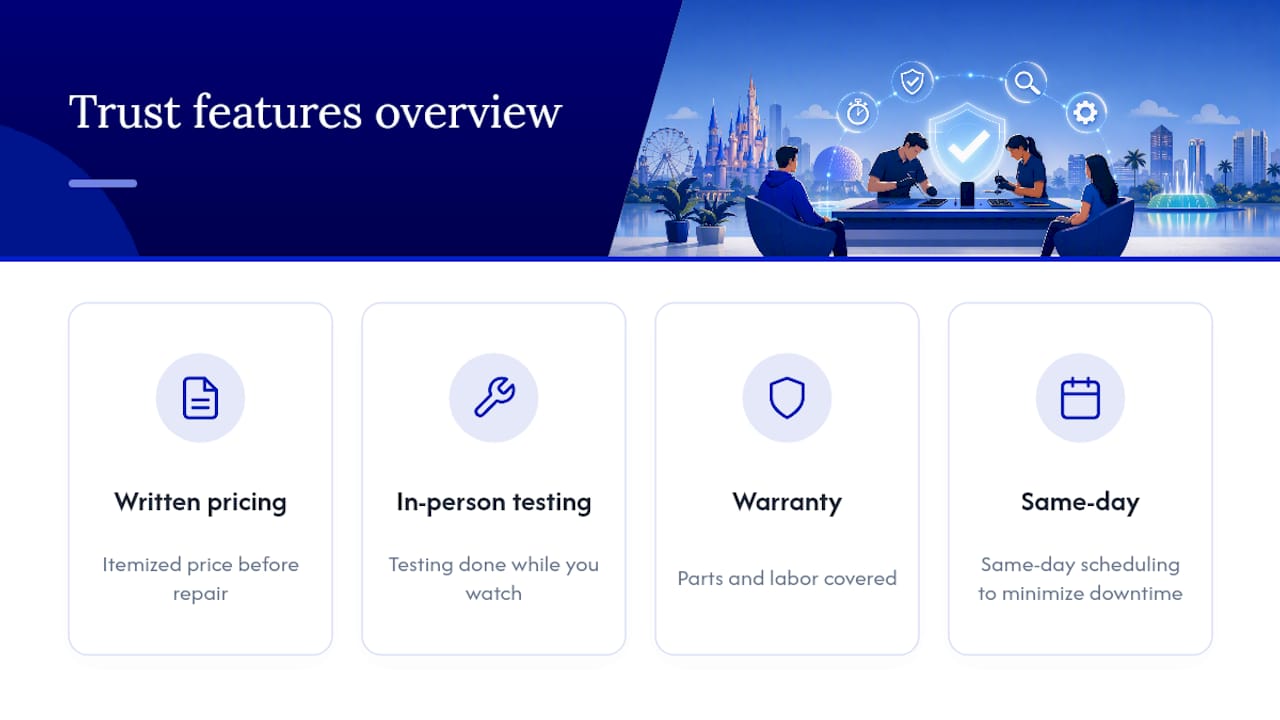
Repair Genius runs on-site phone, tablet, and computer repair across Orlando and Winter Park, and the fit here isn’t accidental. Written, itemized pricing comes before any screwdriver touches your device, and testing happens while you watch, not after you’ve driven home. Repairs come with a warranty on parts and labor, and same-day scheduling helps minimize downtime for device repairs.
The strongest fit is for small-business owners juggling multiple company phones, residents who can’t afford to be offline while running errands, and anyone who’d rather watch a repair happen than mail a phone into the unknown. If your device holds client data, financial apps, or anything you wouldn’t want a stranger scrolling through, that’s exactly the scenario on-site, data-safe repair was built for.
— Michael
Ready to Book? Here’s What a Same-Day Visit Looks Like
Booking takes about as long as ordering takeout. Pick your device type, either the cellphone and Android repair page or the iPhone-specific repair page, and submit your device model, the issue, and your address in Orlando or Winter Park.

From there, expect a confirmation that spells out an arrival window, confirms parts availability for your specific model, and outlines the itemized-estimate process you’ll sign off on before any repair starts. That confirmation should also name the technician’s credentials and restate the parts-and-labor warranty terms, so there are no surprises when the tech knocks on your door.
If your laptop or MacBook needs attention alongside your phone, the computer repair services page covers hardware upgrades, malware removal, and data recovery under the same on-site, data-safe model. Have your device charged, your backup confirmed, and your SIM removed by the time the tech arrives, and a same-day fix is genuinely realistic, not a marketing promise.
Sources
- Marketplace investigation documenting technician snooping
- What really happens to your personal data when you send your phone for repair? — IEM Labs
- TechRadar: How to protect your data and yourself before repair — 2026
FAQ
Is On-Site Phone Repair Safe for My Personal Data?
Yes, when the technician uses customer-present testing and you’ve backed up and locked down sensitive apps beforehand. Investigations have found technicians snooping through devices during unsupervised drop-off repairs, which is exactly the risk on-site, watched repair avoids.
How Long Does an On-Site Screen or Battery Repair Take?
Most screen and battery swaps finish in under an hour when the part is in stock for your model. Older or less common devices may take longer if a part has to be sourced first.
Does Repair Genius Offer a Warranty on Parts and Labor?
Repair Genius backs its repairs with a warranty on both parts and labor, and current terms and pricing for your specific device are available on the cellphone repair page or iPhone repair page.
What Should I Do if My Phone Won’t Turn On Before the Repair?
Tell the technician immediately so you can discuss data-recovery options before any diagnostic work begins. A powered-off device changes what’s possible, and that conversation needs to happen upfront, not mid-repair.
Can I Watch the Technician Test My Phone After the Repair?
Yes, and you should insist on it. A trustworthy technician runs charging, touch response, camera, and biometric checks while you’re standing there, confirming the fix actually worked before they leave.










