
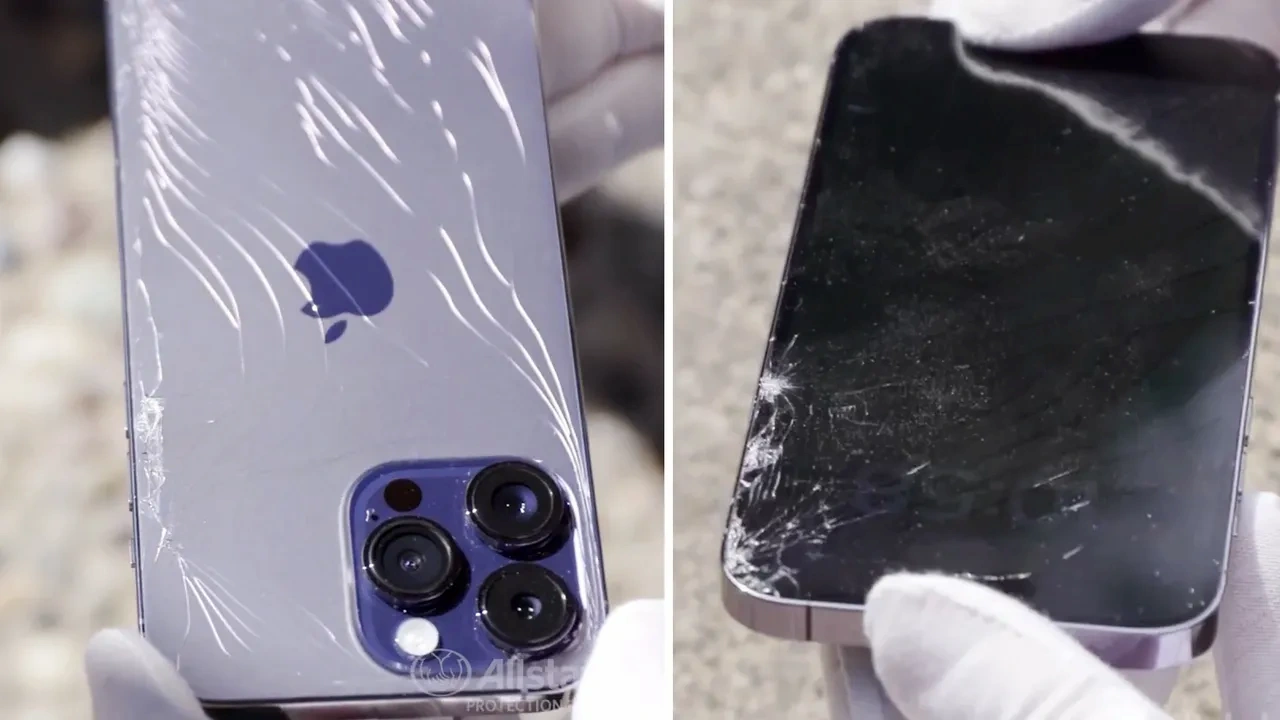
When an iPhone falls, most users immediately check the screen for cracks. In our experience, the real problems often occur inside the device where damage cannot be seen easily. A phone may look completely fine from the outside, but internal components can shift, loosen, or malfunction after impact.
We regularly see situations where customers believe their device is safe simply because the screen is intact. However, internal iPhone damage after drop incidents is more common than many people expect. Even a minor fall can affect delicate hardware inside the phone.
Internal components such as the battery, connectors, sensors, and motherboard are designed to fit precisely within the device. When a phone hits the ground, these parts may absorb the shock of the impact. Small internal disruptions may not appear immediately, which is why performance issues sometimes appear hours or even days later.
Because of this, we always recommend monitoring the phone closely after any drop.
• Internal parts such as the battery, connectors, and motherboard can be affected by impact
• Performance problems may appear hours or days after the phone falls
Understanding the warning signs early helps prevent larger problems and costly repairs.
Why Internal Damage Happens When an iPhone Drops
Many users assume that if the display glass is not broken, the phone is safe. In reality, the internal structure of an iPhone contains extremely sensitive components that can react to sudden impact.
Inside the device there are small connectors, circuits, chips, and sensors responsible for powering every function. When the phone falls, the energy from the impact travels through the entire body of the device. This shock can slightly shift internal parts or weaken important connections.
We often explain to customers that even a short fall can cause stress to critical components like the motherboard or battery connector. These internal changes may not be visible immediately, but they can gradually affect performance.
If these issues are ignored, the device may begin to show symptoms such as charging problems, battery instability, or touchscreen issues.
Common Signs of Internal iPhone Damage After a Drop
Recognizing early symptoms helps users identify potential hardware problems before they become more serious. Over the years, we have noticed that several warning signs appear frequently when internal components are affected.

Screen Response Problems
One of the earliest signs users notice involves the touchscreen. Even when the glass surface is intact, the internal display connection or digitizer may have been disturbed.
After a fall, we recommend testing the entire screen carefully to confirm that every part responds normally.
Common screen related symptoms include:
• Touchscreen responding slowly or inconsistently
• Random touches appearing on the screen without input
• Display flickering or dimming unexpectedly
• Certain areas of the screen not responding to touch
These symptoms often indicate that internal display connections or sensors were affected during the impact.
Sudden Battery Problems
Battery behavior can change noticeably after a phone experiences physical shock. The battery itself or the internal power connector may shift slightly inside the device.
We frequently see customers report unusual battery behavior shortly after dropping their phone.
Typical battery related symptoms include:
• Phone shutting down even when battery percentage appears normal
• Battery draining much faster than usual
• Device becoming unusually warm during normal use
• Phone restarting without warning
These issues may indicate that the power management system inside the phone has been affected.
Charging Issues After Impact
Charging problems are another strong indicator of internal hardware disruption. The charging port area includes small internal connectors that can loosen when the device experiences impact.
During diagnostics, we always check charging performance carefully when a phone has recently fallen.
Common charging related symptoms include:
• Charging cable not fitting firmly in the port
• Phone charging slowly or stopping during charging
• Device failing to recognize the charger immediately
• Charging stopping when the cable moves slightly
These signs often suggest internal connector damage rather than normal wear.
Camera Malfunction
Modern iPhone cameras rely on precise internal alignment to capture clear images. When a device falls, the camera module can shift slightly or the stabilization system may be affected.
We always recommend testing both the front and rear cameras after any drop.
Common camera issues include:
• Camera failing to focus correctly
• Blurry photos even in good lighting
• Camera application freezing or closing unexpectedly
• Noticeable vibration when opening the camera
These symptoms may indicate that the internal camera module was affected by the impact.
Speaker and Audio Problems
Internal audio components can also shift after a fall. Speakers and microphones rely on precise internal placement to produce clear sound.
Customers often notice these issues during calls or while playing media.
Typical audio warning signs include:
• Distorted sound from the speaker
• Very low call volume
• Crackling sounds during music or video playback
• Microphone not capturing voice clearly
When these symptoms appear after a drop, it may indicate internal audio component disruption.
Performance Changes That Suggest Hardware Stress
Sometimes internal damage does not affect one specific component but instead causes general performance problems.
After a drop, the device may begin to behave unpredictably because internal hardware is under stress.
We often observe the following performance related symptoms:
• Phone freezing during simple tasks
• Applications crashing frequently
• Device overheating during light usage
• Slow response when switching between applications
These problems may suggest deeper internal hardware issues that require professional inspectionrestore device performance.
Ignoring these symptoms may allow the problem to worsen over time.
When Professional Inspection Becomes Necessary
Basic checks can help identify obvious symptoms, but some internal issues cannot be detected without professional diagnostics.
We recommend seeking a professional evaluation when:
• Multiple symptoms appear after the phone falls
• The device restarts randomly
• Battery behavior becomes unpredictable
• The phone overheats frequently
At Repair Geniuses, we focus on detailed diagnostics to identify internal hardware problems accurately. Our technicians inspect the internal components carefully to determine whether connectors, sensors, or other parts were affected by the impact.
Early diagnostics help prevent additional complications and often reduce repair costs.
Many users delay repairs because their phone still functions. However, internal problems can gradually worsen and eventually lead to complete device failure if ignored.
Conclusion
Internal problems can still occur even if the phone looks fine after a fall. Signs like charging issues, battery problems, or screen response changes may indicate internal iPhone damage after drop incidents. We recommend monitoring your device carefully after any impact. If unusual behavior appears, a professional inspection can help prevent further damage.
Why Choose Us
At Repair Geniuses, we focus on accurate diagnostics and dependable repair solutions for every device we inspect. Our goal is to identify the real problem and provide clear guidance before any repair begins.
• Experienced technicians who specialize in diagnosing internal device problems
• Careful repair procedures designed to protect device data and hardware integrity
• Honest repair guidance so customers understand the exact issue before repair
• Trusted device repair service for customers in Orlando and nearby areas
• Detailed inspections that help detect hidden hardware damage early
Our team works carefully to restore device performance while protecting important user data.
FAQs
Can internal damage happen even if the screen is not cracked?
Yes. A phone may look perfectly fine on the outside while internal components such as connectors, sensors, or the motherboard experience damage from impact.
How soon do internal problems appear after a phone drop?
Some issues appear immediately, while others develop hours or even days later. Internal hardware shifts may take time before affecting device performance.
Can internal damage cause battery draining problems?
Yes. Damage to the battery or power management components can cause rapid battery drain, unexpected shutdowns, or overheating.
Is it safe to continue using a phone after dropping it?
If the phone appears to function normally, it may still be usable. However, we recommend monitoring the device closely for unusual behavior such as charging issues, overheating, or screen response problems.
When should a dropped phone be inspected by a technician?
If you notice performance issues, charging problems, touchscreen changes, or overheating after a fall, a professional inspection should be scheduled as soon as possible.





