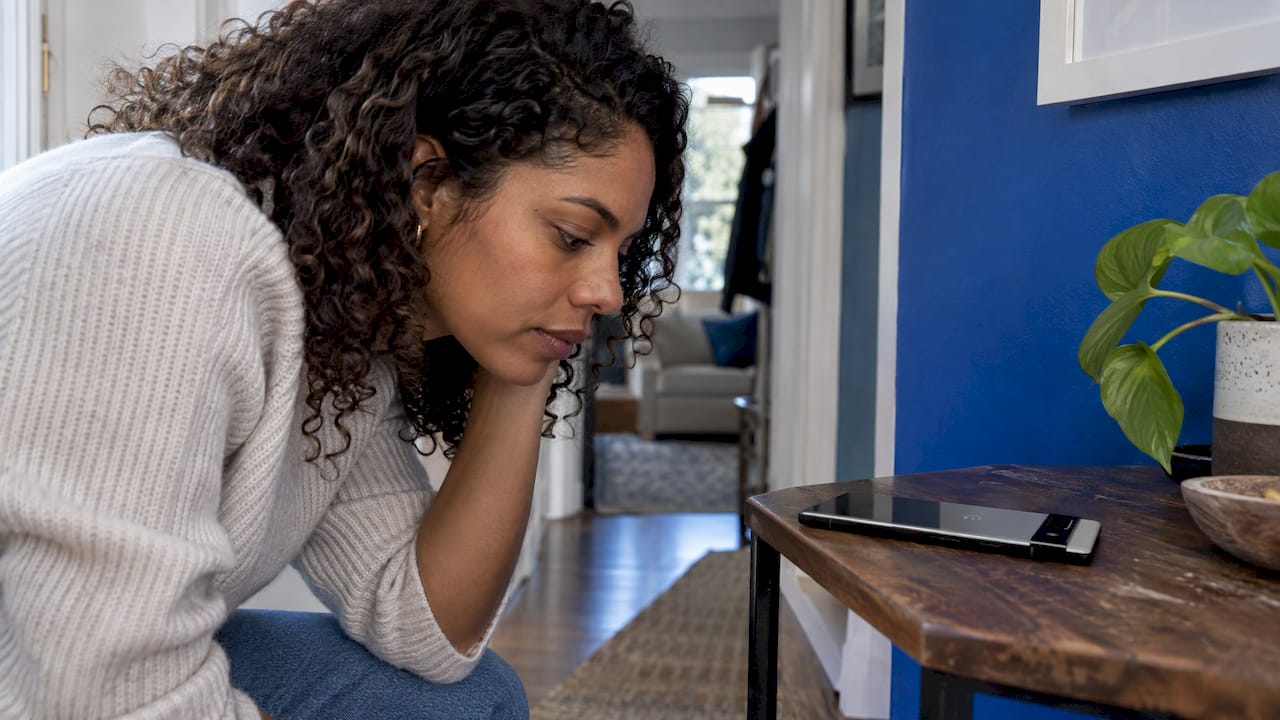
If your Pixel has no sound, a crackling speaker, or an earpiece you can barely hear, start with the free checks: volume, Bluetooth, the case, a clean speaker grille and a restart. Many sound problems come from audio being sent to the wrong place or from a blocked opening. If none of that helps, the cause is likely hardware, and a technician should look at it. Below you will find the order to test things in, what each symptom usually points to, and when to stop troubleshooting.
TL;DR
- Check volume, Bluetooth, Wi-Fi and any plugged-in accessory first. Then restart and test two or three songs or videos from different apps, as Google’s Pixel help page advises.
- Remove the case and screen protector, then gently clean the speaker and microphone openings with a soft, lint-free cloth. Never poke sharp objects into them.
- Your Pixel has two speakers. Only one failing (bottom or top) points to a different problem than total silence.
- If sound is still bad after a factory reset, the cause is likely hardware and the phone needs a professional repair.
- In Orlando and Winter Park, we can do the repair on-site, at your home, office or campus.
Table of Contents
- Which speaker is actually failing?
- The five-minute checks that fix most cases
- When the sound is going somewhere else
- Crackling, buzzing or muffled sound
- Earpiece quiet or not working during calls
- Software checks that rule out the phone’s insides
- When it is time to stop and repair
- Repair or replace?
- Our perspective
- Get your Pixel’s sound fixed where you are
- FAQ
- Sources
Which speaker is actually failing?
Before you fix anything, know what you are testing. Google says Pixel phones have two speakers and three microphones. The bottom speaker is the louder one. The top one is the receiver speaker, used mainly for phone calls. Both play music, but the bottom one carries most of the volume.
This matters for diagnosis, because the symptoms differ:
| What you notice | What it often means |
|---|---|
| No sound from anything, including ringtones | Audio routed to another output, a software fault, or a failed bottom speaker |
| Music sounds thin and only comes from the top | The bottom speaker is blocked, damaged or failing |
| Calls are quiet at your ear, media is fine | Possibly normal design, or a dirty or failing receiver |
| Crackling at higher volume | Debris, a damaged speaker, or a poor source |
| Others cannot hear you on calls | A microphone problem, not a speaker problem |
That last row trips people up. Reddit and community threads about Pixel speakers often turn out to be about microphones, since the openings sit close together at the bottom edge. Google notes that the exact openings vary by model, so look at the model-specific hardware diagram before you clean anything. Do not cover microphone holes, and do not mistake the small pinhole on the rear camera bar for a defect.
If the real issue is that people cannot hear you, read our guide to microphone repair in Orlando and Winter Park instead.
The five-minute checks that fix most cases
Work through these in order. Stop when sound returns.
- Change the volume. Test media volume and call volume separately. Press a volume key and tap the dropdown to see every slider.
- Turn Bluetooth off. A paired speaker, watch or earbuds in your pocket can quietly take over. Google’s guidance for sound that is intermittent, distorted, unclear or low is to change the volume, switch Bluetooth off and toggle Wi-Fi. During calls, toggle speakerphone too.
- Disconnect headphones and accessories. Unplug USB-C headphones or adapters and test without them, or with a different pair.
- Restart the phone. Then play two or three different songs or videos from different apps. One app with bad audio does not mean a bad speaker.
- Remove the case and screen protector. A case that slightly overlaps the bottom edge, or a protector with a misaligned cutout near the earpiece, can muffle sound.
Every step costs nothing and takes seconds. The reason to test several apps is simple: if only one app is silent, the fix is in that app, and the speaker is fine.
When the sound is going somewhere else
A “dead” speaker is often a working speaker that is not being used. Google explains that sound plays through a connected Bluetooth or USB-C audio accessory when one is selected or plugged in. It also tells you to check Bluetooth pairing and whether any USB-C accessory or adapter supports digital audio.
To see where sound is going, swipe down to the media panel and tap the output name, such as Speakers or Pixel Buds. Google’s audio controls let you switch it back to the phone. Android Police reports the same cause: audio left routed to Bluetooth earbuds, a wired accessory or another output. Its fix is to disconnect the device and choose “This phone” where that option appears.
Try this if you recently used a car, a hotel TV or a smart speaker. Those connections can linger, and your Pixel may keep trying to use them.
Crackling, buzzing or muffled sound
Crackling is one of the most common ways a Pixel speaker goes wrong, and it has several possible causes. Sort them from simplest to most serious.
Source and signal problems
Google says distorted sound can be related to a weak data connection or loud music. If the crackle appears only while streaming, move to a stronger signal, lower the volume a notch and play a file stored on the phone. If a local file sounds clean, the speaker is probably fine.
Dirt and obstructions
Pocket lint, dust, sunscreen residue and sand collect in the grille over time. Android Police lists dust, debris, residue, cases and accessories as common physical obstructions, and it warns against sharp objects in the openings.
A safe cleaning routine:
- Power the phone off.
- Take off the case.
- Wipe the grille gently with a soft, lint-free cloth, as Google recommends for the speakers, microphones and USB-C port.
- Do not use pins, needles, toothpicks or compressed air held close. Anything that pushes debris deeper or tears the mesh makes things worse.
Liquid exposure
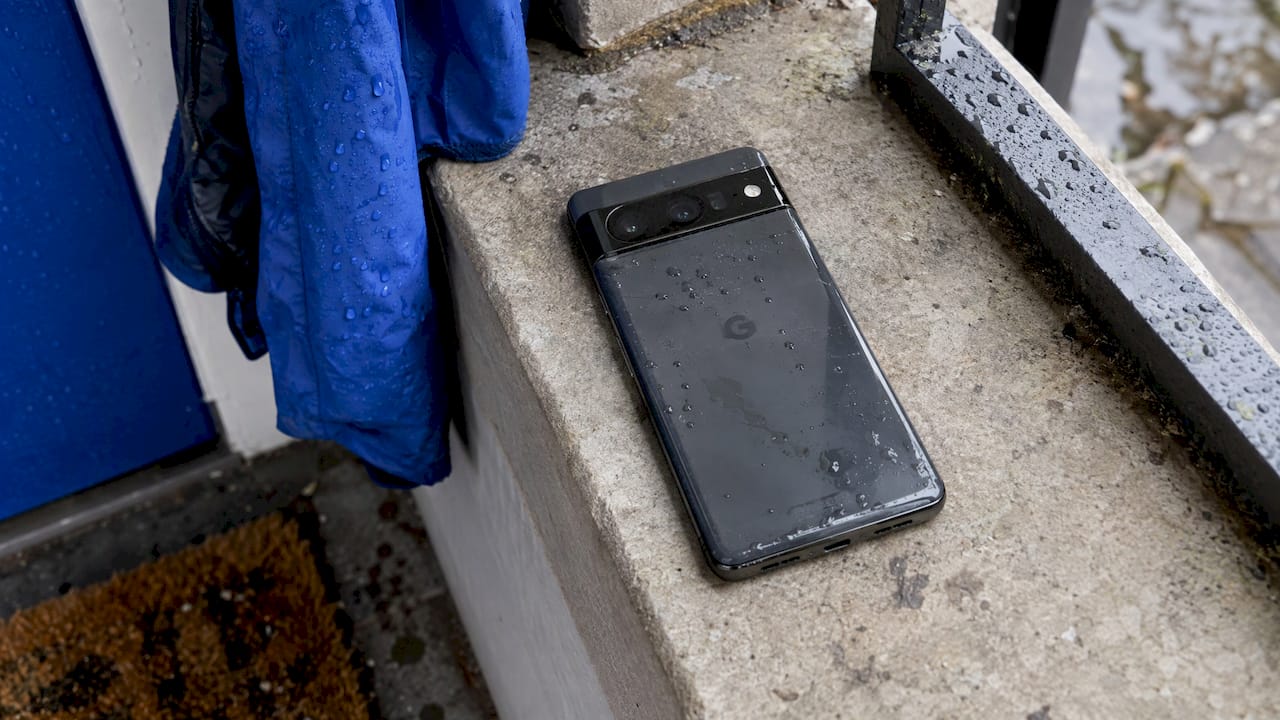
If the crackle began after a pool day, a spill or a rainy commute (common in Central Florida), treat it as water exposure. Android Police recommends waiting a few hours for the ports to dry after water contact. Do not charge the phone while it is wet. Water can leave residue or corrosion inside even after the surface dries, so if crackling persists, book a diagnosis. Our guide to distorted or muffled phone speakers covers more on how moisture and damage change the sound, and our list of warning signs of distorted phone speaker sound helps you judge how serious it is.
Earpiece quiet or not working during calls
If your caller sounds faint when you hold the phone to your ear, first check whether this is normal. Google describes the top speaker as the receiver speaker, used mainly for calls. When you hold the phone to your ear, that top speaker works while the bottom one is off, so the sound is quieter than on speakerphone. Because the receiver is smaller, the difference can be noticeable even on a healthy phone.
A fair test:
- Call a friend or your voicemail and hold the phone to your ear in a quiet room.
- Raise call volume to the maximum with the side keys.
- Toggle speakerphone on and off. If speakerphone is loud and clear but the earpiece is silent or tinny, the receiver is the suspect.
- Check the top edge for a protector that covers the earpiece slot, and wipe it with a dry, lint-free cloth.
- Disconnect Bluetooth, which can send call audio to a headset in another room.
A receiver that is dead, or that crackles only on calls, is not something a cloth will fix. That is a hardware repair.
Software checks that rule out the phone’s insides
Once the simple checks fail, move to software before assuming hardware.
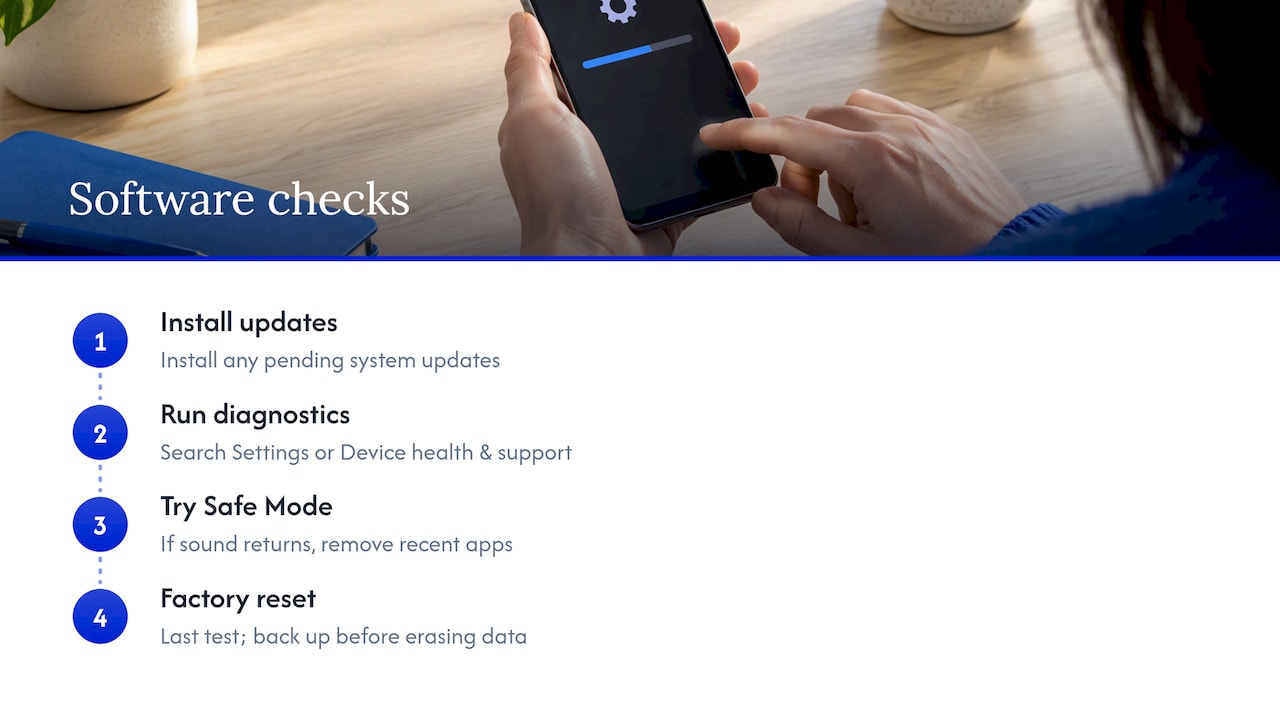
Update the phone. Bugs affecting audio are sometimes patched in system updates. Go to Settings, System, Software updates, and install anything pending. Features like Adaptive Sound, available on Pixel 4a (5G) through Pixel 10, also depend on current Android software and the latest Android System Intelligence app.
Run built-in diagnostics. Google says most diagnostics are available on Pixel 6 and later, including Fold. Search Settings for “diagnostics” or open Device health & support. That page also shows device status, warranty information and support options, and lets you start a repair. If your Pixel is still under warranty, check that before paying anyone.
Try Safe Mode. Android Police suggests Safe Mode to find out whether a third-party app is causing the problem. If sound works normally in Safe Mode, a recently installed app is the likely culprit. Remove recent installs one at a time.
Factory reset as the last software test. A factory reset erases apps and files added after setup, so back up first. The same source says that if the speaker still fails afterward, the cause is likely hardware and the phone should be professionally repaired or replaced. The reset also gives a clean answer: if it fixes things, it was software. If not, you can stop troubleshooting.
One caution before any reset or repair: if the phone holds photos, messages or business data, back up first. Our article on encrypting backups before a repair is written for Apple devices, but the habit applies to every phone.
When it is time to stop and repair
Call it hardware when you see any of these after the steps above:
- One speaker is silent while the other works, in every app, with no accessories connected.
- Crackling or buzzing continues after cleaning, on local files, and after a factory reset.
- Sound stopped after a drop, bend or liquid exposure.
- Diagnostics flag a speaker or audio fault.
- Sound cuts in and out when you tap or flex the phone.
Why this is not a good DIY job
Google recommends self-repair only for users with relevant technical skills, and says that if you cannot fix your Pixel, a professional repair partner or someone with technical experience should. Google does sell genuine parts through iFixit and publishes guides and manuals, plus a Pixel Repair Diagnostics app for Pixel 3 and later and the Pixel Tablet.
The manuals show what you would be taking on. Google’s Pixel 8 repair manual lists separate bottom-speaker and top-speaker assemblies, but reaching them requires extensive disassembly and specific tools. It recommends authorized tools and fixtures, and cautions that improper use can injure you or damage the device. A slipped pry tool can tear a display cable or puncture a battery, turning a speaker fix into a much bigger bill. Our piece on why device repairs fail walks through the most common mistakes.
What a technician checks
A proper diagnosis separates the cases that look alike: a failed speaker, a blocked grille, a damaged audio flex or connector, water residue, and a microphone fault that only feels like a speaker fault. Ask any repair provider to test the speaker and the microphone separately, to tell you what failed and why before work starts, and to put the price in writing. Our list of smartphone repair red flags shows what to watch for in vague quotes and unexplained fees.
Repair or replace?
A speaker fault is rarely a reason to buy a new phone. The cost of a repair is usually a fraction of a replacement, and your data, apps and settings stay where they are. Replacement starts to make sense when the phone has several problems at once, such as a failing battery, a cracked frame and a speaker fault, or when it no longer gets the updates you need. If battery wear is also on your list, read about Pixel battery replacement so you can fix both in one visit.
Our perspective
Most speaker complaints we hear about on Pixel phones turn out to fall into two groups. The first is the easy group: audio routed to a forgotten Bluetooth device, a case covering the grille, lint packed in the opening. Those take a few minutes and cost nothing, and we tell people to try them first.
The second group is where people lose time. They keep reinstalling apps, resetting settings and poking the grille with pins for weeks, when the speaker or its connector has simply failed. By then the phone has often picked up scratches, torn mesh or a bigger problem.
Our approach is to diagnose on the spot and talk plainly. We test the speaker and the microphone separately, explain what we find, and quote the job up front with no hidden fees. Because we come to you in Orlando or Winter Park, you do not hand over your phone and wait days without it. We care about data safety, so you stay with your device and your information stays yours. Our repairs are backed by a warranty on parts and labor.
If you have worked through the checks above and the sound is still wrong, that is the moment to call someone who does this every day.
Michael
Get your Pixel’s sound fixed where you are
When the free checks do not bring the sound back, we come to your home, office or campus anywhere in Orlando and Winter Park. Our technicians diagnose the problem, give you a clear quote before any work starts, and offer same-day service. See our cellphone repair page for Pixel, Samsung and other Android devices or contact us through our homepage to book.
If you also have an iPhone or a laptop in the house with its own audio trouble, we handle those too, from iPhone repair to on-site computer repair.
FAQ
Why is my Pixel speaker not working but everything else is fine?
The usual culprits are audio routed to a Bluetooth or USB-C accessory, a blocked grille, or a software glitch. Check the output in the media panel, turn Bluetooth off, remove the case and restart. If one speaker is still silent in every app, the speaker itself may have failed.
Why can’t I hear anything on my Google Pixel?
Start with volume, Bluetooth, Wi-Fi and any plugged-in headphones, then restart and test several apps, as Google’s help page suggests. If you still have no sound, try Safe Mode and then a backed-up factory reset. Persistent silence after a reset points to hardware.
Is my Pixel earpiece broken or just quiet?
It may be normal. Google says the top receiver speaker handles calls and is quieter than the bottom speaker, which is off when the phone is at your ear. If speakerphone works well but the earpiece is silent, distorted or very faint even at full volume, it is worth having the receiver checked.
Can I fix a crackling Pixel speaker myself?
You can try the safe steps: lower the volume, test a local audio file, remove the case and gently wipe the openings with a lint-free cloth. Do not use sharp tools or push debris deeper. If crackling remains after those steps, or began after a drop or liquid exposure, have a technician diagnose it.
Does Repair Genius repair Pixel speakers at my location?
Yes, our technicians repair Pixel and other Android phones on-site in Orlando and Winter Park. We diagnose first and quote up front. Same-day service is part of how we work, and our repairs carry a warranty on parts and labor.
Sources
- Why can’t I hear sound from my Pixel phone? (Pixel Phone Help)
- Listen to music, calls & more on Pixel (Pixel Phone Help)
- Learn how your Pixel speakers & microphones work (Pixel Phone Help)
- Repair your own Pixel device (Pixel Phone Help)
- Get help for issues on your Pixel phone (Pixel Phone Help)
- Pixel 8 Repair Manual V2
- How to fix an Android phone speaker that’s not working (Android Police)
Recommended
- Phone Speaker Distorted Sound: 7 Common Warning Signs
- Why Your Phone Speaker Sounds Distorted or Muffled