
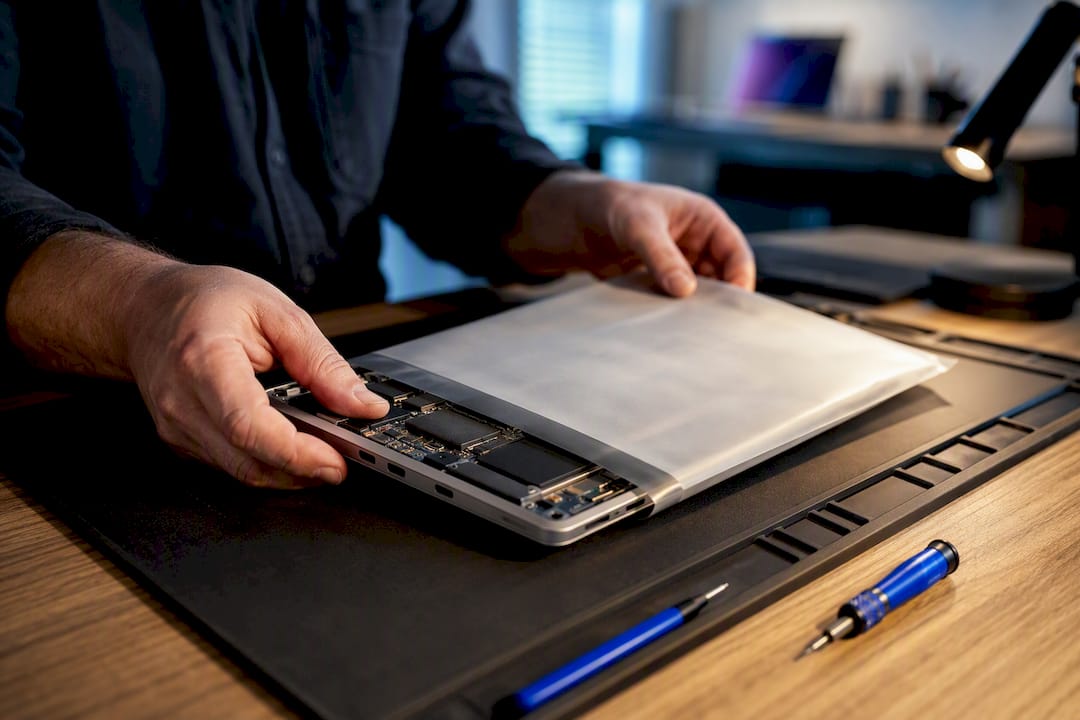
Call or book a local repair shop today, or request an on-site technician if one serves your area. A reputable provider gives you a free or low-cost diagnostic and a written estimate before touching your device, usually within the same visit. Simple fixes like screen swaps with blue light protection or battery replacements often finish quickly; data recovery or motherboard-level repairs may take longer.
TL;DR:
- Most local Sanford repair shops cover a wide range of devices, including Windows and Mac computers, tablets, phones, and some game consoles.
- Diagnostics are typically free or low-cost, with quick turnaround times for simple repairs like screen or battery swaps, but more complex fixes can take longer and cost more.
- Trustworthy shops offer written estimates, clear warranties, and verifiable technician credentials, while shops without these signs should be avoided.
- On-site repairs are available for common fixes, often completed in one visit with transparent pricing and warranties, especially beneficial for small businesses.
- Repair costs vary widely based on the problem, device type, and parts used, with data recovery and liquid damage repairs usually costing more and taking longer.
Table of Contents
- Which Devices and Repairs Do Sanford Repair Shops Handle?
- How Much Does Computer Repair Cost, and How Long Does It Take?
- How Do You Choose a Trustworthy Repair Shop?
- What Happens During a Typical Repair, Step by Step?
- What Does a Well-Run On-Site Repair Service Look Like?
- Repair or Replace: A Quick Way to Decide
- How Repair Genius Handles On-Site Computer Repair
- Where to Verify a Repair Shop’s Reputation
- Sources
- FAQ
Which Devices and Repairs Do Sanford Repair Shops Handle?
Most local shops handling computer repair in Sanford cover a wide range of hardware, not just desktops. Before you call, confirm the shop actually services your device type and the specific problem you’re facing.
Devices typically covered:
- Windows laptops and desktops
- MacBooks, iMacs, and other Apple computers
- Tablets, including iPads
- Phones (iPhone and Android)
- Game consoles, in some shops
Common repairs on offer:
- Screen replacement and digitizer repair
- Battery replacement and charging port repair
- Data recovery from failing or dead drives
- Virus and malware removal
- Hardware upgrades (RAM, storage, cooling)
- Liquid-damage diagnosis and cleanup
Local independent shops in the Sanford area commonly list diagnostics, screen replacements, and software troubleshooting as part of a full-service menu, alongside data recovery.
Service model matters as much as the repair list. In-shop drop-off works well for complex jobs needing specialized tools, while on-site visits suit simpler fixes like screen or battery swaps when you can’t leave the device behind, and mail-in service fits when no local option covers your specific brand.
How Much Does Computer Repair Cost, and How Long Does It Take?
Prices vary by device and problem, but a few patterns hold across most Sanford PC repair and laptop repair jobs. Diagnostics often run free or for a modest flat fee, with the fee sometimes credited toward the repair if you proceed.
Typical ranges you’ll encounter:
- Diagnostic fee: free to a modest flat rate, often waived if you approve the repair
- Screen replacement: varies widely by device brand and screen type (OEM vs. aftermarket)
- Battery replacement: generally one of the more affordable repairs
- Data recovery: can range from moderate to expensive depending on drive damage severity
Statistic Callout: Water damage repairs and data recovery jobs tend to cost more and take longer than mechanical repairs like screen or battery swaps, because parts availability and drive condition introduce unpredictability that a straightforward part swap doesn’t.
Cost drivers beyond the repair itself include whether the shop uses OEM or aftermarket parts, how available that part is locally, and how complex the labor is. A cracked screen on a common laptop model is a quick job; a liquid-damaged motherboard requiring component-level repair is not.
Turnaround follows a similar logic. Diagnostics usually happen same-day. Straightforward repairs, screen and battery swaps especially, often finish quickly, usually within a few days. Complex issues, like board-level repairs or extensive data recovery, can take longer. If you need your device back fast, ask directly about expedited or same-day options when you call, since not every shop offers them for every repair type.
How Do You Choose a Trustworthy Repair Shop?
Picking the right shop for computer troubleshooting in Sanford comes down to checking a handful of trust signals before you commit your device to anyone.
What to check first:
- Recent reviews and complaint history, not just star ratings
- A written warranty covering both parts and labor
- Free or clearly priced diagnostics stated upfront
- Verifiable technician credentials or experience
- A real physical address, not just a phone number or website
- A transparent parts policy (OEM vs. aftermarket, and which you’re getting)
Some Sanford-area shops advertise free diagnostics alongside limited warranties as standard practice, which gives you a baseline to compare against when a shop’s terms feel vague.
Before booking, run through a short phone script. Ask about the warranty length and what it covers, whether parts are OEM or aftermarket, expected turnaround, how they handle your personal data during the repair, payment terms (deposit vs. full payment upfront), and whether on-site service is available if you can’t drop off the device.
Pro Tip: Ask the shop to put the estimate in writing, even a text message counts, before they start any repair. A shop that hesitates to commit to a number on paper is a shop you should keep calling around past.
Red flags worth walking away from: no written estimate offered, a warranty description that changes depending on who you ask, or pressure to pay the full repair cost before any diagnostic work happens.
What Happens During a Typical Repair, Step by Step?
A trustworthy shop follows a predictable sequence, and knowing it helps you spot when something’s being skipped.
- Intake and diagnostic: the technician inspects the device, tests the reported issue, and hands you a written estimate before starting repair work. Ask whether the diagnostic fee is free or charged separately.
- Data safety: ask about their data-handling policy directly. A password removed or data wiped without your consent is a serious breach of trust, so confirm backup options and privacy steps before handoff.
- Repair and testing: parts get sourced (confirm OEM vs. aftermarket), the repair is performed, then the device goes through functional testing, screen response, battery charge cycles, port connectivity, before it’s called complete.
- Warranty and pickup: a solid parts-and-labor warranty should state its length and coverage in writing, plus exactly how to file a claim if the same issue returns.
What Does a Well-Run On-Site Repair Service Look Like?
On-site service changes the risk profile of a repair. Instead of your laptop traveling to a shop and back, a technician comes to you, which cuts the transit window where a device could get lost, damaged further, or handled by someone you never met.
A reputable on-site repair service sends technicians directly to a customer’s home or office for diagnostics and repair on phones, tablets, laptops, and small business devices. Pricing is typically quoted upfront with no hidden fees, and repairs often include a warranty on both parts and labor.
On-site technicians can often complete a battery swap or screen replacement in a single visit, and keeping repairs local reduces the scope of parts a technician can carry compared to a fully stocked shop, a tradeoff worth weighing against the convenience of never leaving your desk.
For a small business, that on-site model means less downtime. Your point-of-sale laptop or office desktop gets fixed where it sits, instead of sitting dark in a shop queue for days.
Repair or Replace: A Quick Way to Decide
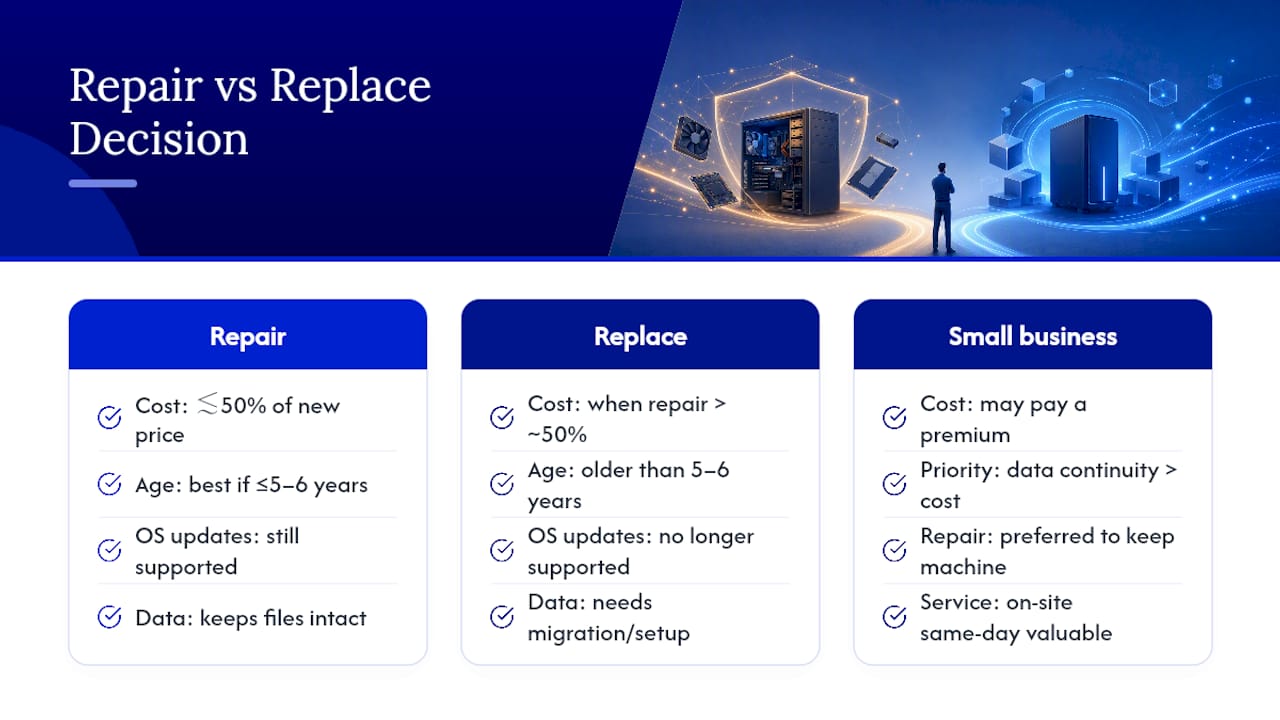
If the repair costs more than roughly half of what a comparable new device would run, replacement usually wins. Factor in age too: a laptop past five or six years, or one that no longer receives operating system updates, is a weaker repair candidate even at a low price. For a small business, though, data continuity often outweighs pure cost math, an on-site repair that keeps files intact and the machine in your hands the same day can be worth paying a premium for.
How Repair Genius Handles On-Site Computer Repair
There are shop drop-off options all over Sanford, and plenty of them do solid work. But if you’d rather skip the trip entirely, on-site repair means a certified technician comes to your home or office, diagnoses the problem in front of you, and often completes the fix, screen swap, battery replacement, malware cleanup, on the spot.

Some on-site repair providers offer same-day appointments, upfront pricing with no hidden fees, and a warranty on parts and labor for each job. Data safety is often managed carefully for both personal and small business devices. Before you book anywhere, compare the warranty terms and data-handling policy against what’s offered here, then book a visit through Repair Genius to get a technician scheduled at your location.
Where to Verify a Repair Shop’s Reputation
- Check the BBB business profile for complaint history before booking.
- Confirm hours and address through a MapQuest listing or Google Maps place page.
- Read the most recent reviews, not just the oldest five-star ones.
Sources
- BBB business review for Gadget Guys (Sanford, NC)
- MapQuest listing for Sanford Computer
- Google Maps place entry (example)
FAQ
How Much Should a PC Repair Cost?
Costs depend heavily on the issue: diagnostics are often free or a small flat fee, battery swaps tend to be on the lower end, and data recovery or board-level repairs cost more due to part scarcity and labor complexity. Get a written estimate before agreeing to any repair.
Where Can I Get My Computer Repaired in Sanford?
Search for local shops with verifiable reviews and a BBB profile, or look for an on-site provider like Repair Genius if you’re in the Orlando or Winter Park area and prefer a technician to come to you.
How Can I Find Someone to Help Me With My Computer?
Start with a phone call to a nearby shop and ask for a free or flat-fee diagnostic, or check listings on Google Maps and MapQuest to compare nearby local computer technicians before you commit.
Is a 7 Year Old Computer Worth Fixing?
It depends on the repair cost relative to a replacement and whether the device still receives operating system updates; a machine that old with a cheap fix and current software support can still be worth repairing, but a costly repair on unsupported hardware usually isn’t.
Recommended
- Technician Credentials Explained for Orlando & Winter Park
- Data Recovery Orlando: What You Need to Know
- How to Transfer Contacts Before Phone Service
- When Your Computer Dies: The Repair Rule That Saves Your Data










