
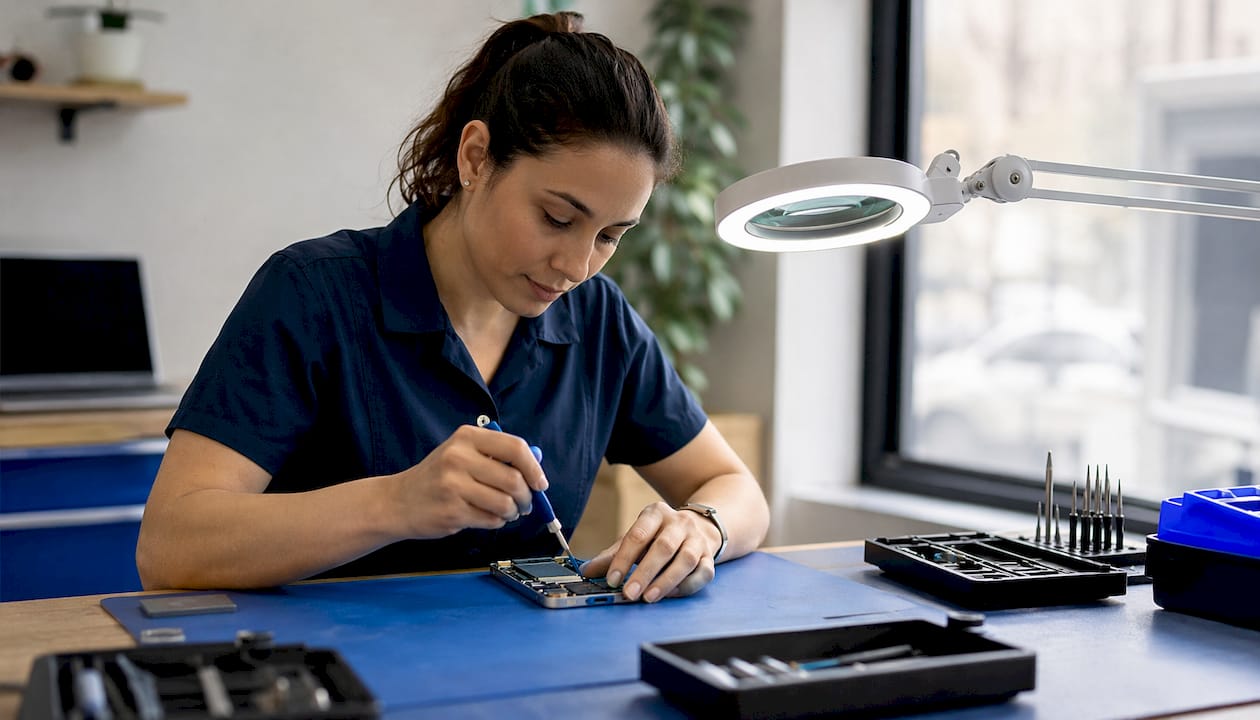
Yes, an iPhone 16 can be repaired. Screen cracks, dead batteries, failed charging ports, and even water damage all have reliable fix paths in the U.S. The single best first action: back up your data before anything else, then decide your route.
Your three fastest safe options:
- Apple Store or Apple Authorized Service Provider — guaranteed genuine parts, Repair Assistant calibration, and warranty protection. Best if you have AppleCare+.
- Independent repair shop — typically lower cost and same-day turnaround for common repairs. Quality varies; ask about parts sourcing upfront.
- DIY with a repair manual — reasonable only if you have experience, the right tools, and accept the risks. Start with the Apple Repair Manual or an iFixit guide.
Pro Tip: Back up to iCloud or your computer before handing your phone to anyone. Even a routine screen swap carries a small risk of data loss, and a current backup costs you nothing.
Table of Contents
- What iPhone 16 repairs are most common, and which are complex?
- What are Apple’s official repair routes for the iPhone 16?
- Independent shops, mail-in services, and DIY: what you need to know
- How much does iPhone 16 repair cost, and how long does it take?
- How do you choose where to get your iPhone 16 repaired?
- How are iPhone 16 repairs performed, and what safety constraints matter?
- When does DIY make sense for an iPhone 16, and when should you stop?
- Key Takeaways
- A repair technician’s honest take on where owners go wrong
- Same-day iPhone 16 repair in Orlando and Winter Park
- Useful sources for iPhone 16 repair
What iPhone 16 repairs are most common, and which are complex?
Most iPhone 16 damage falls into a short list of fixable problems. Screens crack, batteries degrade, charging ports collect debris, and cameras take hits. Each has a clear repair path.
Commonly repaired components:
- Screen (front glass and OLED display)
- Back glass panel
- Battery
- Charging port (USB-C)
- Rear cameras and lenses
- Speakers and microphones
- Side buttons and volume controls
Screen and battery replacements are typically same-day jobs at any competent shop. Back glass repair takes longer because the adhesive bond is strong and the panel sits close to internal components. Charging port work is usually straightforward but varies by shop.
Water damage and logic-board faults are a different story. Both can involve multiple subsystem failures, and outcomes are genuinely unpredictable without a full diagnostic. If your phone took a serious dunk or shows signs of corrosion, escalate to a professional immediately.
Repairability note: iFixit rates the iPhone 16 at 7 out of 10 for repairability, a strong score that reflects Apple’s design improvements. The phone can be opened from either the screen or the back glass, which lowers the barrier for some repairs. That said, repairability improvements don’t eliminate the need for specialized tools, adhesives, and calibration steps.
Battery swelling is a hard stop: do not attempt to charge or compress a swollen battery. Power off the device and take it to a professional the same day.
What are Apple’s official repair routes for the iPhone 16?
Apple offers three distinct paths, and which one fits you depends on your AppleCare+ status and how fast you need the phone back.

Apple Store and Apple Authorized Service Providers (AASPs) handle in-store repairs, mail-in service, and express replacement. Express replacement ships you a replacement device before you return your damaged one, which minimizes downtime. AASPs are third-party businesses authorized to use genuine Apple parts and follow Apple’s procedures, so the quality standard is the same as walking into an Apple Store.
Self Service Repair lets owners order genuine Apple parts and tools and follow the official repair manual. It’s designed for technically confident users who want genuine parts without going to a store. The Apple iPhone 16 Repair Manual covers safety requirements, torque specs, and the exact Repair Assistant steps needed after a hardware swap.
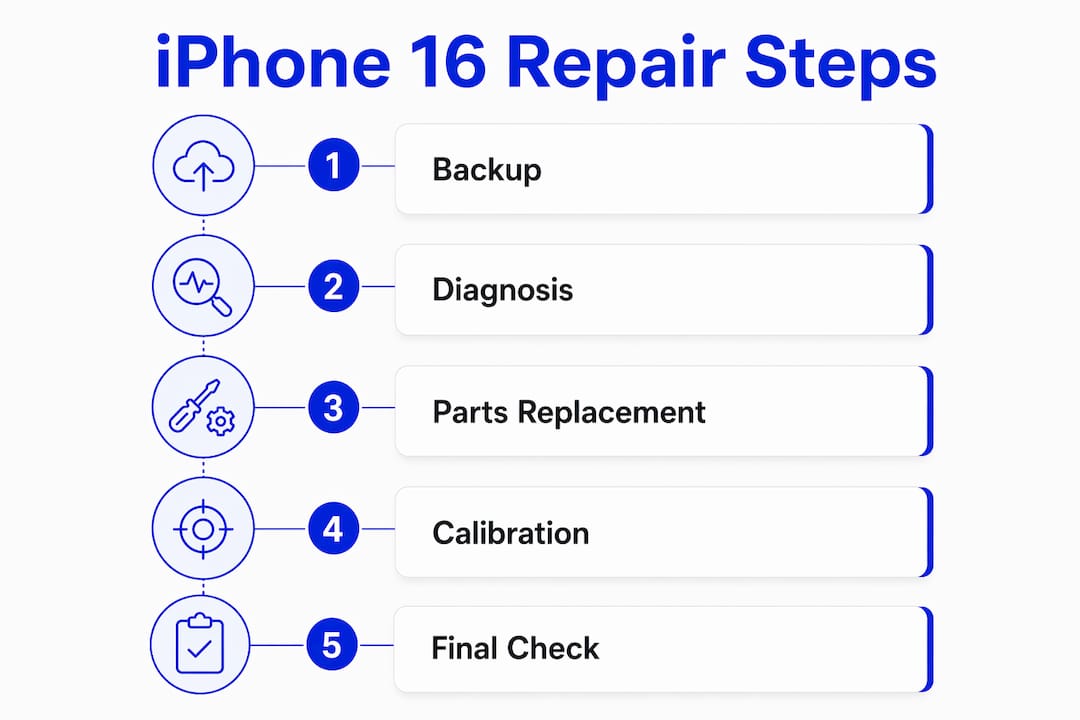
Parts pairing and Repair Assistant are the two things most owners don’t expect. After replacing a screen or battery with a genuine part, you need to run Repair Assistant to restore True Tone, auto-brightness, and log the repair in Parts & Service History. The path: Settings → General → About → Parts & Service History, then tap “Restart & Finish Repair.” Skipping this step is the most common reason owners lose display features after a repair.
| Repair route | Typical cost driver | Turnaround | Parts authenticity |
|---|---|---|---|
| Apple Store (in-warranty / AppleCare+) | AppleCare+ service fee | Same-day or next-day | Genuine Apple |
| Apple Store (out-of-warranty) | Full Apple retail repair price | Same-day or next-day | Genuine Apple |
| Apple Authorized Service Provider | Similar to Apple Store pricing | Same-day to multi-day | Genuine Apple |
| Self Service Repair | Parts + tool rental cost | DIY timeline | Genuine Apple |
| Mail-in (Apple) | Full repair price + shipping time | 5–7 business days | Genuine Apple |
AppleCare+ covers two incidents of accidental damage per year at a service fee rather than full out-of-warranty price. Without it, screen and battery repairs through Apple Support are priced at Apple’s standard retail rates, which are higher than most independent shops.
Independent shops, mail-in services, and DIY: what you need to know
Independent repair shops are where most iPhone 16 owners end up, and for good reason. Cost is lower, turnaround is often same-day, and a good local shop can be more convenient than scheduling an Apple Store appointment a week out.
Pros of independent shops:
- Lower prices on common repairs (screen, battery, charging port)
- Same-day service is common for straightforward jobs
- No appointment required at many locations
Cons:
- Parts quality varies. Aftermarket screens may lack True Tone accuracy or have inferior touch response.
- Post-repair calibration is inconsistently performed. Some shops skip Repair Assistant entirely.
- Repair warranties range from 30 days to a year, and some shops offer none in writing.
Mail-in services add transit time (typically several days each way) and introduce data-exposure risk if the device isn’t wiped first. For owners who can’t reach a local shop, mail-in is a reasonable fallback, but confirm the provider’s data-handling policy in writing before shipping.
DIY reality check: The iFixit iPhone 16 Screen Replacement guide is detailed and accurate, but it’s also explicit about a critical constraint: you cannot disconnect the battery at the earliest stage of screen removal on the iPhone 16. That means working near live electrical contacts throughout part of the procedure. One slip with a metal tool can short the board. Non-metal opening picks and a drained battery are not optional precautions.
For data safety during any repair, consider professional data recovery practices if you’re concerned about what happens to your files during a complex repair.
Pro Tip: When you call an independent shop, ask two questions before you book: “Are you using genuine Apple parts or OEM-equivalent?” and “Do you run Repair Assistant after the repair?” A shop that can’t answer both clearly is one to skip. Learn more about common repair mistakes before you hand over your device.

How much does iPhone 16 repair cost, and how long does it take?
Prices shift based on parts sourcing, shop location, and whether you have AppleCare+. These ranges reflect typical U.S. market rates.
| Repair type | AppleCare+ service fee | Out-of-warranty (Apple) | Independent shop estimate | Turnaround |
|---|---|---|---|---|
| Screen replacement | Lower accidental damage fee | Higher retail rate | — | Same-day to 1 day |
| Back glass | Lower accidental damage fee | Higher retail rate | — | 1–2 days |
| Battery replacement | Lower service fee | Apple standard rate | — | Same-day |
| Charging port | Not typically covered as standalone | Apple standard rate | — | Same-day to 1 day |
| Water damage | Varies by extent | Full diagnostic + repair | — | Multi-day |
Note: Apple does not publicly list exact dollar amounts for every repair tier in a single place, and fees change. Always confirm current pricing directly with Apple or your chosen provider before committing. The ranges above for independent shops reflect common U.S. market pricing but are not guarantees.
Factors that push cost and time higher:
- Parts pairing and calibration: If a shop needs to run Repair Assistant or source a genuine part, expect a small premium and possible extra time.
- Genuine vs. aftermarket parts: Genuine parts cost more but preserve True Tone and parts history. Aftermarket screens can be noticeably dimmer or less responsive.
- Regional demand: Shops in high-traffic urban areas often have longer queues.
- Mail-in transit: Add 5–10 business days for round-trip shipping on any mail-in service.
Weighing repair cost against replacement? The battery replacement vs. buying new comparison is worth reading before you decide, especially if your phone is otherwise in good shape.
How do you choose where to get your iPhone 16 repaired?
Work through this in order and you’ll land on the right answer quickly.
- Check your warranty and AppleCare+ status. Go to Settings → General → About → Coverage. If you’re covered, Apple’s service fee is almost always the better deal.
- Back up your device. iCloud or a Mac/PC backup. Do this before you go anywhere.
- Assess urgency. Need the phone back today? Apple Store same-day appointments and local independent shops are your options. Can you wait a week? Mail-in becomes viable.
- Call providers before you book. Ask about parts origin, warranty on the repair, and whether they run Repair Assistant. Get answers in writing or via email.
- Confirm data handling. Ask whether the technician needs your passcode and what their data policy is. A reputable shop will have a clear answer.
Evaluation criteria to weigh:
- Cost vs. parts authenticity (genuine Apple vs. aftermarket)
- Written warranty on the repair (30 days minimum; 90 days is better)
- Technician credentials or certifications
- Customer reviews that specifically mention calibration and post-repair function
Red flags to walk away from:
- Shop can’t tell you where the parts come from
- No written warranty offered
- Pressure to add services you didn’t ask for
- Refusal to run Repair Assistant when you ask about it
Pro Tip: Ask the shop: “After the repair, will you run Repair Assistant and show me the Parts & Service History screen?” If they look confused, that’s your answer. A technician who follows the device repair technician checklist will know exactly what you’re asking.
How are iPhone 16 repairs performed, and what safety constraints matter?
A screen replacement on the iPhone 16 follows a specific sequence that most owners don’t realize involves live electrical exposure partway through. Here’s what a competent technician does, and why.
Key safety steps:
- Drain battery below 25% before disassembly to reduce fire risk if punctured
- Tape over any cracked glass to prevent cuts and glass migration
- Use a heat source (heat gun or iOpener) to soften the perimeter adhesive before inserting opening picks
- Use non-metal picks only near the display connectors and battery contacts
- Shield exposed contacts when the battery cannot be disconnected at the first step
The iFixit screen guide is explicit: on the iPhone 16, the battery connector is not accessible until after the screen is partially removed, which means the board is live during the most delicate part of the procedure. This is not a beginner situation.
From Apple’s Repair Manual: After replacing a screen or battery with a genuine part, navigate to Settings → General → About → Parts & Service History, tap “Restart & Finish Repair,” and follow the on-screen prompts. Skipping this step can disable True Tone and auto-brightness permanently on that device.
Battery replacement adds another layer. Some iPhone battery procedures use a controlled electrical charge to heat and release adhesive, requiring specific tools (such as a VoltClip or regulated power supply) and precise timing. Applying the wrong voltage or holding too long can damage the board or the new battery.
Checklist to confirm your technician did it right:
- Ask to see the Parts & Service History screen after the repair
- Confirm True Tone and auto-brightness are functioning
- Check that the battery health percentage appears correctly in Settings → Battery
- Verify the repair is logged with a written receipt and warranty
When does DIY make sense for an iPhone 16, and when should you stop?
DIY is reasonable in a narrow set of circumstances. If you have prior experience with phone disassembly, the correct tools, a genuine replacement part, and you’ve accepted that the repair voids any remaining warranty coverage, a single-component repair like a screen or charging port is manageable.
Conditions where DIY is a reasonable choice:
- Single, isolated damage (cracked screen only, no other issues)
- You’ve successfully repaired a phone before
- You have plastic opening picks, a pentalobe screwdriver, and a heat source
- You can source a genuine Apple part through Self Service Repair
When to stop and call a professional:
- Battery is swollen or the phone won’t power on
- Water damage is involved (corrosion spreads and is hard to assess without equipment)
- Multiple components are failing simultaneously
- You need Repair Assistant calibration and aren’t sure how to run it
- You’ve never opened a phone before
Practical DIY checklist:
- Read the full iFixit repair guide and the Apple Repair Manual before touching the device
- Drain battery to below 25%
- Tape cracked glass before applying any heat
- Use only non-metal tools near connectors
- Plan to run Repair Assistant immediately after reassembly
Pro Tip: Before attempting the real repair, watch the iFixit step-specific video for the exact connector detachment steps. The connectors on the iPhone 16 are small and the ZIF sockets are easy to damage if you approach them at the wrong angle. Watching someone do it correctly once is worth more than reading the text three times.
Key Takeaways
The iPhone 16 is repairable through Apple’s official routes, independent shops, or DIY, but the right choice depends on your warranty status, urgency, and willingness to accept parts and calibration trade-offs.
| Point | Details |
|---|---|
| iPhone 16 is repairable | Screen, battery, charging port, and back glass all have reliable repair paths in the U.S. |
| Back up before anything else | A current iCloud or computer backup protects your data regardless of which repair route you choose. |
| Repair Assistant is non-negotiable | Skipping it after a screen or battery swap can permanently disable True Tone and auto-brightness. |
| Ask about parts and calibration | Confirm parts origin and whether the shop runs Repair Assistant before you book any independent repair. |
| Repair Genius for Orlando/Winter Park | Same-day on-site service with transparent pricing and data safety; no need to mail your phone or wait for a store appointment. |
A repair technician’s honest take on where owners go wrong
The most common mistake isn’t choosing the wrong shop. It’s skipping the backup and then panicking when something goes sideways during a repair that should have been routine. Data loss during a screen swap is rare, but it happens, and it’s entirely preventable.
The second mistake is treating Repair Assistant as optional. Owners who get a screen replaced at a shop that skips calibration often come back weeks later convinced the new screen is defective, when the real issue is that True Tone was never restored. The fix takes two minutes in Settings, but by then the owner has already lost trust in the repair.
On the DIY question: the iPhone 16’s 7/10 repairability score is genuinely encouraging, and iFixit’s guides are among the best in the industry. But a high repairability score doesn’t mean the repair is forgiving of mistakes. The inability to disconnect the battery early in a screen procedure is a real constraint that catches experienced DIYers off guard. If you’ve never worked inside a phone before, a cracked screen is not the place to start learning.
For owners in Orlando and Winter Park, on-site repair removes the variables that make repair stressful: no shipping risk, no leaving your phone at a counter for hours, and a technician who can walk you through the Parts & Service History screen right in front of you. That’s the model Repair Genius is built around, and it’s the one that consistently produces the fewest surprises.
Same-day iPhone 16 repair in Orlando and Winter Park
Repair Genius brings the repair to you. Screen cracked this morning? A technician can be at your location in Orlando or Winter Park the same day, with genuine-quality parts and the tools to run post-repair calibration on the spot. No shipping, no store queues, no leaving your phone with a stranger for days.

Every repair comes with transparent, upfront pricing before any work begins, and Repair Genius’s data-safety approach means your personal information stays on your device throughout the process. Screen replacements, battery fixes, charging port repairs, and more are handled with a written warranty and a clear explanation of what was done.
Ready to skip the wait? Visit Repair Genius to check same-day availability in Orlando and Winter Park, or reach out directly for a no-obligation estimate. If you need it fixed today, that’s exactly what Repair Genius is built for.
Useful sources for iPhone 16 repair
Save these before you start any DIY repair or book a mail-in service.
- Apple iPhone 16 Repair Manual — Official safety procedures, torque specs, parts pairing rules, and Repair Assistant steps. Start here for policy and pricing questions.
- iFixit iPhone 16 Screen Replacement Guide — Step-by-step DIY instructions with photos, tool lists, and calibration steps. The most detailed free resource for screen repairs.
- iFixit iPhone 16 Device Page — Repairability score, specs, and links to all available repair guides for the iPhone 16.
- iFixit iPhone Repairability Update — Context on how Apple’s recent design changes affect DIY difficulty and what the repairability scores actually mean.
- Apple iPhone Support — Official repair scheduling, AppleCare+ policy details, and links to Apple Authorized Service Providers near you.
- Repair Genius — Same-day on-site repair in Orlando and Winter Park; contact for estimates and booking.
| Resource | Best used for |
|---|---|
| Apple Repair Manual | Official safety steps, Repair Assistant procedure, parts pairing policy |
| iFixit iPhone 16 Screen Guide | Step-by-step DIY with photos and tool list |
| iFixit Device Page | Repairability score and guide index |
| Apple iPhone Support | AppleCare+ details, scheduling, authorized provider locator |
| Repair Genius | Same-day local repair in Orlando/Winter Park |
Recommended
- iPhone Screen Repair Process Explained for 2026
- Water Damaged iPhone Repair Tips | Save Your Device
- Top 4 iPhone Charging Port Repair Providers 2026
- Fix Cracked iPhone Screen Near Me










